When you open 'All rules' in the 'Match tuning UI' for the first time, the view is empty. To populate it with rule combinations, pair counts, and statistics, you must run the Sync & export pairs action.
This action:
-
Recalculates rule statistics based on the current matcher configuration tuning data and the tuning data populated for the matching algorithm. For details, refer to the topic Match Tuning Configurations and Functionality.
-
Exports all rule combinations with sample record pairs.
To synchronize and export pairs:
-
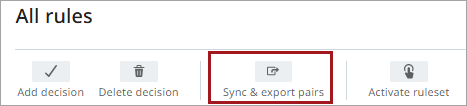
In 'All rules', click Sync & export pairs.
-
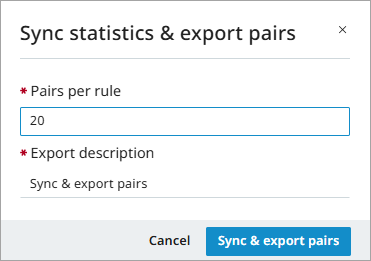
In the dialog, specify the number of pairs per rule (default: 20, maximum: 999).
-
Click Sync & export pairs.
The process runs in the background and can be monitored in the workbench under ‘BG Processes’ > 'Matching Ruleset Pair Export'. After completion and page refresh, updated statistics appear in the 'All rules' table.
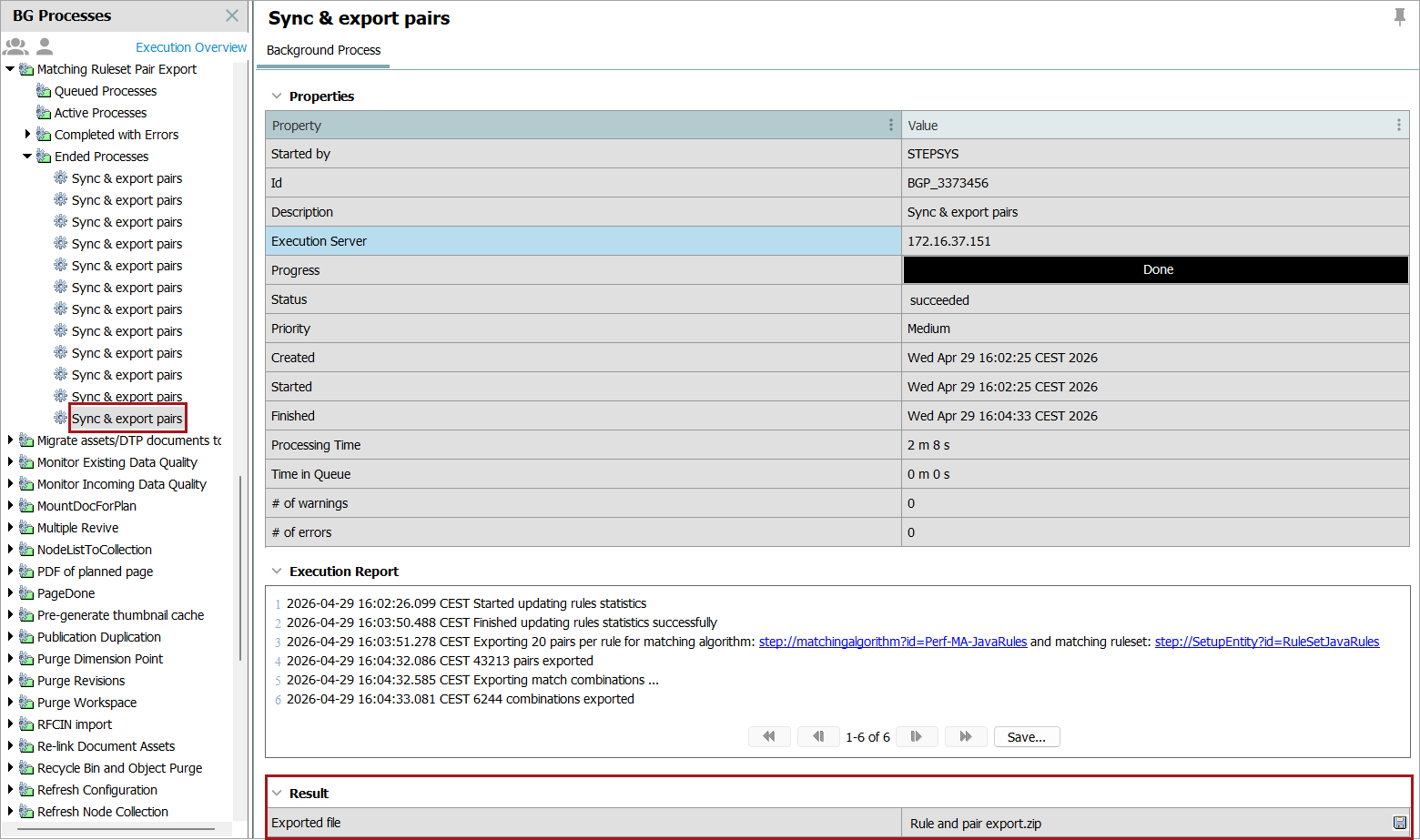
The export produces a .ZIP file containing:
-
Rule export
-
Pair export
Rule Export
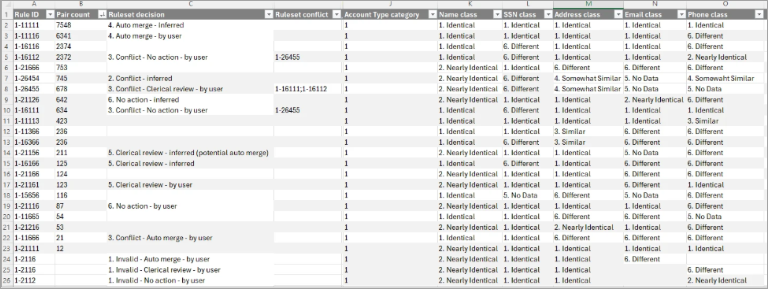
The rule export includes:
-
Rule ID: A unique ID for the rule.
-
Pair count: The number of pairs for the rule, based on golden records available with same match codes when 'Maintain Ruleset Tuning Data' was last executed. For more information about the 'Maintain Ruleset Tuning Data' process, refer to the topic Match Tuning Configurations and Functionality.
Note: When records merge after the first ruleset is activated, the pair count for 'Auto merge' decisions gradually decreases to zero. Do not delete these decisions so that future imported records are also auto merged.
-
Ruleset decision: User and inferred decisions with conflict information.
-
Ruleset conflict: For user decisions, the rule IDs of the conflicting decisions are displayed.
-
Similarity matcher classifications (such as 'Identical' or 'Similar').
-
Decision metadata: 'Decision by' and 'Decision at', showing who last created or modified the decision and when.
Pair Export
Pairs are not shown in the UI and are available only through export. By default, 20 pairs per rule are exported.
The pair export includes:
-
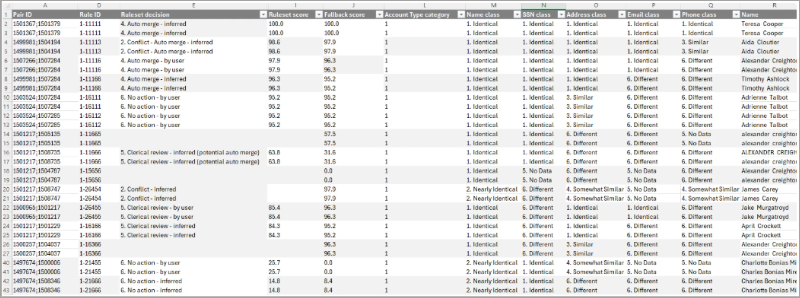
Pair ID: A construct of the two golden record IDs.
-
Rule ID: A unique ID for the rule.
-
Decisions: User and inferred decisions with conflict information.
-
Ruleset conflict: For user decisions, the rule IDs of the conflicting decisions are displayed.
-
Ruleset score: A numeric score (0-100) representing the pair equality. The score is always within the configured match action threshold(s) and is only applicable to pairs with a ruleset decision (user-defined or inferred).
Note: When match action thresholds on the matching algorithm are changed, the 'Ruleset score' resulting from matching changes accordingly. The 'Ruleset score' in the pair export is calculated on the fly and is therefore also reflected when running 'Sync & export pairs', although it is based on the matcher scores populated during the Maintain Ruleset Tuning Data process.
-
Fallback score: The final score result from the Rules table on the matching algorithm, calculated during the Maintain Ruleset Tuning Data process. The score is visible for all pairs but is only used for matching when a pair has no decision.
-
Golden record data according to the configured 'Export Ruleset Pairs Data Config.', as described in the topic Match Tuning Configurations and Functionality.
-
Similarity matcher classifications (such as 'Identical' or 'Similar').
-
All matcher scores.
For more information, refer to the topics All Rules and Match Tuning UI.