The 'Match tuning UI' is an application that provides a dedicated interface for tuning matching rulesets.
For details, refer to the topic Match Tuning using Matching Rulesets.
Prerequisite
To access the Match tuning application and its user interface, you must have the 'Access Match Tuning' privilege, as described in the topic Initial Configurations.
Open the Match Tuning Application
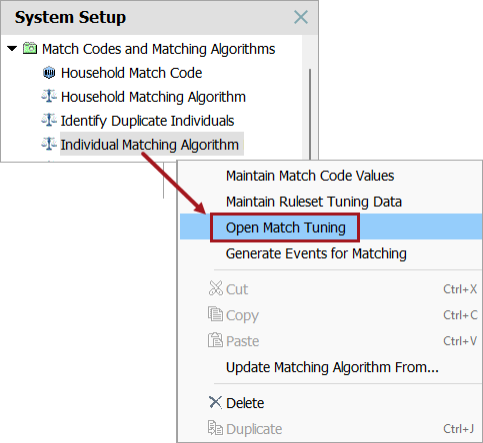
To open the Match tuning application, right-click the matching algorithm and select 'Open Match Tuning'.
Match Tuning UI Overview
The 'Match tuning UI' is organized around a collapsible navigation tree that organizes the tuning options:
-
The top level displays the currently opened matching algorithm.
-
Under 'Matching rulesets', all associated rulesets are listed. Rulesets are created in the workbench, as described in the topic Match Tuning Configurations and Functionality.
-
Expanding a ruleset gives access to two views:
-
All rules
-
Matchers
-
This structure allows you to move between configuring matchers and reviewing the created rules.
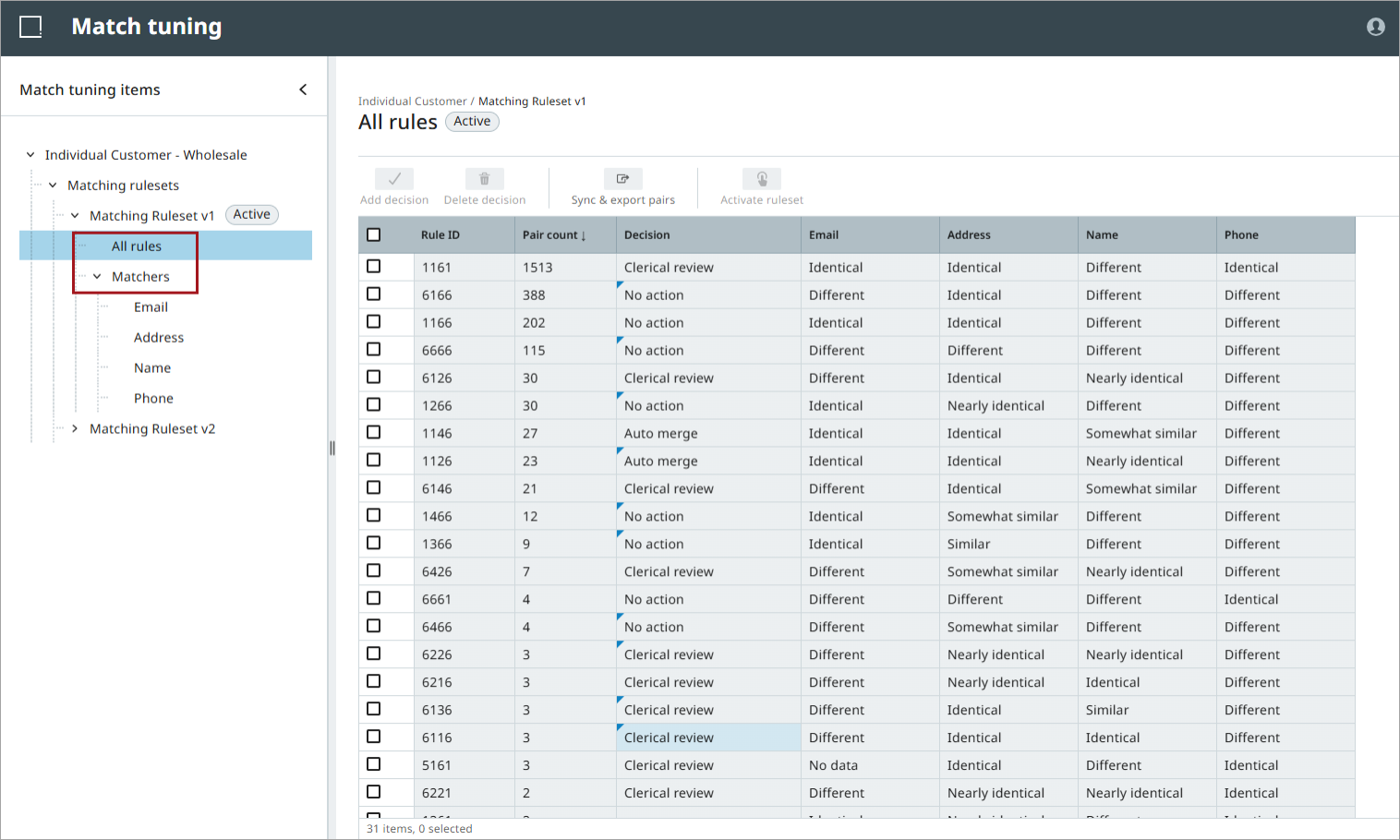
Rules are created by enabling or disabling classifications and adjusting thresholds in the 'Matchers' view. Each unique combination of matcher classifications forms a rule. Changes to matchers or thresholds directly affect how record pairs are classified.
The 'Matchers' and 'All rules' views, and their configuration options, are described in the topics Matcher Configuration and All Rules.