A Matching Ruleset must be activated before its decisions are used during matching.
You can activate a ruleset in the 'All rules' view of the 'Match tuning UI'.
Activate a Ruleset
To activate a Matching Ruleset:
-
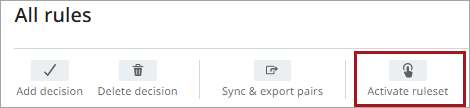
In the 'All rules' view, click Activate ruleset.
-
In the confirmation dialog, click Activate.
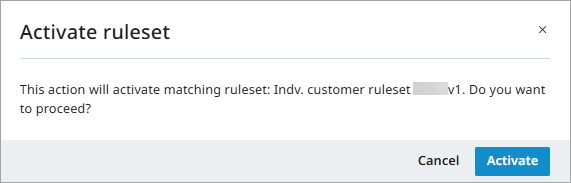
The activation is indicated in the 'All rules' header and in the tree view.
When a ruleset is activated, it is read-only, and any currently active ruleset is automatically deactivated.
Activation is blocked if decisions are conflicting or invalid, or if required matchers are missing in the configuration.
Deactivate a Ruleset
You can deactivate an active matching ruleset. When a ruleset is deactivated, it is no longer used for matching by the matching algorithm, which then relies only on the match criteria rules defined in the matching algorithm itself.
To help avoid unintended matching behavior, it is recommended to activate another ruleset instead.
For more information, refer to the topics All Rules and Match Tuning UI.