After importing a list (defined in the Creating Lists topic here), users can:
-
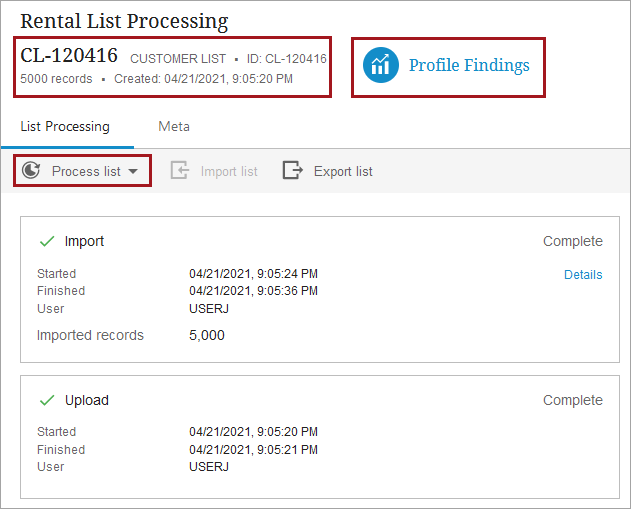
Review information about the current list via the List Processing Summary Card.
-
Assess the data quality of the list via the Profile Findings link.
-
Initiate a list process configuration by selecting it from the Process List dropdown. List Processing Configurations are created during the workbench setup, as defined in the Configuring List Processing in Workbench topic here. The 'Process list' dropdown is enabled when the list is available for processing and is disabled when being processed.
See the Processing Example topic (here) and the Processing Example Including External Processing Operation topic (here) for an explanation of each step of this functionality.
After processing a list, continue by exporting the list as defined in the Exporting a Processed List topic here.
Prerequisites
This topic assumes that users have already created the object types required for list processing, performed the required workbench configurations, and Web UI screen setup. For more information on the required setup for processing lists, see the List Processing topic here.
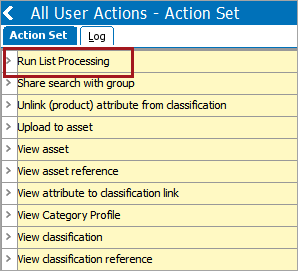
To execute list processing, users must be part of a user group with the 'Run List Processing' user action. For information on adding user actions, see the Maintaining Action topic in the System Setup / Super User Guide documentation here.
List Processing Summary Card
The summary card is displayed at the top of the screen and shows basic information about the list (as shown in the image above):
- Name of list
- List object type
- ID of list
- Current number of records in the list (will likely decrease when processing list with filtering and deduplication)
- Time of list creation
The information on this card cannot be modified. For more information, see the Configuring List Processing in Web UI topic here.
Profile Findings
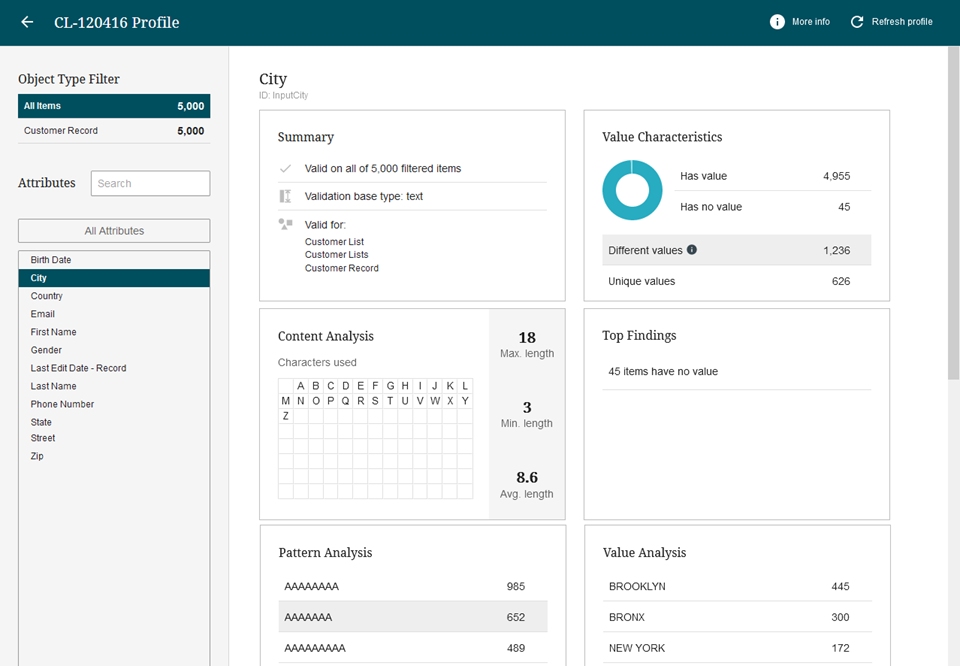
The 'Profile Findings' button displays a configured data profile screen. As a list is imported or processed, a new data profile is generated based on the default profile configuration setting on the object type of the list.
In this screen users can scrutinize the quality of the data in the list immediately after import and after every processing has updated the list data. For list object type data, attribute advanced search capabilities are disabled on the Data Profile Screen. Additionally, when refreshing the data profile for a list you cannot select a different profile configuration. For more information, see the Data Profiling in Web UI topic (here) and Profile Configuration topic in the Data Profiling documentation (here).
Process List
The 'Process list' dropdown displays all list processing configurations that are valid for the object type of the list. For more information, see the Configuring List Processing Workbench topic in this documentation here.
Processing a list is managed by a background process (BGP). Errors and warnings can occur during processing of the list and the list processing BGP can therefore complete in any of the following states for the following reasons.
Files used by list processing are compressed to reduce the disk space consumed, including:
-
internal list representation files, copies of uploaded files during import
-
files containing records that failed during import or have been filtered out, files representing exported and imported lists during external processing, and exported list files
When using external processing, the Suspended status indicates that the list has not yet been received from the external processing service. For details, see the Processing Example topic (here) and the Processing Example Including External Processing Operation topic (here).
Processing BGP Statuses
Note: Some operations are executed in parallel to optimize performance, but all operations are applied in the configured order per record. Use the following case-sensitive sharedconfig.properties file parameter to set the number of parallel processes that can execute list processing (e.g., 20):
BackgroundProcess.Queue.LIST_PROCESSING_QUEUE.Parallel=20
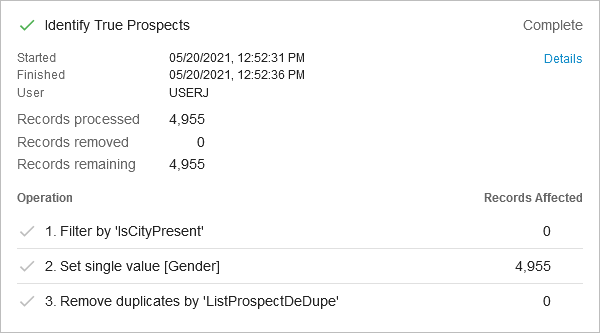
- Complete - All records were processed without any errors.
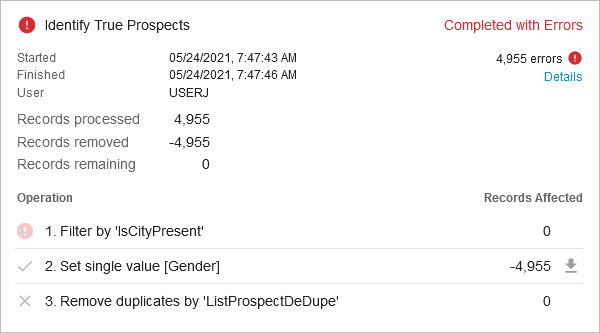
- Complete with Errors - One or more records failed while attempting to process it by one or more list operations. When an operation fails on a record, any update that operation performed on that record will not take effect. However, updates to that record and the results of other successful operations will still take effect, regardless if such other operations occur prior or after the failing operation. Click the 'Details' link to review both warnings and errors in the importing BGP log.
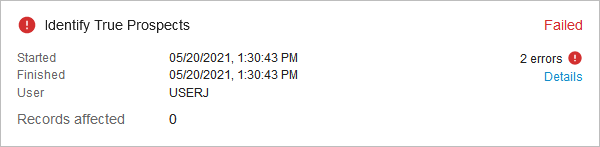
- Failed - the BGP fails to complete the list processing due to severe errors occurring above records processing level. When the BGP is Failed, no data is updated.
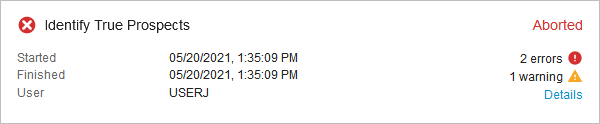
- Aborted - a user chose to cancel the BGP in workbench by deleting the BGP while it was active. When the BGP is aborted, no data is updated.