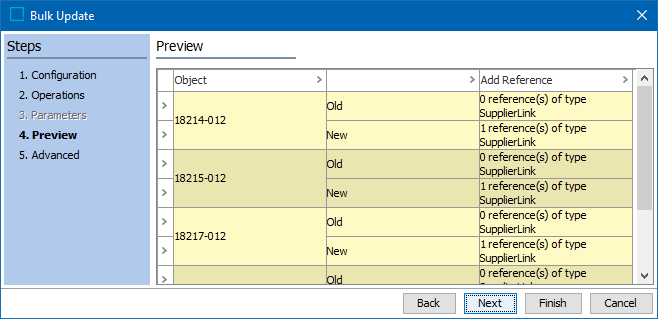
This step of the wizard shows sample results of the configured operations.
Note: Depending on business rule configuration, the Preview step can execute irreversible actions such as email notifications or REST calls. By default, the preview is skipped to avoid these types of actions. However, this preview can be useful when configuring operations that are not associated with irreversible actions.
A maximum of 10 objects is displayed. For each object, the existing data is shown on the 'Old' row and the data that will result from the update is shown on the 'New' row.
-
Hover over a warning or error icon to review potential problems with the bulk update.

-
Click the Back button to resolve warnings and errors by modifying an operation or parameter.
-
Click the Next button to display the Bulk Update Advanced step.