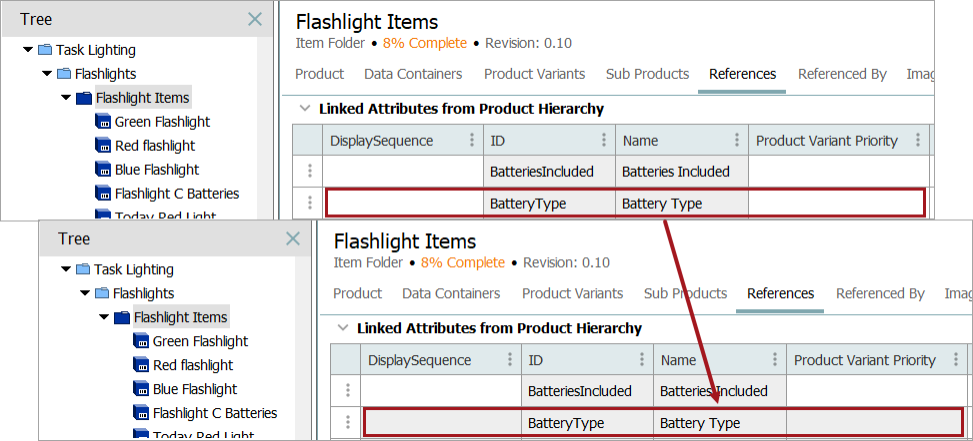
This operation removes the selected link to an attribute when the selected object is linked to the attribute.
For more information on the Bulk Update wizard, refer to the Creating a Bulk Update topic.
This operation can also be run via the business rules functionality, as described in the Business Action: Remove Attribute Link topic in the Business Rules documentation.
Prerequisite
Before using this operation, ensure the valid attribute is linked to the product. For more information, refer to the Product Attribute Link Type topic in the System Setup documentation.
Configuration
- From the dropdown, click References and Links and select Remove Attribute Link.
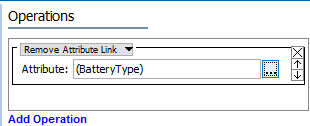
- For the Attribute parameter, click the selector button (
 ) to display the Select Attribute dialog, choose the attribute that should be removed and click the Select button.
Example
The following images show before (with white editable cells) and after the 'BatteryType' Remove Attribute Link bulk update is run (with gray read-only cells).