The Clear Value bulk update plugin allows for clearing values across one or all contexts.
For more information on the Bulk Update wizard, refer to the Creating a Bulk Update topic.
Configuration
-
From the dropdown, under 'Attribute values' select Clear Value.
-
For the Attribute parameter, click the selector button (
 ) and choose an attribute using standard Browse / Search node picker functionality within the Select Attribute dialog.
Until an attribute is selected, the error message 'No Attribute Selected' is displayed and the Next button is disabled.
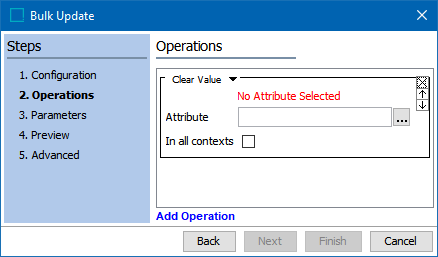
- For the 'In all contexts' checkbox, check the box to clear an attribute value in all contexts. Otherwise, the values are only cleared for the context you are currently in.
- Click Next or Finish to save your selections and complete the Bulk Update wizard setup.