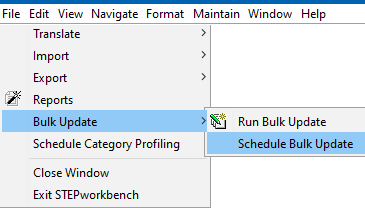
Scheduling a bulk update with collections is useful for a group of objects that needs to be updated on a regular basis. The scheduled collection can save time instead of performing it manually. For example, if all current accessory references should be removed before a group of objects is implemented into a workflow.
Important: Consider the time zone of the application server compared to that of the workbench (the client) where the schedule is created or viewed. When scheduling a job, the local time zone is displayed in the workbench, but the time zone of the server is used to run the background process. Although displayed, the time zone of the client is not included in the instruction to the server to run the job. This can cause confusion about when the job will run since the scheduled time is not automatically converted to accommodate potential differences in time zones.
The following tasks must be completed before a collection is scheduled to run a bulk update.
To perform a bulk update on a collection at regular intervals, create a schedule that applies to a particular collection. The bulk update is then automatically run at the scheduled time.
 ) to locate and select the relevant collection. This option is not valid if the collection is created from the File menu, Bulk Update option, Run Bulk Update.
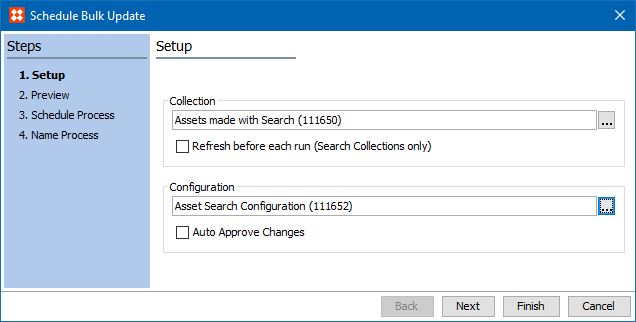
) to locate and select the relevant configuration.
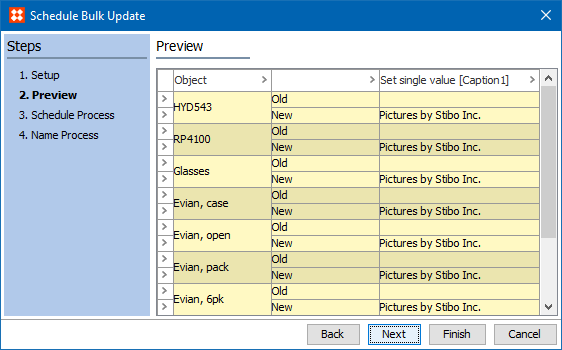
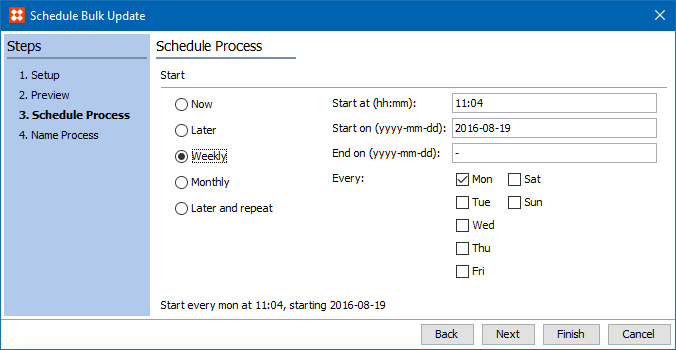
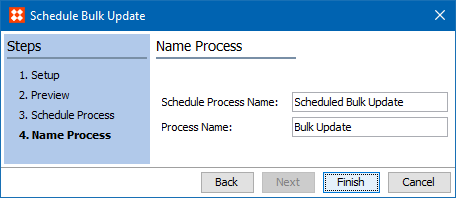
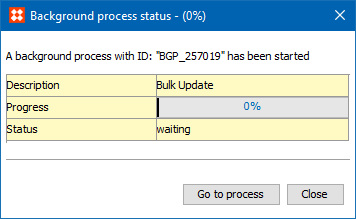
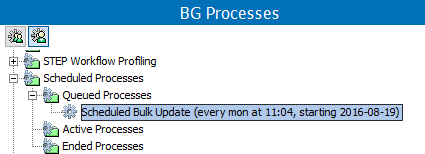
Below, on the BG Processes tab, viewing the process shows a bulk update that is scheduled to run at a later time under 'Queued processes.'
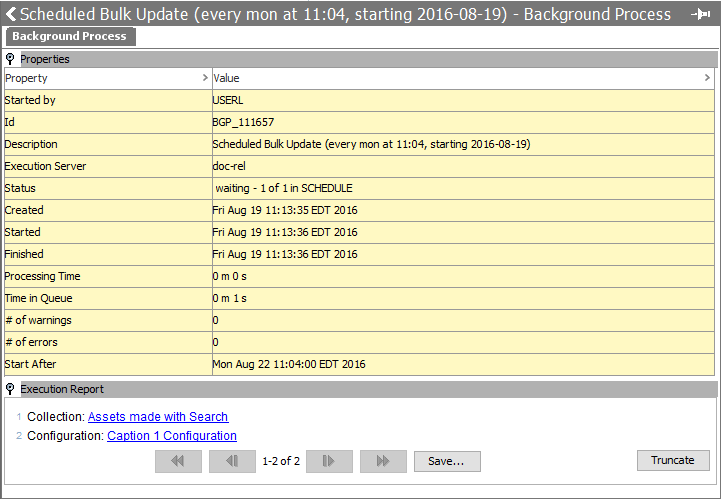
Below, on the BG Processes tab, the Execution Report shows the process with a Status of 'waiting.'
For information on how to schedule bulk updates for collections in Web UI, see the Scheduling a Collection Refresh in Web UI topic in this documentation here.
2019, Stibo Systems – Confidential