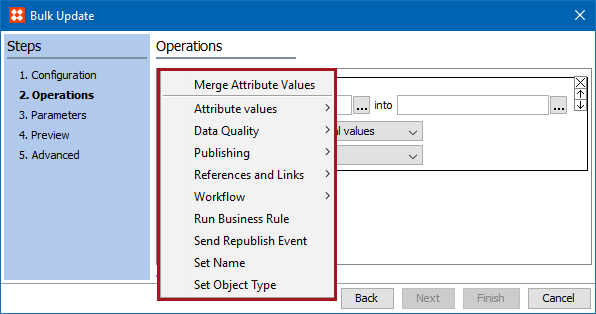
There are a number of operation options available when performing a bulk update. Because more than one operation type can be applied during a bulk update, and the order in which the operations are listed matter when performing a bulk update, it is important to fully understand what each operation does.
Note: Ensure that the operations are listed in the order that they are needed to perform. Operations are performed from the top down. This means that operations further down the list overwrite operations further up.
The following sections contain explanations of each operation type available in the Bulk Update wizard.
Operations are can be chosen in Step 2 of the Bulk Update wizard.
See the Running Bulk Updates topic within the Getting Started / User Guide documentation
For some of the operations, a user can specify a function in the Function editor. See the Function Editor topic within the Attributes documentation
2017, Stibo Systems