Open topic with navigation
Running Bulk Updates
The bulk update functionality allows a user to easily update large amounts of objects in a single operation.
There are three possible ways to run a Bulk Update:
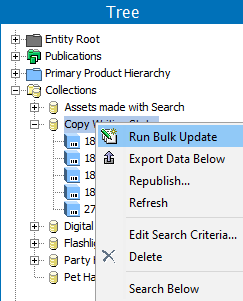
- It can be run on all objects in a single collection or multiple collections. To do so, right-click the relevant collection(s) in Tree and choose Run Bulk Update.
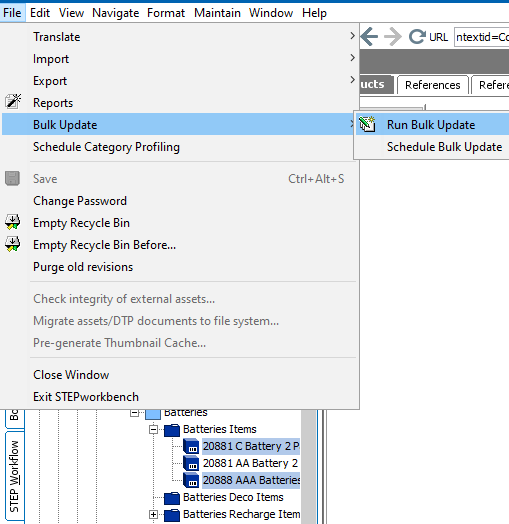
- It can be run on a single or multiple selected objects in Tree or System Setup. To do so go to File > Bulk Update > Run Bulk Update.
Objects that it can be run on in Tree are:
- Assets
- Classifications
- Collections
- Configurations
- eCatalogues
- Entities
- Index Words
- Products
- Publications
Objects that it can be run on in System Setup are:
- Attributes
- Attribute Transformations
- Asset Importer
- Change Packages
- Completeness Metrics
- Event Processors
- Event Queues
- Gateway Endpoints
- GDSN- Data pool- Receiver or publisher
- Global Business Rules (actions, conditions, and libraries)
- Inbound Integration Endpoints
- Keys
- List of Values
- Match Codes and Matching Algorithms
- Outbound Integration Endpoints
- Tables
- Tags
- Units
- Users and Groups
- Web UIs
- Workflows
- Workflow Profiles
- Reference types / link types
- Object type & structures (asset, classification, publication, setup group, etc.)
- Context -Dimension points
- Lastly, it can be run on search results. To do so, perform a search and then click on the Bulk Update button,
 , at the bottom of the Search pane.
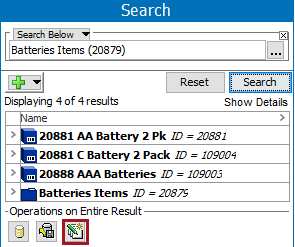
For more on how to perform searches using the Search tab in STEP Workbench, see the Search Overview topic in the STEP User Guide / Getting Started documentation here.
After selecting one of the three options above to run a bulk update, the Bulk Update wizard will appear. Steps for navigating through the Bulk Update wizard are described in the Bulk Update Wizard in the STEP User Guide / Getting Started documentation here.
2017, Stibo Systems