Before pushing data to the digital catalog, a few prerequisites must be met: a digital catalog has been configured for a configured channel, and the relevant data has been imported into Master data. For additional information on configuring a digital catalog and importing data, refer to the Configured Channels and Import Data Screen topics respectively.
Once a digital catalog is created and published, it will appear on the digital catalog website. The brand adds products to the configured channel and then pushes or submits the products to the corresponding digital catalog. The retail partner then logs in to the digital catalog to view and export the products.
The channel serves as a staging area for all products added where the brand admin can run validations and adjust the data to comply with the channel requirements with no risk of affecting the master data. Once products pass all internal validations, they are ready to submit. These are the steps to submit product data to the digital catalog:
-
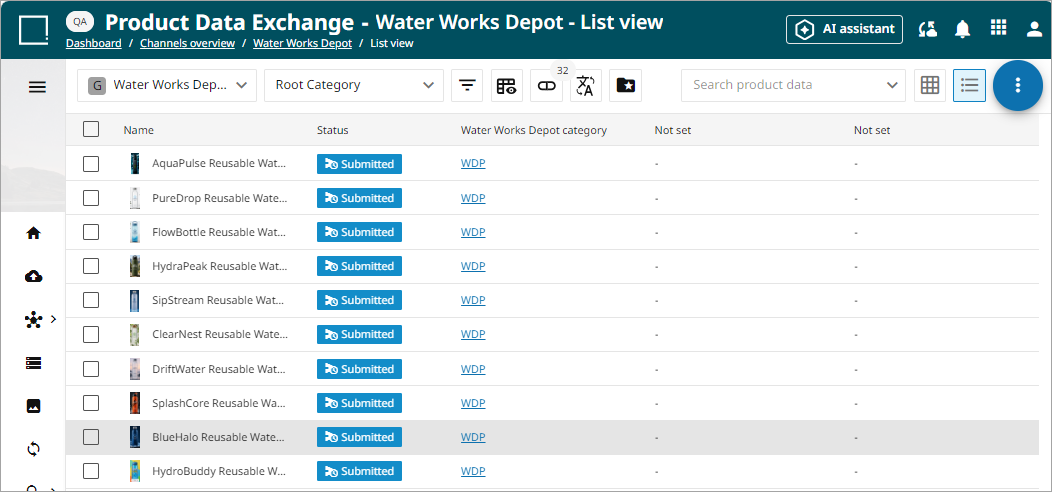
Navigate to the List view of the configured channel.
-
Select the products to be added to the digital catalog by clicking the box on the left-hand side of the row.
-
Click the kebab menu (
 ), and select the 'Submit' option.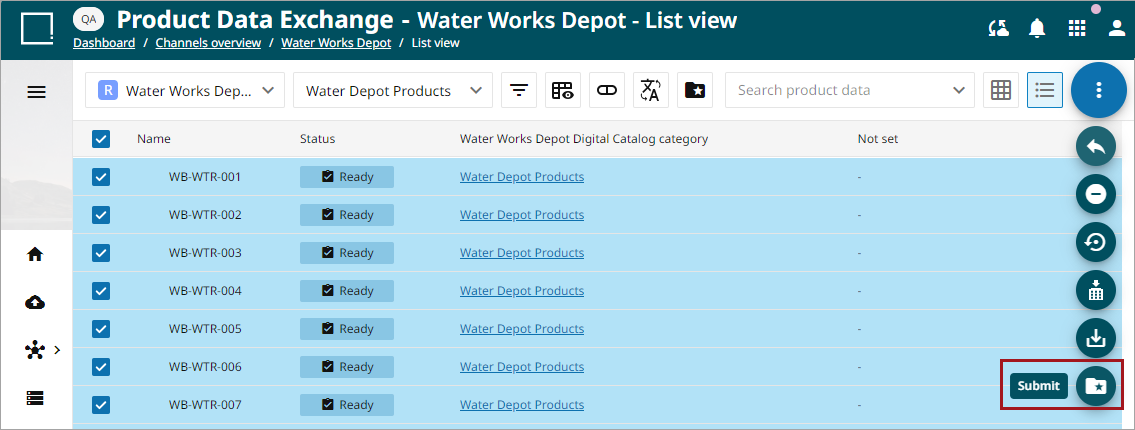
Once the products are successfully submitted, retail partners with access to the digital catalog can view and retrieve products and the product information. Refer to the Configuring a Digital Catalog topic for sharing and obtaining digital catalog access.