Users that take advantage of background processes in Web UI can use the Background Process Node Details screen to check the status and output of a background process.
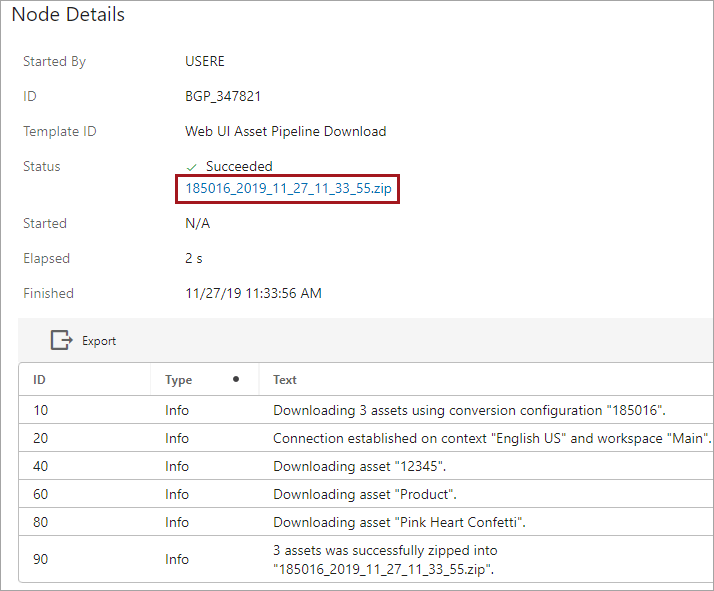
Once the screen is configured and activated, a background process initiated in Web UI displays the background process node details screen above. In this example, the output is a zip file.
- To download the file to the local system, click the file name link.
- To save the generated file with a new name, right-click the file name link and use the Save Link As option.
Prerequisites
It is expected that anyone configuring the Node Details component is familiar with the Web UI Designer, as basic concepts for working with the designer are not covered in this section. In addition, the user must have appropriate privileges to access the designer. Additional information can be found in the Designer Access section of the Web User Interfaces / Web UI Setup and User Guide documentation here.
Configuration
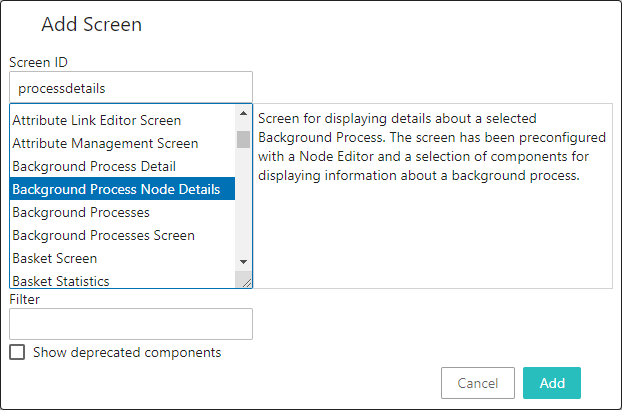
The process for creating a new screen is outlined in the Design Mode Basics topic in the Web User Interfaces / Web UI Setup and User Guide documentation here. Select 'Background Process Node Details' as the screen type and add a Screen ID (shown in the screenshot below).
Once created, the Background Process Node Details screen needs no further configuration to function. However, it can be customized as defined below.
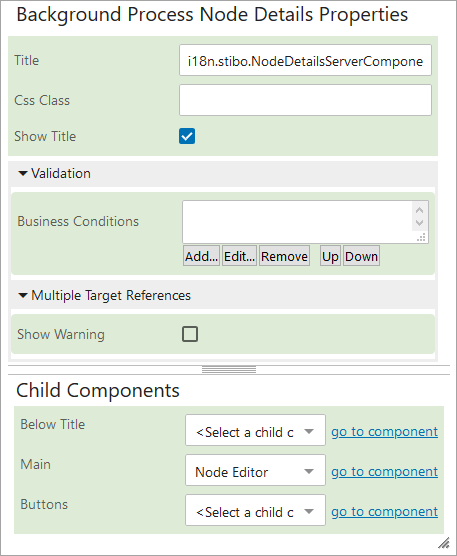
- Title - The title is displayed in the top left corner of the background processes window. Based on the default i18n translation key, 'Background Process Details' is the window title. To use a different title, overwrite the i18n label with the desired text.
- Css Class - Optional. Enter the name of the primary CSS Stylesheet for the component.
- Show Title - When checked, the title is displayed in the window; if unchecked, the title and associated white space is removed from the window.
Validation
- Business Conditions - Optional. Use the Add button to select one or more existing business conditions to execute validation on the node being edited. All business conditions must succeed for the process to continue. For more information, see the Business Conditions topic in the Business Rules documentation here.
Multiple Target References
- Show Warning - When checked, a warning displays if a shared object is edited and then saved (either using a manual Save action or via a process like Submit Action or Approve Action). For more information, see the Shared Data Handling topic here.
Child Components
- Below Title - Used to display a breadcrumb describing where in the hierarchy the object resides. For more information, see the Below Title Component topic here.
- Main - Determines how the background process information is displayed. For example, you can select a Node Editor or a Tab Control. Additional configuration may be required based on the Main component selected.
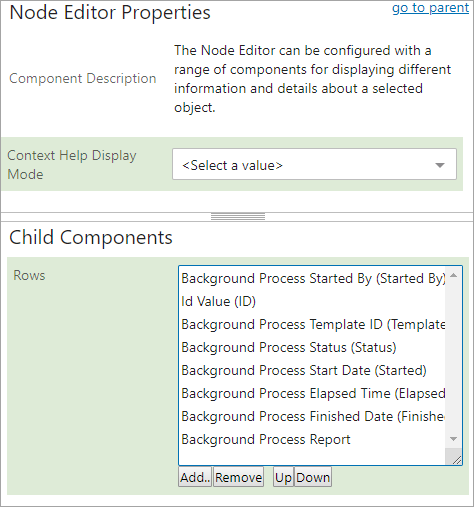
In this example, the Node Editor component is chosen and then the 'go to component' link is clicked to display the additional configuration options. For more information, see the Node Editor Component topic here.
- Buttons - Defines the action buttons available on the component. For more information, see the Action Buttons topic here.
Click the designer's Save button to confirm the settings.
Activation
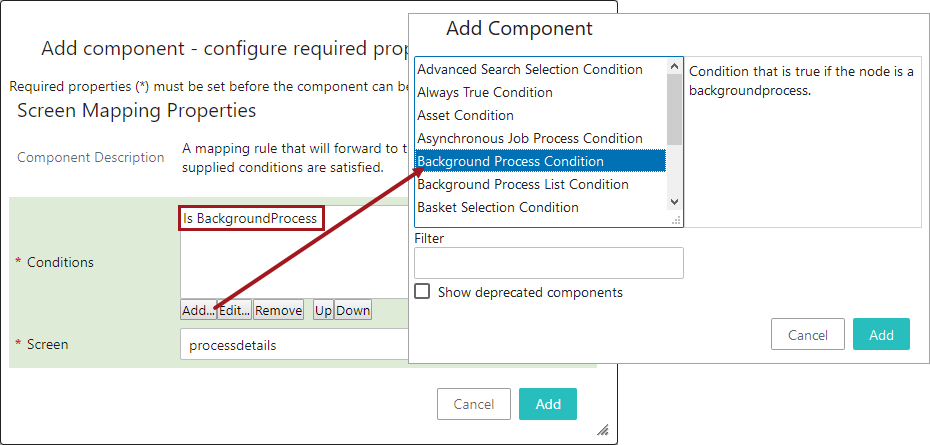
To display the Background Process Node Details screen, navigate to the MAIN screen and map the screen to the 'Background Process Condition' which is displayed as 'Is BackgroundProcess' in the Conditions parameter. Set the Screen parameter to the Screen ID created earlier. Click the dialog's Add button, then click the designer's Save button to confirm the settings and the Close button to return to the Web UI. For more information, see the Mappings topic here.