While complex business conditions can be created using either STEP Functions or JavaScript, simple conditions can be implemented using the operations in the table below. Each is described in further detail in individual sections.
To access the available business condition operations, under the System Setup tab, open the Global Business Rules node, select or create a business condition and open the Business Condition flipper. Your system can also include a 'Setup Group' root node that includes all Business Rules.
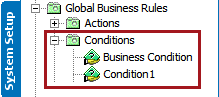
Before deciding to use a business condition, review the Alternate Options section below to determine if the rule could be enforced using standard configuration.
Important: Business conditions are optimized for determining the true / false result of read-only scenarios. Although it is technically possible to write business conditions to change data, doing so can result in unpredictable errors and should therefore not be attempted. To change data effectively, use a business action. For more information on business actions, see Business Actions here. To generate an output on not changing input parameters, use business functions. For more information on business functions, see Business Functions here.
|
Condition |
Description |
|---|---|
|
Attribute Value Comparison |
Compares the value of one attribute on the object being tested by the business rule with either a constant or the value of another attribute on the same object. For more information, see Business Condition: Attribute Value Comparison |
|
Evaluate JavaScript |
Runs defined JavaScript code added on the business condition using the same bindings that are available for the business action 'Execute JavaScript', as defined in Business Action: Execute JavaScript here. Important: Although the same binds are available, changing STEP data via an Evaluate JavaScript business condition is not supported. |
|
Function |
Makes it possible to use functions to define business conditions. For more information, see Business Condition: Function |
|
LOV Cross-Validation |
Specifies that the value of one List of Value (LOV) attribute limits which values are valid for another LOV attribute. For more information, see Business Condition: LOV Cross-Validation here. |
| OR Condition |
Returns true if one or more of the referenced business conditions returns true. For more information, see the Business Condition: OR Condition here. |
|
Reference other Business Condition |
Allows the current business condition to reference other business conditions. For more information, see Business Condition: Reference other Business Condition here. |
|
Valid Hierarchies |
Specifies sub-hierarchies where the condition is true. For more information, see Business Condition: Valid Hierarchies here. |
|
Validate Product Variant |
Validates product variants for duplicates. This condition uses the configuration created when setting up Product Variant Families, so there is no additional configuration. For more information, see Business Condition: Validate Product Variant here. |
To add a business condition, see Specifying a Business Condition here.
Alternate Options
When considering the use of a business condition, it is good practice to evaluate if the same result can be reached with a more efficient function. The following examples illustrate some of these scenarios.
- Required value on approval:To determine if an attribute has a value before approval, use the 'mandatory' parameter on the attribute itself, as described in the Mandatory Attributes topic of the System Setup / Super User Guide documentation here.
- Required value on import: When mapping on an IIEP or Import Manager, the Mandatory checkbox on each of the mappable elements allows the importer to reject the objects when values are missing, as described in the Mapping Options section of the Inbound Map Data - Map topic of the Data Exchange documentation here.
- Restrict value input: The Attribute Validation Base types can be used to globally enforce value lengths, minimum and maximum values, data masks, as described in the Validation Rules topic of the System Setup / Super User Guide documentation here.
- Restrict object type within a hierarchy: The Object Types & Structures configuration provides a way to apply restrictions to the hierarchy so only objects of specific types can exist below other objects of specific types, as described in the Object Type Hierarchy topic of the System Setup / Super User Guide documentation here.
- Restrict references and links based on object type: References and Links can be made valid only from objects of specific types to other objects of specific types, as described in the Reference and Link Types topic of the System Setup / Super User Guide documentation here.