Search Screen Details
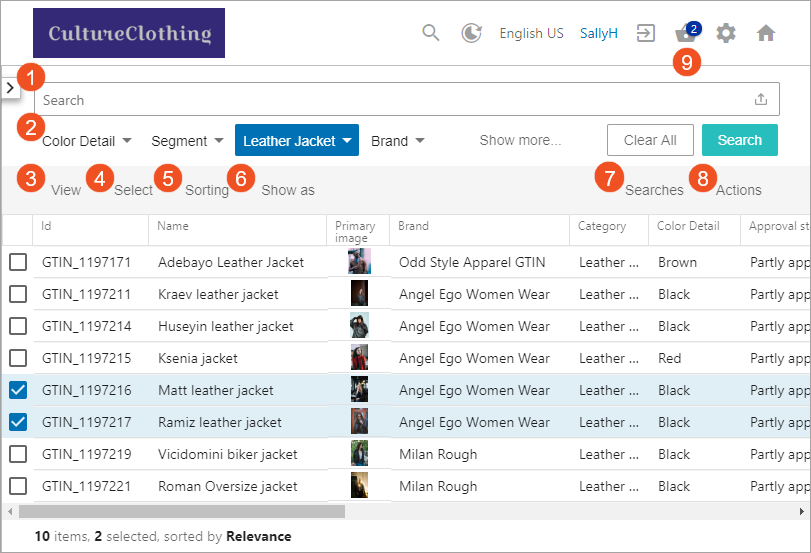
The Search Screen uses the third-party Elasticsearch search engine to provide a number of search options. Functionality includes a search bar with a variety of search types, static facet search operations, personalized views by user, the ability to display results as a table or cards, and a basket for collecting and exporting or publishing search results. Opening the search screen displays the results of your configured favorite search (as defined in the Searches menu) or displays the available data based on the your access privileges and the data in the Elasticsearch database. Additional data filters can be applied via the search options defined.
Use the checkbox on a search result to select it (as shown below). Then use the Actions menu to add selections to the basket or run a business action against them. The browser Back and Forward buttons allow the user to move backwards and forward through the history of screens previously displayed.
Each option is identified by the numbers in this image, and is defined in the topic links below: