Search Screen Actions
The Actions menu includes options that impact the selected objects in the search results.
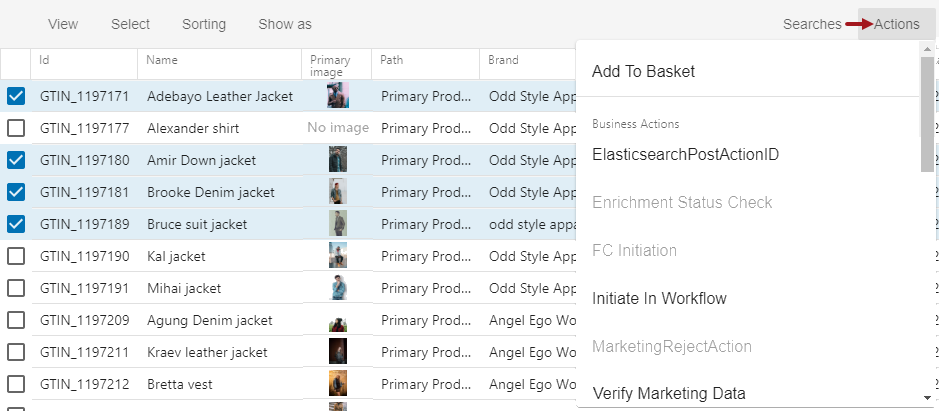
- Add to Basket - Includes the selected items in the basket, making them available for exporting or publishing to PDS. For more information, see the Search Screen Basket topic here.
Objects added to the basket are stored in a temporary collection with an ID of 'basket-[user ID]' where the [user-ID] designation is the login ID of the user who created the basket. The temporary collection can be viewed from Tree within the Collections node. For more information, see the Collections topic in the Getting Started / User Guide documentation here.
- Business Actions - Executes an action against all selected objects, via a background process. Business rules shown in dark text (such as 'Initiate in Workflow' in the image above) are valid for all of the selected objects. Business rules shown in light gray text (such as 'FC Initiation' in the image above) are not valid for all of the select objects.
Note: Only business actions that the user is privileged to view are displayed, including those without a name. Unnamed actions are displayed with an automatically generated ID, such as: (acn-bfe9d658-0db1-434e-8d57-30cab3e90f8f).
For more information on business rule validity, see the 'Valid Object Types Parameter' section of the Editing a Business Rule topic in the Business Rules documentation here.
For general information on business actions, see the Business Rules documentation here.
For information on monitoring background processes in Web UI, see the Background Process List Screen topic here.