Product Data Syndication
One element of product master data management is product data syndication—delivering your onboarded, cleansed, and enhanced STEP data as a single view to multiple external systems, called channels. Stibo Systems' Product Data Syndication (PDS) platform allows your single-view master data to be mapped, based on the established data standards for the channels you require. Channels (depending on availability) allow syndication to product retailers, GDSN, and/or Sales / Distribution sites.

On-the-fly error checking in PDS is performed against channel data standards to prevent you from publishing non-standard data. Corrections for errors can be saved as rules for future use, reducing the overall time spent generating quality data.
Integration between STEP and PDS involves:
- Master data sent from STEP to PDS via an outbound integration endpoint. This can include a product's primary image, product references as well as metadata on those references, and packaging hierarchy information.
- PDS channel status information is received by STEP via an inbound integration endpoint. This allows STEP users to monitor the status of products being syndicated by PDS.
Prerequisites
To get an administrative account for PDS, talk to your Stibo Systems account manager. Your account administrator has the ability to invite you to the PDS account from the PDS UI. In doing so, you will receive a sign-up email where you define the password. You will use these credentials to log into the PDS system at https://pds.stibosystems.com.

If you encounter any issues within the PDS site, use the live chat help in PDS – available on the question mark icon in the top right-hand corner of the application. Issues while in the STEP Web UI or STEP Workbench should be reported using your standard reporting methods.
Configuration
To access the PDS platform and functionality, the 'X.Adapter.ProductDataSyndication' license must be activated on your server and the 'productdatasyndication-integration' add-on component must be installed on your system. The add-on component will create an Outbound and Inbound Integration Endpoint, both pre-configured to the greatest extent possible. Once activated, STEP communication with PDS is handled via the API using auto-generated integration endpoint objects. To install the component, you will need to know the appropriate patch level based on the version of STEP you are using. For more information regarding activating / installing the required license / component, contact your PDS representative.
Some manual configuration setup is required for the following objects:
- PDS Outbound Integration Endpoint - the OIEP sends master data to PDS and must be modified to work with your data. The PDS Outbound Integration Endpoint Configuration topic (here) includes details for:
- Manual required setup
- Packaging hierarchy export setup
- Optional product references metadata export setup

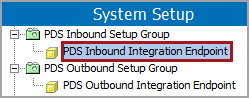
- PDS Inbound Integration Endpoint - the IIEP receives the PDS channel status information. For details, see the PDS Inbound Integration Endpoint Configuration topic here.
- PDS Status Data Container - the data container used to display and monitor the PDS product status in the Web UI and the workbench, using the attributes contained within the PDS Status Attribute Group. For details, see the PDS Channel Status Monitoring section of this documentation here.

- pdsPostActionID - the business rule used to generate derived events from edits made to the Main workspace by clicking the Save button on the Product Editor screen in Web UI. For details, see the Events Generated on Main Workspace topic of the System Setup / Super User documentation here.