The following information is about how to properly maintain workspaces created outside of the Main and Approved workspaces. All workspaces are maintained in System Setup under the Workspaces node.
Creating Workspaces
You cannot create new workspaces. Workspaces created prior to STEP 9.2 are still accessible in later versions but cannot be duplicated.
Workspace Log
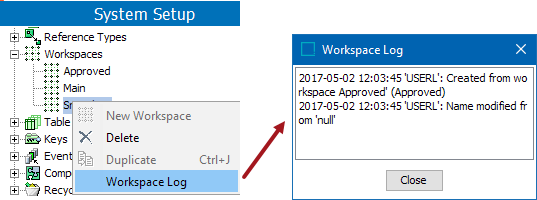
To view the activity and changes that have taken place in a workspace, on System Setup, right-click the workspace and click 'Workspace Log'.
Deleting Workspaces
If a workspace is no longer needed, it can be deleted. Before deleting a workspace, transfer data that should be kept to another workspace. Deleting a workspace is very time consuming.
For Oracle databases, this action requires single-update mode (SUM), as defined in the Single-Update Mode topic. For Cassandra databases, this action uses Lock-free Schema Change (LFSC) functionality, as defined in the Lock-free Schema Change topic.
-
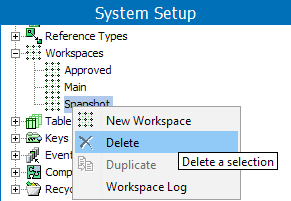
In System Setup, open Workspaces, and then click the workspace to be deleted.
-
Right-click, and select Delete.
Note: It is not possible to delete the Main workspace and the Approved workspace.
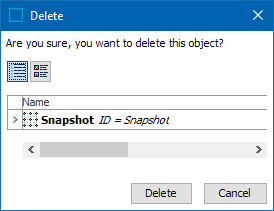
- A Delete Warning dialog box appears. Click Delete to delete the workspace.