The 'Update preview sandbox', a sandbox with 'rpv' in the environment name, is a time-limited sandbox that can be used to try out the latest available STEP update without having to update existing environments. Only one 'Update preview sandbox' can exist at a time. The main purpose of this sandbox is to have a quick preview of new functionality that is available in the latest update or to assess the potential impact of an update to an existing solution. Further troubleshooting and testing should be performed on existing Sandbox and Pre-Production environments.
Important: The 'Update preview sandbox' is not a supported environment. Only report issues with the process of creating the sandbox or similar problems in the Stibo Systems Customer Service portal.
From the 'Update preview sandbox' option, available in the left navigation panel, you can choose a source environment for the new 'Update preview sandbox'. Only environments that are not already on the latest STEP feature update and that meet the size requirements are available.
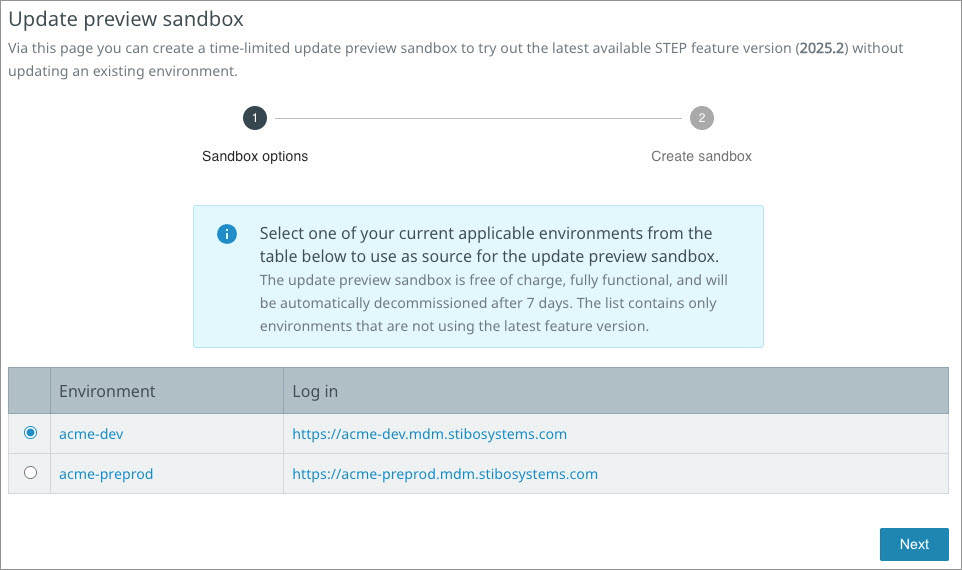
Select an environment for the sandbox and click the 'Next' button. Provisioning of the 'Update preview sandbox' is evaluated to include a copy of the schema and data of the selected environment.
The result of the evaluation is displayed on the screen:
-
The following message with the 'not automatically' bold text is displayed when the copy of the schema and data of the selected environment is not possible.
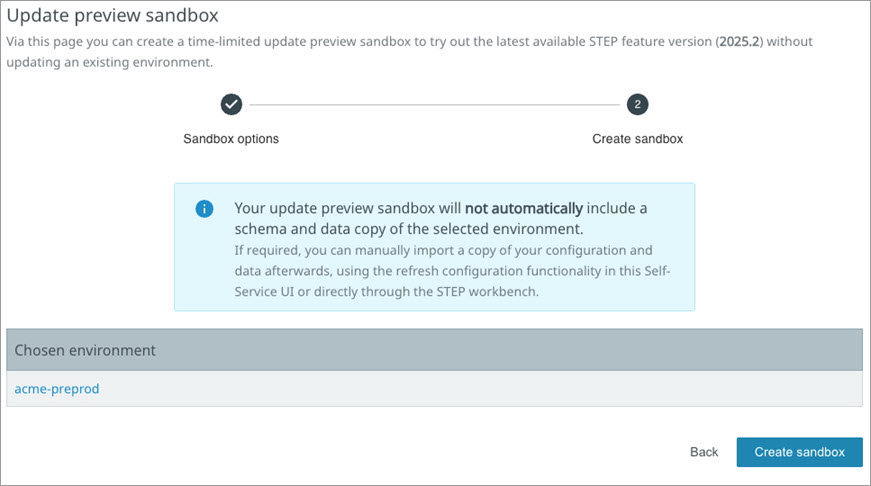
-
The following message with the 'may include' bold text is displayed when the copy of the schema and data of the selected environment is possible.
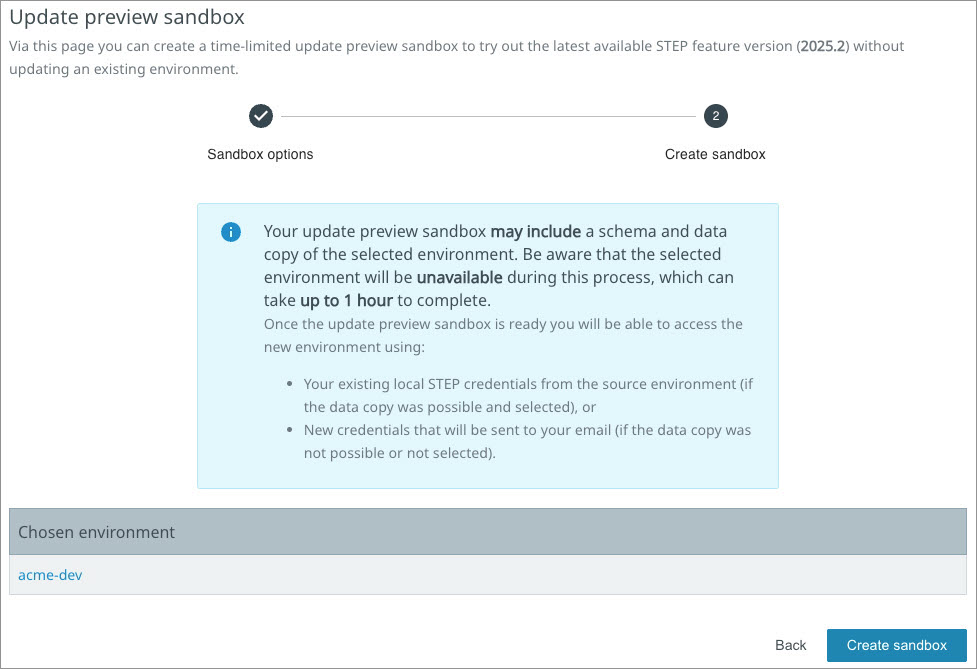
Note: The process of automatically copying the schema and data is currently only available for certain environments. If this option is not available for your environment, use the 'Refresh configuration' option to import a copy of the schema and data from another environment.
Important: The process of copying the schema and data of the selected Sandbox environment requires up to one hour of downtime for the selected environment. When a copy of the schema and data is NOT included, no downtime of the selected environment is required.
Click the 'Create sandbox' button and on the 'Create sandbox' dialog, set the 'Database copy' toggle to determine if a database copy should be included.
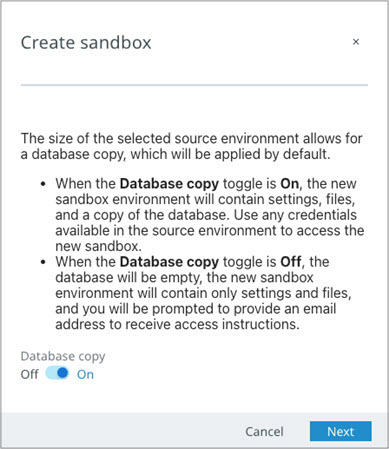
-
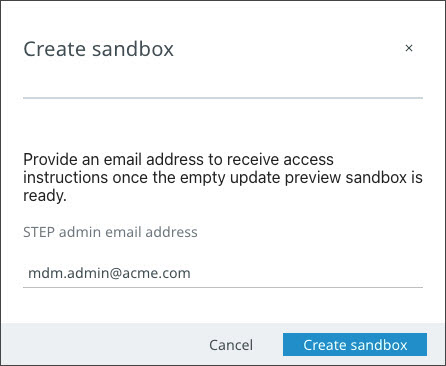
When the Database copy option is set to Off or if the copy is not possible, enter an email address that will be used initially to access the new, empty 'Update preview sandbox' environment.
-
When the Database copy option is set to On or after providing an email address, click the 'Create sandbox' button to initiate the new 'Update preview sandbox' environment creation process.
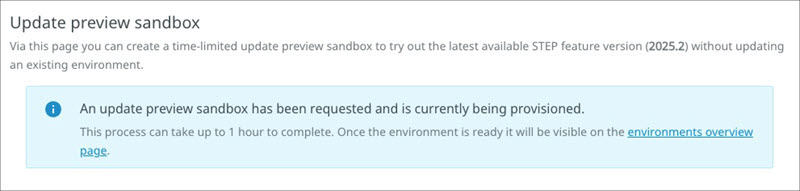
A message confirms that the 'Update preview sandbox' is being provisioned.
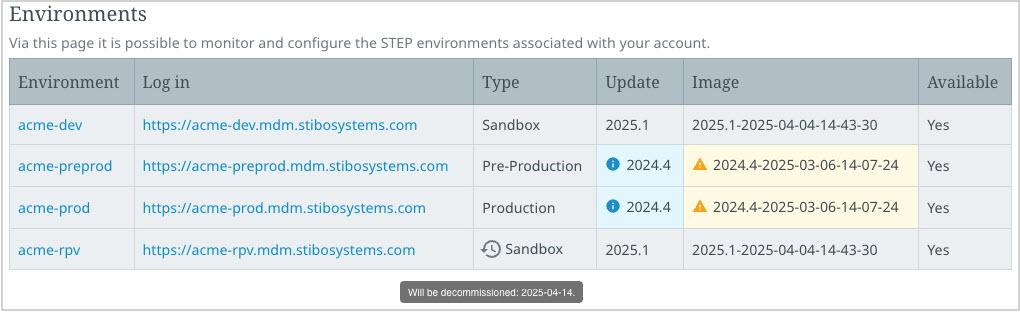
When the new sandbox environment is available, it is listed on the Environment overview page with an environment name suffix of 'rpv'. The environment can be accessed ONLY by local STEP user credentials because integration with an identity provider is not available. Access the environment using either the credentials that were used on the selected source environment (if a copy of the schema and data was included) or using the access details that were sent to the provided email address.
Only the following is included for the 'Update preview sandbox':
-
A copy of the SaaS SSUI IP and sFTP access control configuration from the source environment.
-
Transfer of a limited number of basic configuration properties from the source environment, no integration related configuration properties are transferred.
-
Transfer of filesystem contents such as hotfolders, Web UI localization files, images, and icons from the source environment.
-
Configuration of the Stibo Systems SaaS mail relay server.
The 'Update preview sandbox' will not include functionality that may be available on the source environment but that is dependent on additional infrastructure such as Faceted Search, Publishing (InDesign), Loqate Address validation, and the Audit Messaging Framework. Integration with an identity provider is not available (as that would require configuration within the identity provider itself). Also, no custom extensions will be installed automatically on the 'Update preview sandbox' but can be installed manually afterwards using the Remote System Administration API / UI if required. Furthermore, no transfer of the local image cache takes place, since this could result in images not being shown instantly and, in some cases, not at all unless they are imported again.
Important: An 'Update preview sandbox' can make outbound connections just as the source environment can. Configurations, such as business rules, that directly connect to an external URL can potentially cause issues. Since integration-related configuration properties are not transferred when creating an 'Update preview sandbox', outbound connections do not automatically happen for standard integration to prevent attempts to consume and deliver files intended for the original system.