All ECLASS-related data and configuration objects created in STEP during Unit and Dictionary imports follow a specific ID pattern. These patterns are typically applied when objects are generated automatically, either through imports or from an upstream system.
This topic explains the ID pattern STEP uses when creating or updating objects. Understanding this pattern helps users know how IDs are generated and enables them to define custom ID patterns, if needed, to ensure uniqueness during imports.
Note: Objects created by Easy Setup actions have predefined names and IDs. Do not modify these unless absolutely necessary. For reference, objects created by Easy Setup actions are listed in the Elements Created by Easy Setup Action topic.
Defining the Name and ID Pattern
The Name and ID of created objects follow a defined pattern. These patterns resemble the ECLASS IRDI (International Registration Data Identifier) code because the ID string is derived from text within the IRDI code. To understand STEP’s ID pattern, users must first be familiar with the IRDI code.
IRDI
ECLASS assigns globally unique identifiers (IRDI – International Registration Data Identifier) to every object in its standard. IRDI complies with international standards ISO/IEC 11179-6, ISO 29002, and ISO/IEC 6523. It consists of multiple segments:
In STEP, each object’s IRDI is stored in the attribute ECLASS IRDI (ID = ECLASS_IRDI).
An example of an IRDI stored in an object is displayed in the screenshot below:
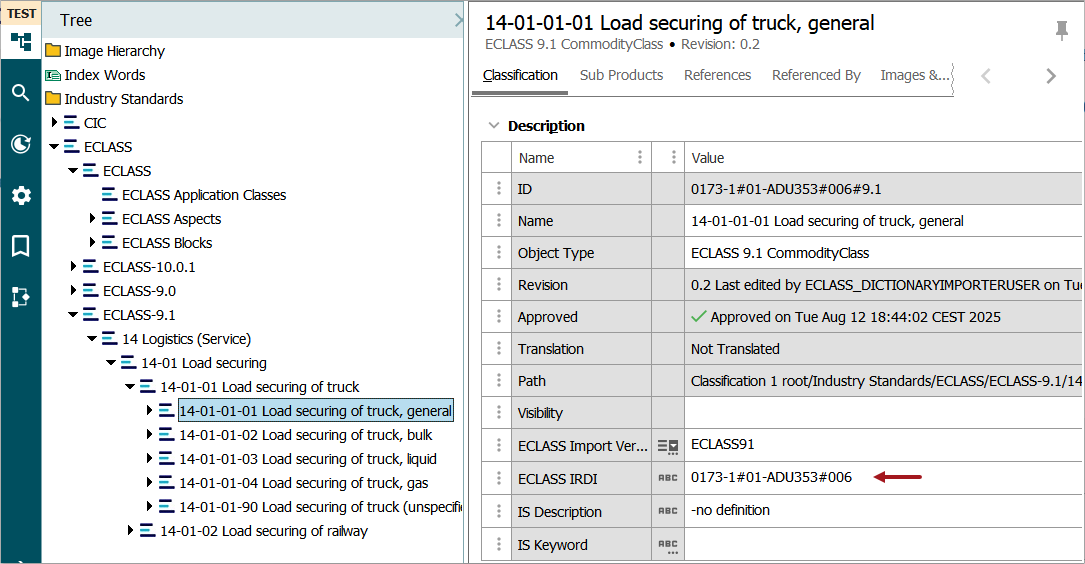
IRDI for objects created by the Dictionary Importer contains three segments, separated by '#'
-
First Segment: This is comprised of the International Code Designator (ICD) per ISO/IEC 6523, followed by the Organization Identifier (OI).
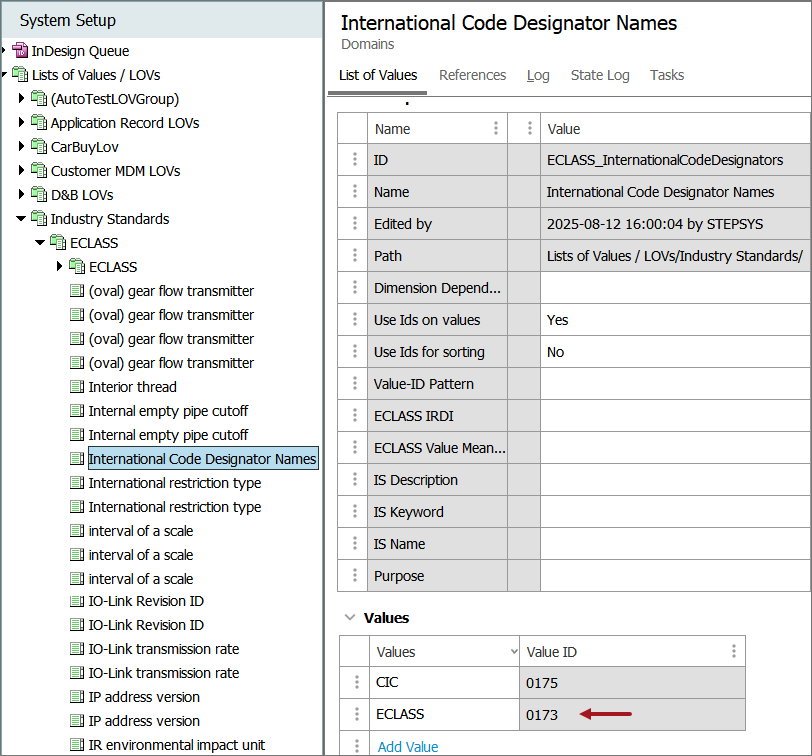
For example, in the screenshot above, 0173 represents ECLASS. Other registered organizations include ISO (0112), ODETTE (0177), SIEMENS (0175), GTIN (0160), etc. The updated list of registered organizations is available at http://iso6523.info/icd_list.pdf.
-
Second Segment: The Code Space Identifier (CSI) identifies the object type (e.g., 01 for classification class, 02 for property), followed by the Concept Code. In the example above, 01 indicates a class, and ADU353 is the unique identifier for that class.
The list of CSIs for ECLASS is available at https://eclass.eu/support/technical-specification/structure-and-elements/irdi.
-
Third Segment: The version identifier (e.g., 001 for the first version). In the example, 006 means the object has undergone six revisions.
STEP ID
Although IRDI is unique, it cannot be used directly as a STEP ID because STEP IDs are limited to 40 characters, whereas IRDI can exceed this length. Therefore, STEP derives the ID from selected IRDI segments.
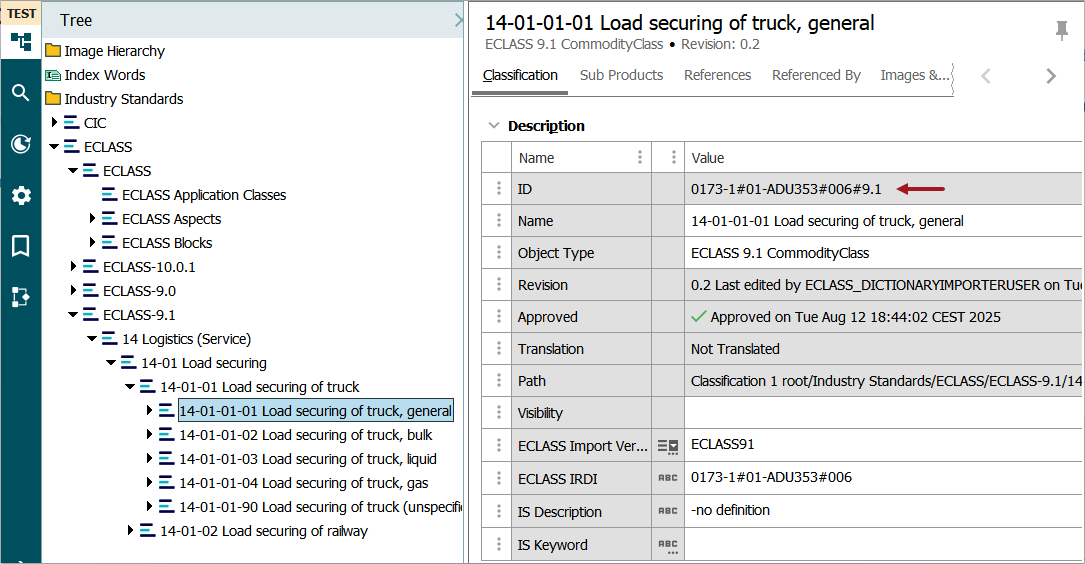
In addition to the three IRDI segments, STEP IDs may include a fourth segment for classification objects. This segment indicates the ECLASS version from which the object originated.
In the example below, the first three segments come from the IRDI, and the fourth segment (e.g., 9.1) shows the ECLASS version.
Importing non-ECLASS dictionary files
You can also import dictionary files belonging to registered organizations listed at http://iso6523.info/icd_list.pdf. However, ensure that the International Code Designator (ICD) within STEP is updated before proceeding.
By default, the system includes the International Code Designator (ICD) for the ECLASS organization (0173) in the list of values (LOV) named International Code Designator Names(ID = ECLASS_InternationalCodeDesignators). Before importing dictionary files from other organizations, update this LOV as shown in the screenshot below. For instructions on adding values to an LOV, refer to the Adding Values to an LOV documentation.