Summary
The 2026.2 update introduces several features to the New UI, aimed at expanding the functionality and improving efficiency and the user experience.
The following updates have been made:
-
New UI is now part of the STEP base license.
-
Inherited attribute values are now marked as inherited and also include a tooltip.
-
A preview option to thumbnails is now added, allowing for better viewing of the image.
-
The following improvements have been made to the reference tab behavior:
-
Changes made to the view settings for a reference tab table are preserved after navigating from and returning to the reference tab, eliminating the need to reconfigure the display.
-
Reference tables have the ability to show attributes, attribute groups, and aspects of referenced objects, providing insight to the business context of the reference.
-
'Add to workflow' action has been added to the reference tab, simplifying the process of initiating a workflow.
-
Full inheritance control is now provided for primary hierarchy references, improving management of complex relationship data.
-
Details
New UI included in STEP base license
Starting with STEP 2026.2, the New UI for STEP is included in the STEP base license for customers running STEP in SaaS V2 environments. It delivers a fast, modern, and task-oriented user experience with improved navigation.
The New UI for STEP link appears on the Start Page for users who have the required privileges configured by administrators. To enable access, administrators must assign the 'Access Instrument UI' action to the relevant user group. If this action is not available as a standalone item or within an existing Action Set, you must configure it. For more information on configuring this action, refer to the Controlling New UI for STEP Link Access topic in the New UI documentation.
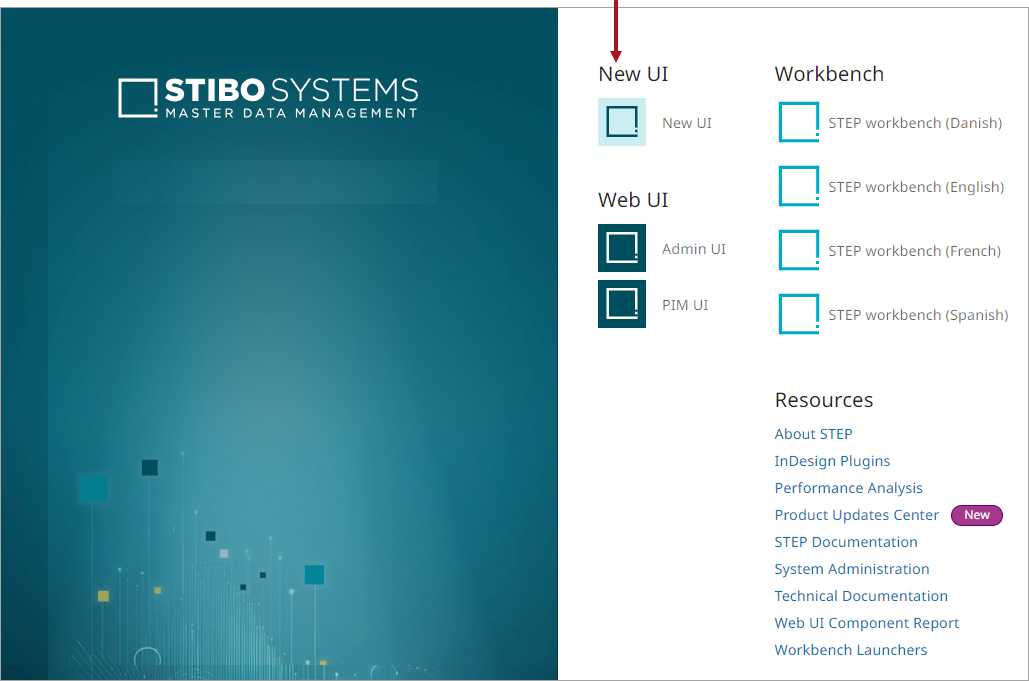
For guidance on accessing and using the New UI, refer to the Getting Started with New UI for STEP topic in the New UI documentation.
Improved handling of inherited attribute values
Inherited attribute values are now clearly marked as inherited and include a tooltip that indicates where the value is inherited from, such as the product hierarchy or a different context.
Added preview option to thumbnails across New UI
Thumbnail images across the New UI now include a preview option, allowing users to quickly view a larger representation of assets directly from lists, tables, and reference areas without opening the full asset details view.
Preserved view settings
The references tab table now allows efficient interpretation of reference information with the following improvements:
-
The table layout and navigation state settings are retained after navigating away from and returning to the tab.
-
The previously selected reference type or the last expanded reference section is now displayed automatically when returning to the tab within the same object session.
-
User preference settings are applied automatically when viewing the same reference type for another object.
For more information, refer to the References topic in the New UI documentation.
Reference type display
The reference type table now supports configuring precise information for the reference type display including showing target object attributes, attribute groups and aspects, as well as defining the display order. Previously, the columns were limited to ID, Name, Primary image, and reference metadata attributes. This change allows users to better understand the business context of the reference without navigating to the referenced object, resulting in better informed decision making.
For more information, refer to the Configuration Tool topic in the New UI documentation.
Workflow action in reference tab
Users now have access to the ‘Add to workflow’ action from the reference table. This action adds the selected 'References' object to the workflow and was previously only available for an object in a perspective table.
For more information, refer to the References topic in the New UI documentation.
Reference inheritance improvements
Full inheritance control for primary hierarchy references now includes showing inherited references, safely overriding them locally, and restoring inheritance by removing overrides. This resolves issues where inherited references could appear duplicated or incorrect, improving trust and reliability when managing complex product relationships.
For more information, refer to the Inherited and Local References topic in the New UI documentation.