To create a Change Package, you must complete the Initial Setup for Change Packages topic.
-
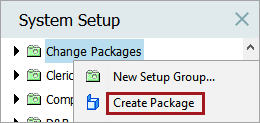
On the System Setup tab, locate the folder established for holding change packages.
-
Right-click the folder and select Create Package.
-
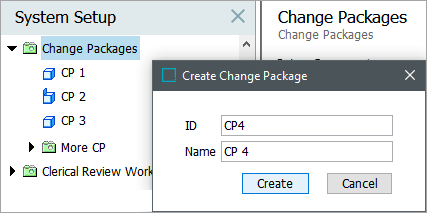
In the Create Change Package dialog, assign an ID and a name to the package and click the Create button.
For details on adding items and working with change packages, refer to the Editing a Change Package topic