The Conversational AI Assistant for the Next Experience UI for STEP (formerly New UI for STEP) allows users to interact directly with an AI-powered chatbot while working within the Next UI. When users input plain-language prompts into the chatbot, the AI can return a wide variety of actionable information, like in-depth product descriptions, product compilations based on one or more criteria, or granular product comparisons.
To open the AI assistant, click the 'AI assistant' button in the utilities bar.

The AI assistant side panel displays.
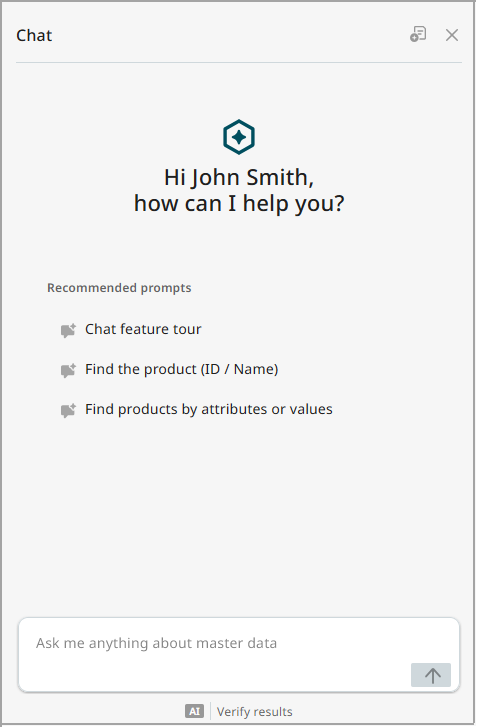
In the AI assistant side panel, users will find the following elements:
-
a personalized greeting to the logged-in user
-
recommended prompts users can click to start a chat conversation with the AI assistant
-
a chat input field where users can write questions and requests in natural language
At the top of the side panel are two buttons:
-
New chat button - (
 ) Click this to clear the content in the current chat and begin a new one. When clicked, any information generated in the previous conversation is deleted.
 -
Close AI assistant - (
 ) Click this button to end display of the AI assistant. The conversation persists within the AI assistant side panel, becoming accessible again when the user clicks the 'AI assistant' button again.
The Conversational AI Assistant is designed to be familiar to those accustomed to chatbots: questions and commands are entered into the chat input field, which prompts the AI assistant to return a response. The AI assistant is built to support a few primary use cases. These include:
-
searching the product hierarchy by name, ID, attribute, or attribute value
-
comparing two products
-
generating a brief (or detailed) summary of a given product
-
generating a list or summary of products in a specific category
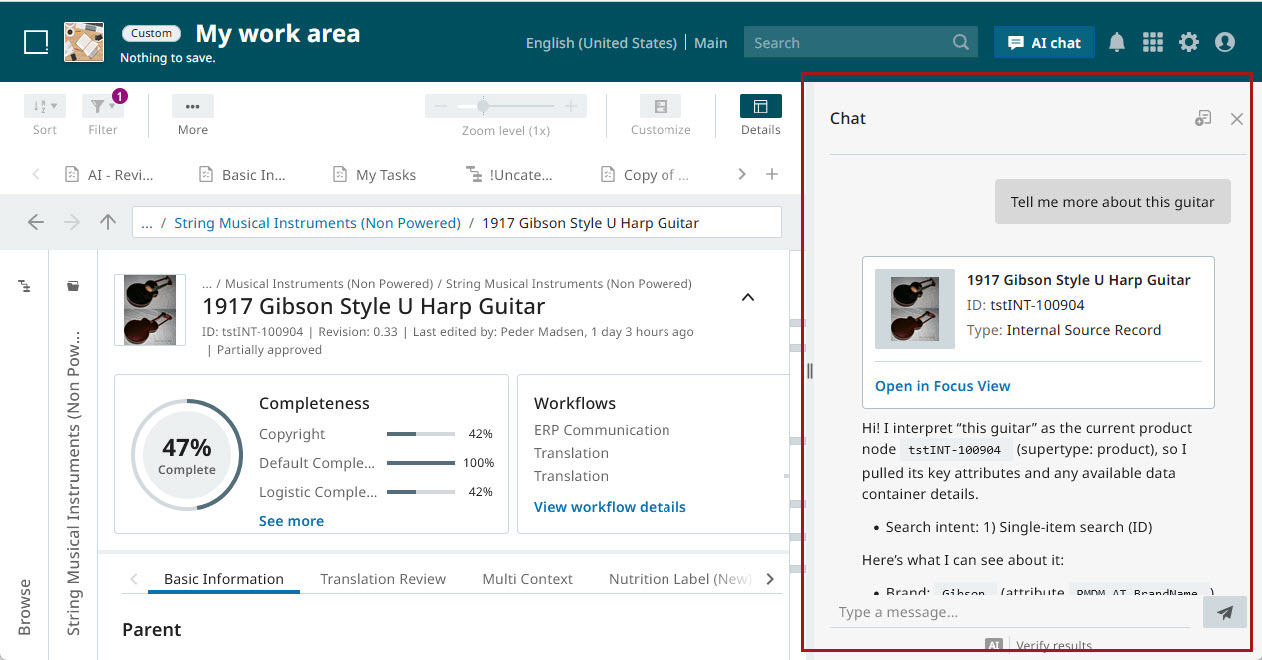
As an example of prompting the AI assistant to provide a summary of a product, in the screenshot below the user has prompted the chatbot to provide additional information about the product being viewed. Because the Conversational AI Assistant is context-sensitive, the chatbot knows which product to query based on the product being viewed.
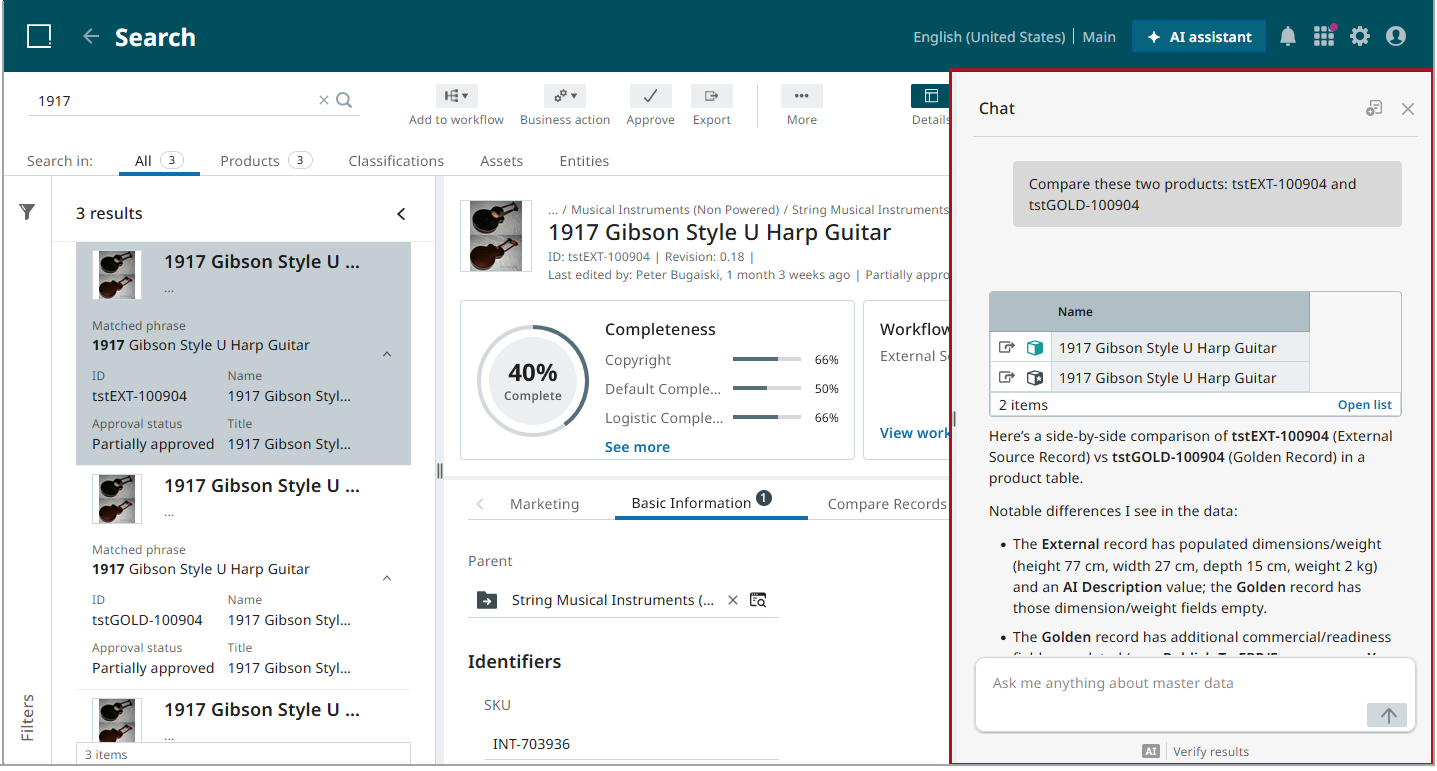
In the next example, a user has prompted the AI assistant to compare two products by providing the two products' IDs.
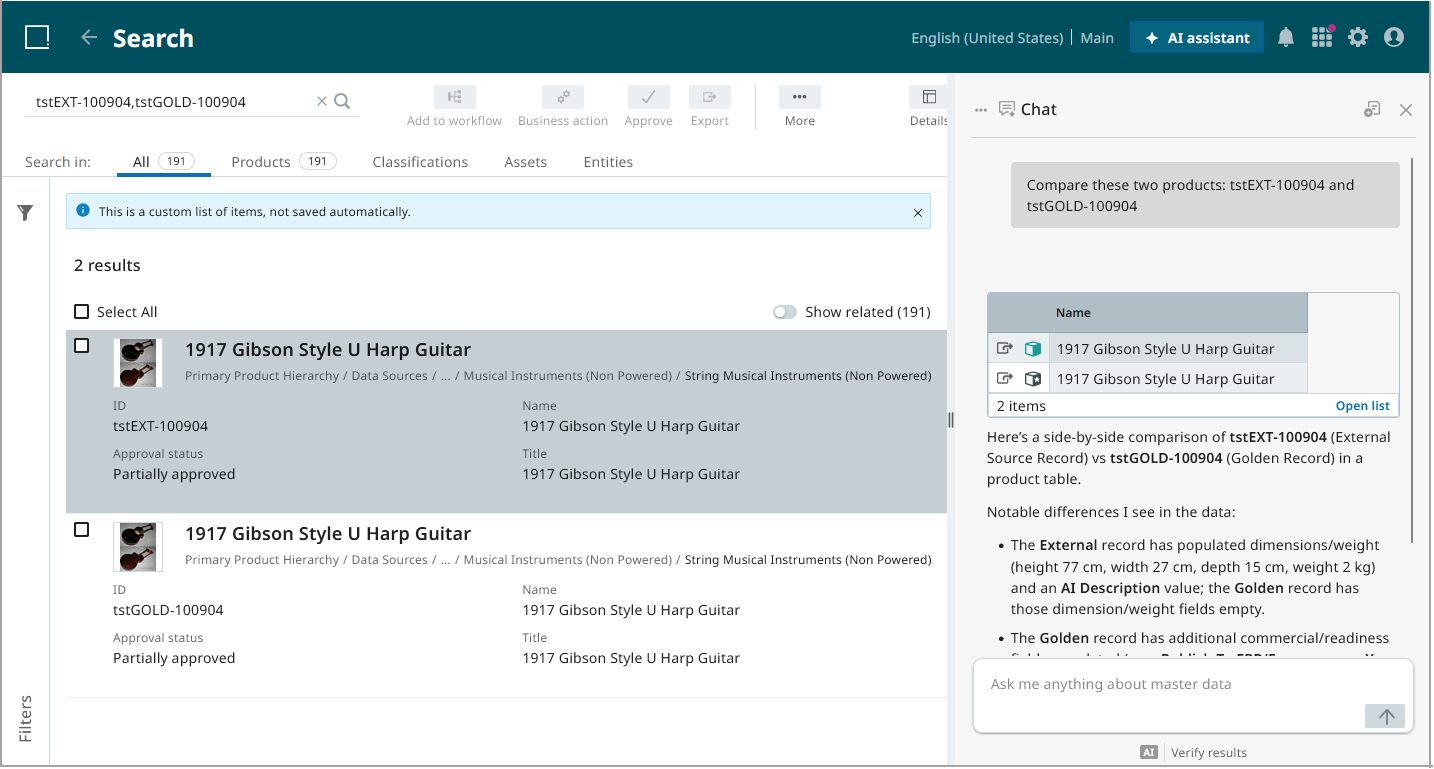
When users click on 'Open list', the two products display in a search screen that presents both items in a more visually accessible view from which additional actions can be taken:
Notes and Considerations
Conversational AI Assistant users should be aware of some additional considerations that may affect the user experience.
The Conversational AI Assistant:
-
does not save chat histories. When the session ends, the chat history is deleted.
-
Does not make changes to data; the AI assistant presents read-only information for user review.
-
does not support the ability to switch LLMs.
-
does not support the addition of external sources.
-
does not allow for the customization of the chat agent.
-
does not support configuration or saving of prompts or skills.
Implementation
The Conversational AI Assistant for the Next UI for STEP is in a pre-release development phase and Stibo Systems is looking for development partners to explore and further refine the feature's capabilities to deliver maximal value for its users.
If you have an interest in partnering with Stibo Systems to bring a version of the Conversational AI Assistant to your system, reach out to a Stibo Systems representative to discuss next steps.