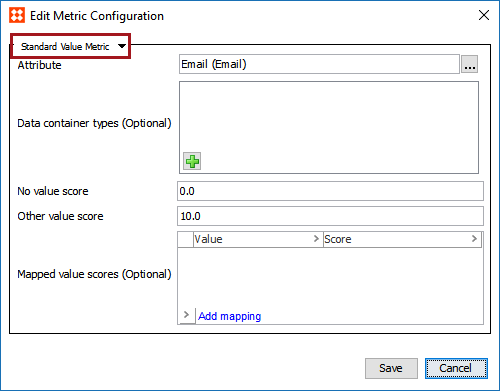
A value metric evaluates an attribute value and generates a metric score based on the result.
To configure a value metric, open the editor for the desired metric object, and from the dropdown select Standard Value Metric.
A number of configuration options are available for value metrics.
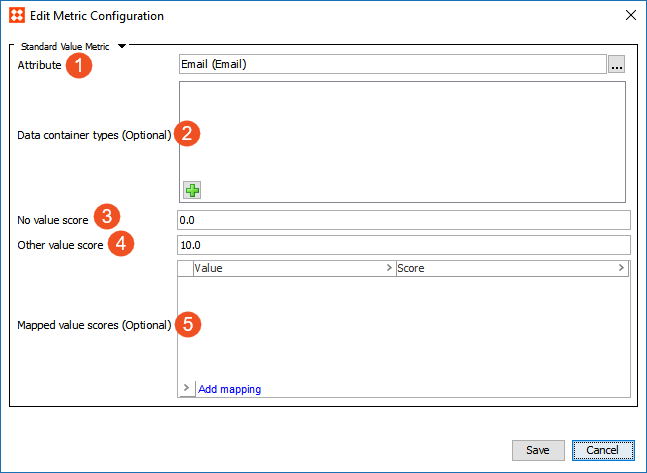
Note: The chosen attribute must be single value only, and must either be a simple numeric value, a text value, an LOV value, or a calculated value. Attempting to configure an attribute that does not comply with these requirements will result in an error.
Select 'Save,' and the metric is ready to be used in a data profile or with data policies. To create a policy, start with the configuration of a dataset definition, as described in the Creating a Dataset Definition topic of this documentation here.
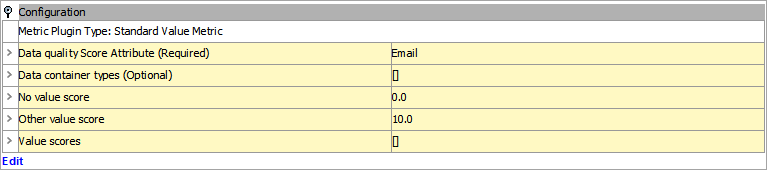
On the Completeness Metric tab, in the Configuration area, you can view the configuration settings.
2020, Stibo Systems – Confidential