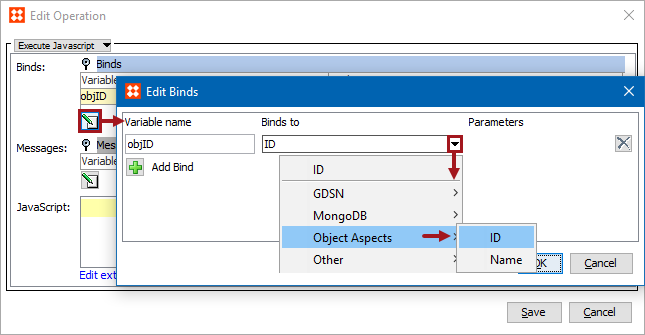
Business rules can use the following object aspects binds to get the ID and Name of STEP object that the business rule is being evaluated or executed against.
For information on accessing the current object, see the Current Object Bind documentation
Each bind is defined in the sections below.
Configuration
To use any bind:
Important: The example scripts should not be used as-is without thorough testing, including updating the script to match object and link types that exist on your system.
This bind resolves to the ID of current object (Java String).
The following code checks if the ID is not ‘Product hierarchy root’ then sets the ID to attribute NODEID.
//node = bind to current node.
if (!id.equals(“Product hierarchy root”)) { node.getValue("NODEID").setSimpleValue(id);}
This bind resolves to the name of current object (Java String or null if no name).
In this example, 'Name' is bound to the variable 'name'. The code checks if there is a name.
//node = bind to current node.
if (name) { node.getValue("NODENAME").setSimpleValue(name);}
2018, Stibo Systems