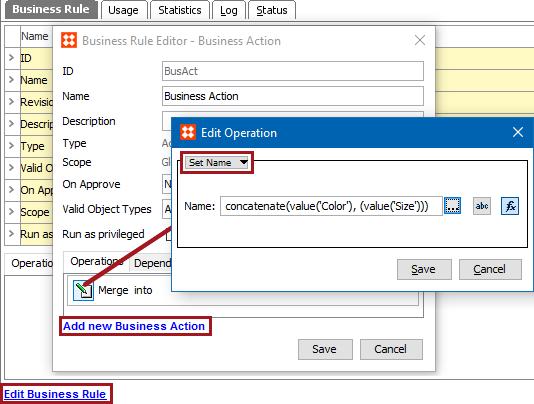
This action can set the name of the current object to a constant value or to the result of a STEP function.
For example, when the color and size attribute values are concatenated to make the name of the object, use this action and a STEP function to generate that name.
Prerequisites
Before using this action:
Configuration
 ), type in a constant value that will be used to update the name.
 ), click the ellipsis button (…) to display the Function Editor dialog, write a calculation to select a valid target, and click the Select button. For more information, see the Using Function Editor topic in the System Setup / Super User Guide documentation here.
2018, Stibo Systems