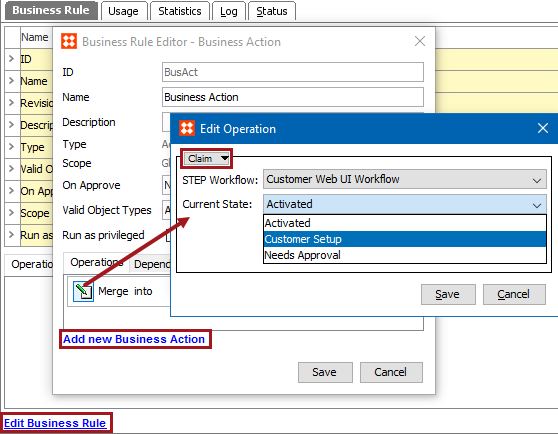
This action allows a user to claim the workflow task of the current object from the group. Additionally, if a workflow task is already assigned to a specific user, this action claims it for the current user.
For example, a workflow with ID 'QA' includes quality assurance tasks that are assigned to a 'Super Users' group. The user 'Admin' wants to be assigned tasks when they enter the 'Review' state. The Claim business action is configured on the 'On Entry' tab of the workflow State Editor for the 'Review' state. This causes tasks to automatically be assigned to 'Admin' when the task enters the 'Review' state.
For more information, see the Business Rules and Workflows topic in the Workflows documentation
Prerequisites
Before using this action:
Configuration
2018, Stibo Systems