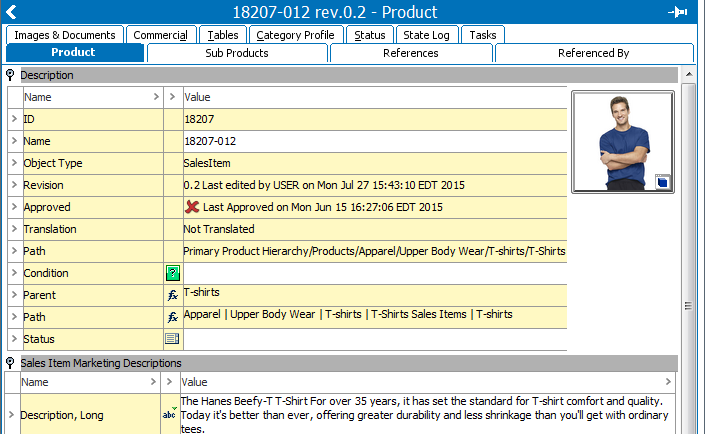
When an object is selected from the left panel in STEP (e.g.Tree tab, System Setup tab, etc), the right panel displays details for the selected object. The kind and number of tabs will vary depending on the selected object. However, all objects will have an ID, Name, and Object Type.
See the Object Maintenance in Tree topic within this guide (here) and child topics for additional information on the various object editors available in Tree.
Information on editing non-Tree objects can be found within the relevant sections throughout the STEP documentation (e.g. information on workflow editors is available within the Workflows guide).
2017, Stibo Systems