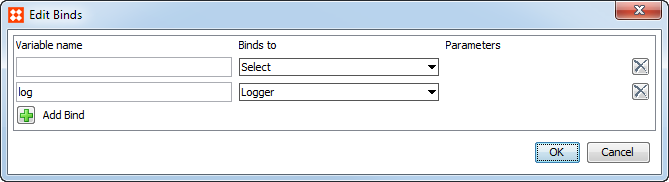
The following binds allow access to the selected object or value. In the following table, coding samples expect a bind for Logger using the variable 'log' and a second bind as described in the table:
|
Bind Name |
Description |
|---|---|
|
Attribute |
Binds the selected attribute to the variable. In this example, the Variable Name is 'eanAttribute', the Binds to field is Attribute, and the Parameters field displays the EAN attribute. The following JavaScript returns the ID of the EAN attribute as an Info log message: var bindDemo = eanAttribute.getID(); log.info("Attribute ID is " + bindDemo);
|
|
Attribute Group |
Binds the selected attribute group to the variable. In this example, the Variable Name is 'displayAttrGroup', the Binds to field is Attribute Group, and the Parameters field shows the Display attribute. The following JavaScript returns the ID of the Display attribute group as an Info log message: var bindDemo = displayAttrGroup.getID(); log.info("Attribute Group ID is " + bindDemo);
|
|
Attribute Validated Parameters |
For more information, see the Parameterized Business Actions in Web UI section of the Web UI Getting Started documentation |
|
Attribute Value |
Binds the value of the selected attribute directly as a String variable. Primarily used for Web UI live validation of Conditions and when defining Match Codes. Note: This variable also works in the Web UI. In this example, the Variable Name is 'primaryColorAttrValue', the Binds to field is Attribute Value, and the Parameters field displays the Primary Color attribute. The following JavaScript returns a message when the value of the Primary Color attribute does not match the expected value of 'Gray': return primaryColorAttrValue == "Gray" ? true : "Primary Color is " + primaryColorAttrValue + " but it should be Gray."; |
|
List of Values |
Binds the selected LOV (called 'Domain' in the workbench) to the action or condition variable. |
|
Pair of Attribute Values |
Binds the selected attribute to the variable. In this example, the Variable Name is 'email', the Binds to field is Pair of Attribute values, and the Parameters field displays the Email attribute used on a Data Container. The following JavaScript - used in a JavaScript Business Condition on the Data Containers Trusted Source or Most Recent Survivorship Rules - compares the attribute values on the source object and golden record: var s1 = email.getValue1(); var s2 = email.getValue2(); if(s1==s2){return true; } else{return "Error" } |
|
Unit |
Binds the selected unit to the action or condition variable. |
|
Unit Group |
Binds the selected unit group to the action or condition variable. |
2017, Stibo Systems