The first user access invitation sent by the brand PDX administrator establishes the retail partner administrator for the digital catalog account. User access is managed from the User Management page, which can be found in the user menu (  ) on the top right hand side of the page.
Note: This menu option is only available for an digital catalog admin user.
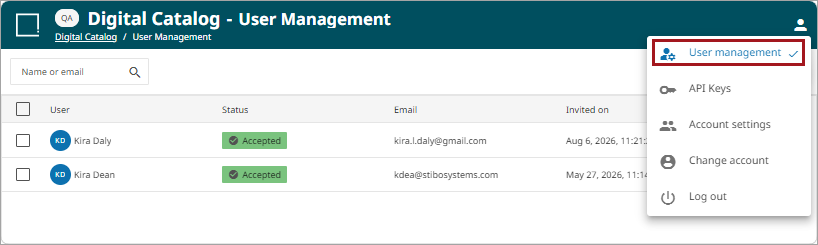
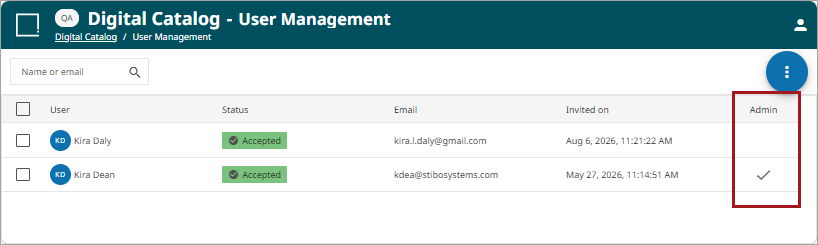
The User Management screen will be displayed and will show your personal user. A check mark will appear in the Admin column for all Admin users.
Managing Additional Digital Catalog Users
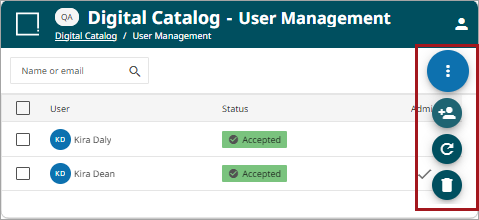
Admin users can add, remove and resend additional user invitations using the kebab menu ( ) option on the User Management page.
-
Invite (
 ): Allows an admin user to invite new users to use the digital catalog.
 -
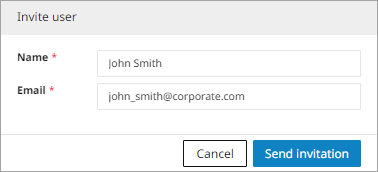
Define the name and email address to send the invite to and click 'Send invitation' to send an email invite.
-
-
Resend (
 ): Select this option to create a separate account. This option forces a user to switch accounts to see the various digital catalogs. It is rare this option is needed.
 -
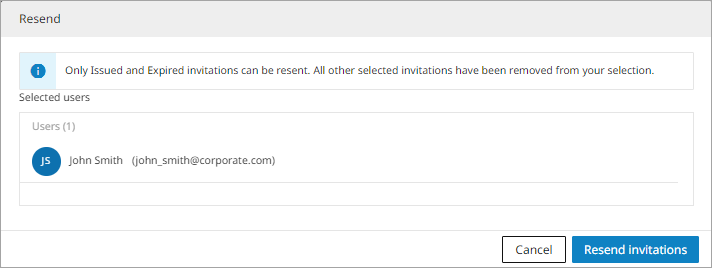
Select the user with an expired status and click the 'Resend' button. Verify the user on the prompt and click the 'Resend Invitation' button.
-
-
Delete (
 ): Deletes a user from the digital catalog.
-
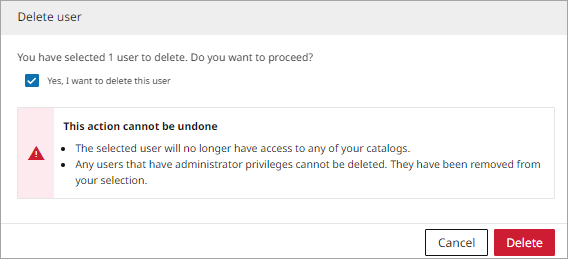
Select the user and click the 'Delete' button. Check the box for 'Yes, I want to delete this user' and click the 'Delete' button to delete the user.
-
User Access
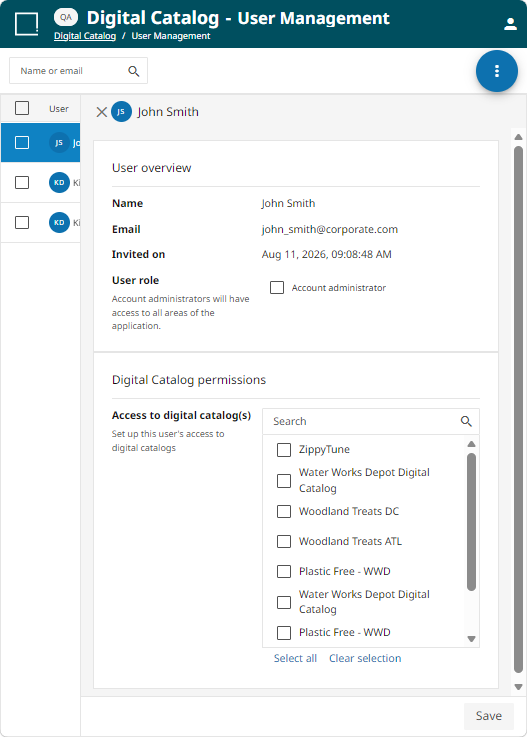
Once an invite is sent, the user will be listed on the User Management page. To manage the access level of a user, click on the user to display the user information page. Once changes have been made, click the 'Save' button.
-
User Overview: lists basic information for a user.
-
Name: Name of the user, defined in the initial invite.
-
Email: Email address of the user, defined in the initial invite.
-
Invited on: Date and time of the initial invite.
-
User role: This check mark determines whether or not a user is an administrator. It can be changed at any time. An administrator is unable to change access on their own user profile.
-
-
Digital Catalog permissions: This section lists all the possible digital catalog options for a channel. The admin user can choose which catalog to provide the user access by checking the box.
User Status
User statuses help the administrator view the state of a user invitation. The status options are as follows:
-
Accepted (
 ): An email invitation has been accepted.
 -
Expired (
 ): A user has not accepted the invitation within 14 days and will need to be reissued.
 -
Issued (
 ): An email invitation has been sent and is waiting on a response.