The 'User activity log' gives a view into all actions made by users in the self-service user interface (including logins) via Control Service API or performed on your behalf by Stibo Systems. Data about the recorded activity includes:
-
Time – The time the recorded activity occurred.
-
User – The ID of the user whose activity was recorded. The value 'Stibo Systems' is used for all actions performed by Stibo Systems.
-
Event - An auto-generated message describing the listed activity.
-
Environment – The name of the environment where the activity occurred, if the activity was environment-specific. For instance, logins to self-service do not come with environment info.
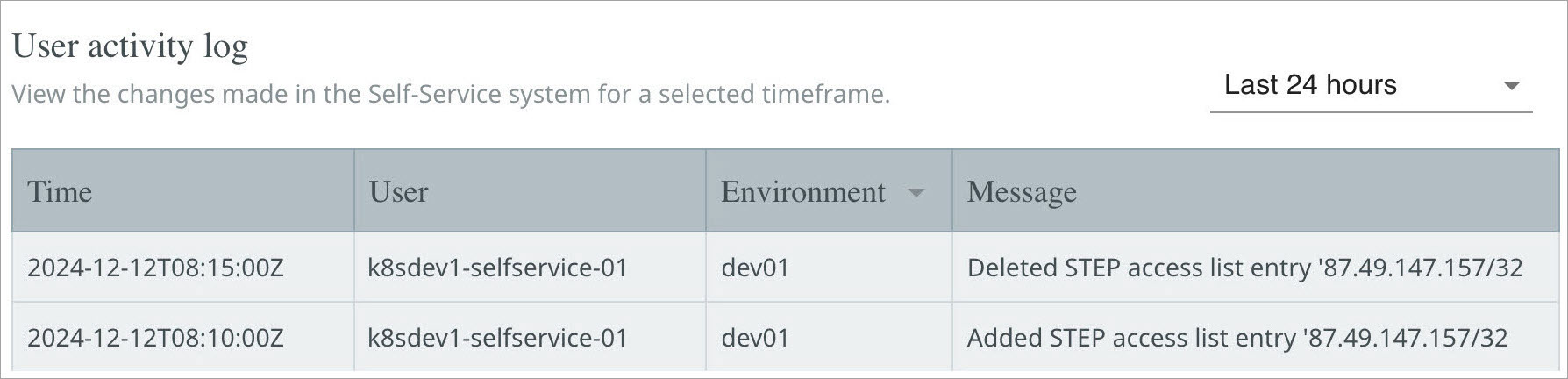
By default, results from the last hour with the oldest entries displayed first. Log entries can be limited to a date-time range using the calendar buttons to change the selected 'from' and 'to' date-time (UTC) options. Click the 'Now (UTC)' button to display the most recent entries.
To filter the logs, enter the required text in the 'Filter logs by text' parameter and/or in the 'Exclude logs containing text' parameter, depending on what needs to be included and/or excluded.
Important: Logs are available for the last 30 days.
Known Limitation: log entries for Control Service API activity all record the same UUID as the user (e.g., 0ce3e82f-…), so individual entries cannot be linked to a specific control-service-{suffix} account.