The Consumer MCP (Model Context Protocol) Server is available from DaaS version 1.18.0 and later. This server exposes one or more services as tools and resources through the MCP, making them consumable by LLMs and agents.
To make the configured DaaS service available through the Consumer MCP Server:
-
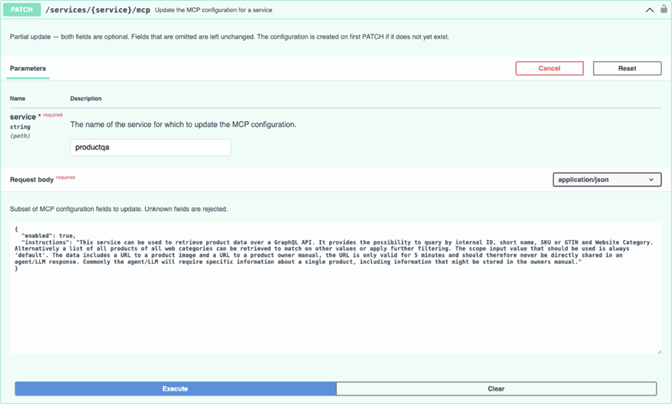
Enable MCP for the service using the PATCH /services/{service}/mcp endpoint of the DaaS Management API.
The endpoint accepts optional instructions, which are included in the MCP tool descriptions. Agents and LLMs use these instructions to select the appropriate tool, determine how to use it, and interpret natural-language requests effectively. Depending on the use case, the results may be improved by including business terms and definitions, technical guidance, or example queries.
Example Instructions:
This service can be used to retrieve product data over a GraphQL API. It provides the possibility to query by internal ID, short name, SKU or GTIN and Website Category. Alternatively, a list of all products of all web categories can be retrieved to match on other values or apply further filtering. The scope input value that should be used is always 'default'. The returned data includes a URL to a product image and a URL to a product owners manual, the URL is only valid for 5 minutes and should therefore never be directly shared in an agent / LLM response. Commonly, the agent / LLM will require specific information about a single product, including information that might be stored in the owners manual.
-
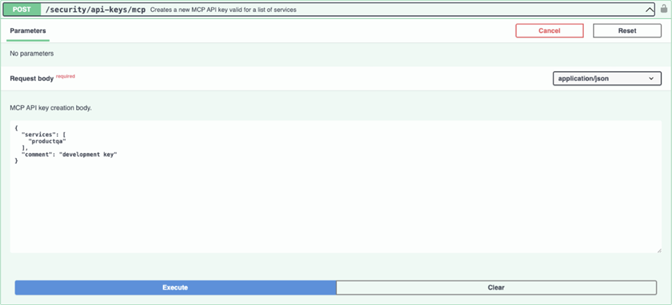
Create an MCP API key using the POST /security/api-keys/mcp endpoint.
This API key is used by the MCP client to access the tools and resources for services exposed through the Consumer MCP Server. While the API key does not restrict the ability to list available tools and resources, the invocation of those tools and resources is limited to the services associated with the key. This makes it possible to configure multiple MCP API keys, each scoped to the specific services required for its intended use case.
The MCP client authenticates with the Consumer MCP Server by providing the MCP API key in the x-api-key header.
For more information about Consumer MCP Server configuration, refer to the MCP Server section of the 'DaaS User Guide' available from the DaaS instance: https://<daas-url>/api/doc/help?code=<management-api-key>