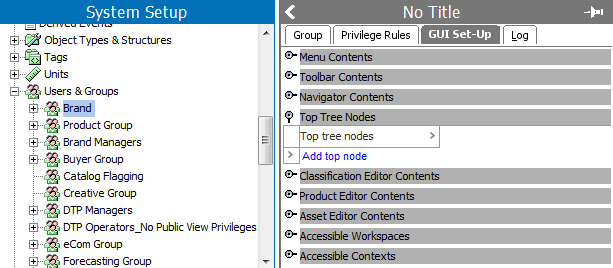
GUI Set-Up is maintained in System Setup: Users & Groups > Groups or Users
Note: Defining the Privilege Rules forms one part of the Privilege Control system settings. You can give users access to some STEP functionality but limit others. This will result in a STEP PIM GUI Interface, where some of the commands are made unavailable (appear as dimmed). The second part is defining the GUI Set-Up. You can consider defining the GUI Set-Up as cleaning up the user interface, based on the Privileges rules that are set up for a specific User Group.
GUI Set-Up makes it possible to:
- Customize contents in toolbars and menus. You can add and remove buttons and menus on toolbars, hide or display toolbars.
- Make specific Contexts and Workspaces accessible
- Set Navigator Contents
- Contents in Classification, Product, and Asset Editors
- Set top level Tree nodes
Important: As the GUI Set-Up only has an impact on what you see in the User Interface, the GUI Set-Up must follow the privilege rules in order to create consistency between what you see in the GUI and the results you get when navigating around in the STEP Workbench. GUI Set-Up settings apply only in the workbench.