Once an event processor is created, it can be viewed and edited via the event processor editor. This section describes how to access an event processor editor, details for each of the event processor editor tabs, and how to edit and delete an event processor.
To access an event processor editor go to workbench > System Setup > Event Processors and select your event processor.
The event processor editor will display with the following tabs:
- Event Processor
- Event Triggering Definitions
- Background Processes here
- Statistics
- Error Log Excerpts here
- Log here

Edit Event Processor
There are many reasons and methods to edit an event processor.
Steps to edit an event processor are below.
- On the System Setup tab, select the event processor to be edited.
- Choose a method to edit the wizard settings displayed in the Event Processor editor > Event Processor tab > Configuration flipper:
- Right-click the event processor and select Edit Event Processor.
- Expand the Configuration flipper, click the Edit Configuration link, and the event processor wizard will display.
- Change Event Triggering Definitions on the editor's Event Triggering Definitions tab.
Delete Event Processor
An event processor can only be deleted if its status is Disabled. Once the event processor is deleted, it does not move to the recycle bin, it is completely deleted from the system.
Steps to delete an event processor are below.
- On the System Setup tab, select the event processor, right-click it, and select Disable Event Processor.
- Select the event processor again, right-click it, select Delete, and the Delete confirmation will display
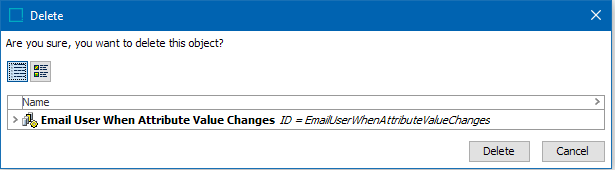
- Verify the correct event processor is being deleted, and click the Delete button.