Summary
Several usability enhancements and functionality improvements have been made to the STEP Publisher component, both in the STEP Workbench and within the InDesign interface.
These enhancements include:
- InDesign CC 2019 support added (as of 9.1-MP5)
- Enhanced splitting for InDesign text frames
- Expanded STEP Publisher support for entities
Details
Updated InDesign version support
As Adobe continually releases new versions of InDesign through its Creative Cloud subscription service, STEP'n'design plugins must continually be updated to support these versions.
- Support for Adobe InDesign CC 2019 is added with this release.
- Support for Adobe InDesign CC 2017 and CC 2018 continues.
Improved split options for InDesign text frames mounted from children and references
In STEP Publisher, text frames mounted onto InDesign pages from child or referenced objects can now be split across columns or pages, adding a new level of flexibility for users who produce print catalogs. This improved functionality brings the behavior of mounted child / reference text frames in line with frames mounted from the current object.
Previously, if a text frame from a mounted child or reference object was too large to fit on the page, and the 'Split' parameter on the STEP Template Frame panel was set to 'Anywhere' or 'Within Spread,' the text frame would not split. The frame would instead bleed off of the bottom of the page, creating overset text. The 'Split' options only applied to splitting between objects, not to individual frames.
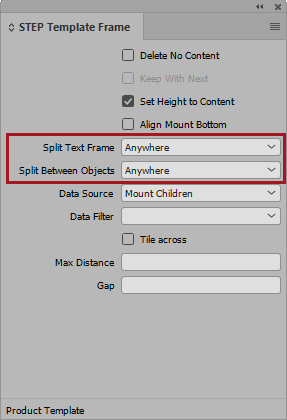
To prevent this issue from happening, the STEP Template Frame panel has been updated by renaming the 'Split' parameter to 'Split Text Frame' and by adding a new parameter named 'Split Between Objects.' The 'Split Between Objects' parameter is activated when a Data Source other than 'Current Object' is selected.
The available options for both split parameters are Never, Anywhere, and Within Spread. In the below screenshot, the selected option for both parameters is 'Anywhere.' This ensures that smaller, repeated frames from child or referenced objects will always wrap to the next column or page, and that large, individual text frames from child or referenced objects will themselves always split between columns and/or pages.
For more information on these new split options, see the Text Frame Parameters topic in the STEP Publisher documentation here.
Expanded STEP Publisher support for entities
Functionality for entities in STEP Publisher has been expanded, further allowing entities to be handled in a near-identical fashion to products. The following features have been added for 9.2:
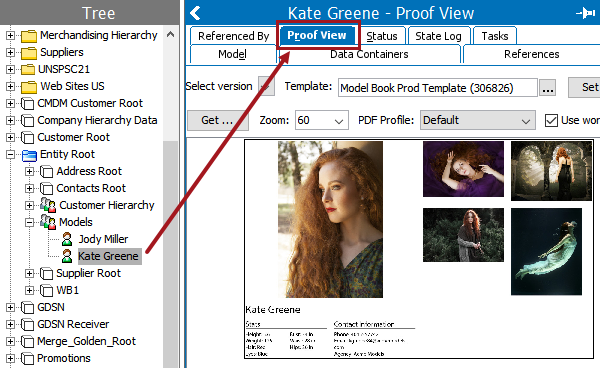
- Proof View is now supported for entities in the STEP Workbench.
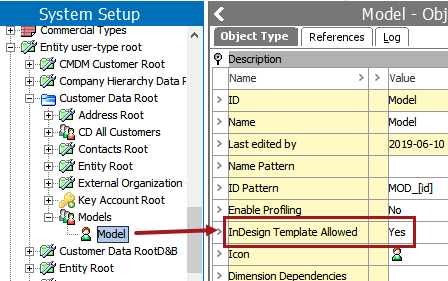
- Default InDesign templates can now be applied to entities by the addition of the 'InDesign Template Allowed' parameter to entity object types.
Note that entities are not currently supported in the following areas:
- Proof View in Web UI
- Publication exports and imports
- Tables
- Flatplanner baskets
More information about using entities for print can be found throughout the STEP Publisher (Adobe InDesign Integration) online help here.