Summary
- Line of Business customer relations can now be modeled within the Customer MDM solution.
- Data containers can now be used to reference other objects.
- Data container display settings can now be configured in one centralized location in Web UI.
- The Loqate Locate version provided with STEP has been updated.
Details
New Customer MDM data modeling capabilities
Several enhancements have been made to the modeling capabilities of the Customer MDM solution to better support Line of Business specific customer relations. This solution uses data containers to model Line of Business specific data, which benefits users by providing a centralized revision history of the customer.
Previously, when modeling customer data (e.g., SAP Company Code or Sales Area data) as a data container, the customer relations that depend on that Line of Business could not be held.
For more information of the enhancements that drive these new modeling capabilities, see the References on Data Containers section below.
For more information on how this new functionality impacts the Customer MDM solution, see the Line of Business Data Model section of the Customer Master Data Management Solution Enablement documentation here.
References on Data Containers
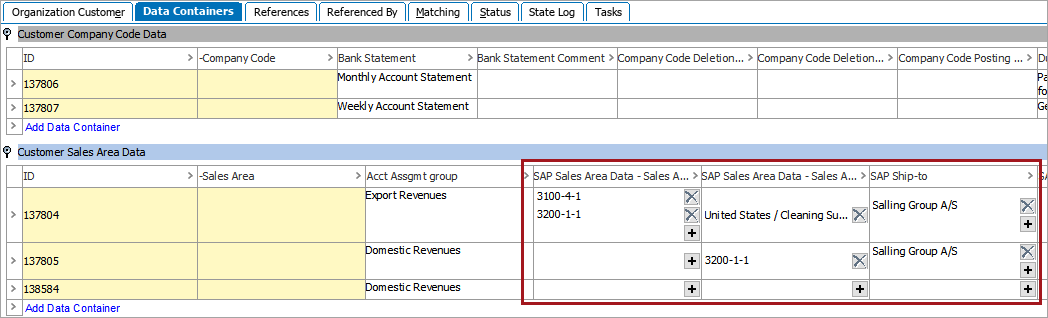
It is now possible to add references to other objects on both single and multi-valued data containers. The supported reference types include: Entity Reference Type, Product Reference Type, Classification Reference Type, and Image and Document Reference Type. In workbench, such references can be viewed and edited from the 'Data Containers' tab of the relevant object.
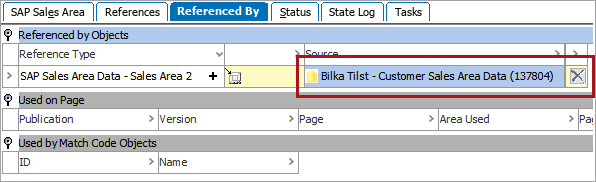
These references may also be viewed on the 'Referenced By' tab of the target object, which includes the name of the data container and the object it belongs to.
For more information, see the References on Data Containers section of the System Setup / Super User documentation here.
A new 'Include Data Container References' checkbox has also been added to the 'References' and 'Referenced By' search options in workbench to support this new feature. Checking this box will allow references that appear on data containers to appear in the search results.
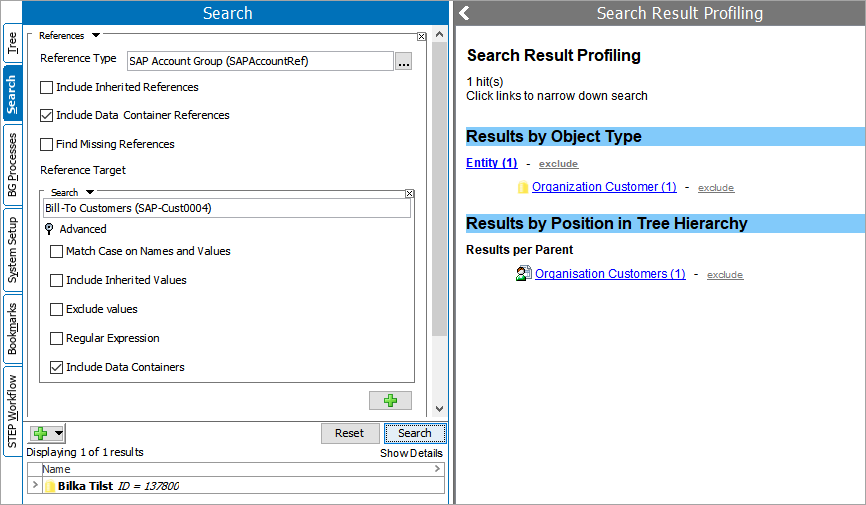
For more information, see the Search: References and Referenced By section of the Getting Started / User Guide documentation here.
To access and use the full set of functionality as described above, it must be activated on your system in addition to the normal update procedures for 9.2. See your Stibo Systems representative for details.
New Data Container configuration and display options in Web UI
Data container Web UI display settings can now be modified from a centralized configuration found in MAIN called Global Data Container Configurations. Any number of configurations can be stored within this component, each of which correspond to different data container types and each with their own unique display settings.
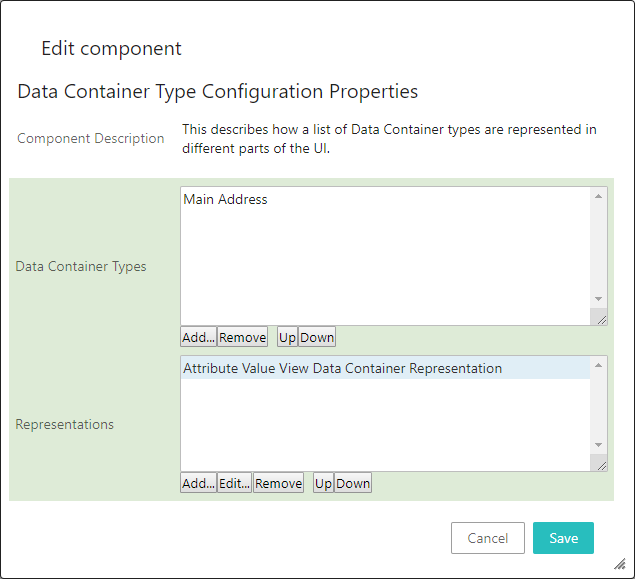
Previously, data container display settings were configured directly on the data container component itself, and had to be reconfigured from scratch if the configuration was to be used elsewhere.
Additionally, a new component called Data Container Default Editor is now available. This new component uses the centralized configuration settings mentioned above to determine how it displays data containers. Relying on a centralized configuration makes it much easier to apply the component to additional screens than it is for existing data container components (such as the Data Container Attribute View Editor).
For more information, see the Main Properties topic of the in the Web User Interfaces / Web UI Setup and User Guide documentation here.
New Loqate Locate version
The Loqate Local server provided when updating STEP has been updated to version 2019Q2.0: 2.31.0.9999.