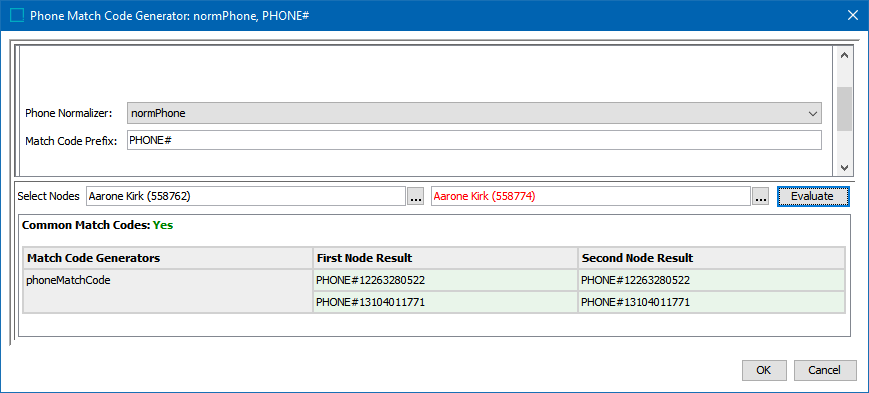
Match codes are created by match codes generators. There are a number of built-in generators for party data. For other cases, use the Business Function Match Code Generator, which maps to a business function that returns a list of text strings that will each become a separate match code.
Note: Match code generators are used for matching algorithms that have been created with the Embed Match Code checkbox.
To create and configure a match code generator:
-
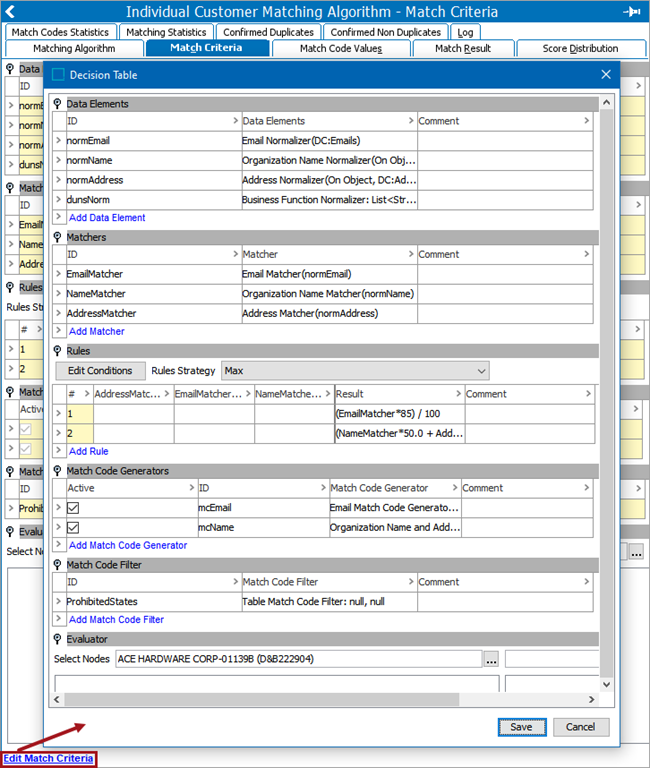
Open the Matching Algorithm, click the Match Criteria tab, and click the Edit Match Criteria link.
-
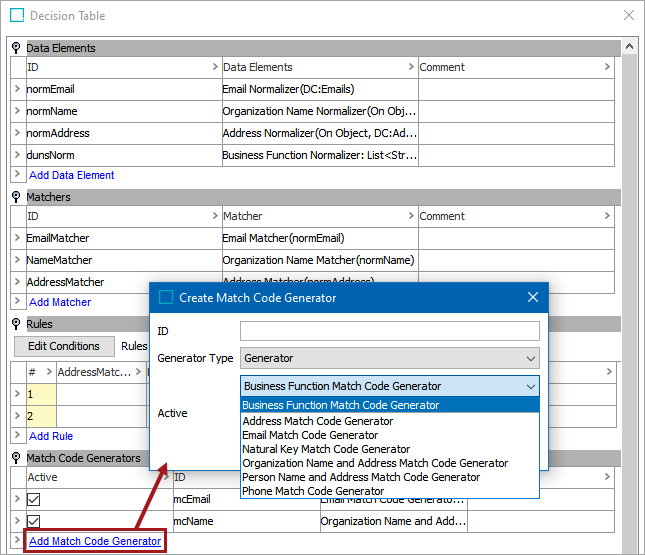
In the Match Code Generator flipper, click the Add Match Code Generator link.
-
For the ID parameter, add an ID.
-
For the Generator Type parameter, leave the default and only option selected and from the second dropdown choose the type of generator. Each is defined in the following sections.
-
For the Active parameter, when checked, the generator is used by the algorithm.
-
Click the Add Match Code Generator button to display the new generator on the Decision Table dialog.
-
In the Match Code Generators flipper, click the Match Code Generator added, click the ellipsis button (
 ) to display a configuration dialog and provide the required settings. and click the OK button. Configuration for each generator is defined in the following sections.
 -
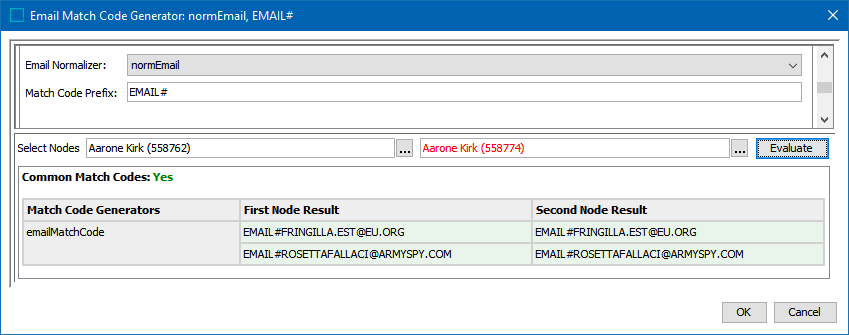
Prepare to test the match code generator by creating some codes. The following example shows several matched records on the previously detailed match code generator. In this example, all of these records share the same email. For more information, see the Configuring Matching Algorithms topic here.
-
Test the match code generators with a variety of records and edit accordingly to achieve the proper results.
All of the match code generators described below require that users map one or more normalizers to generate codes. For more information, see the Match Criteria Data Elements topic here.
Business Function Match Code Generator
A Business Function match code generator uses a business function to produce match codes.
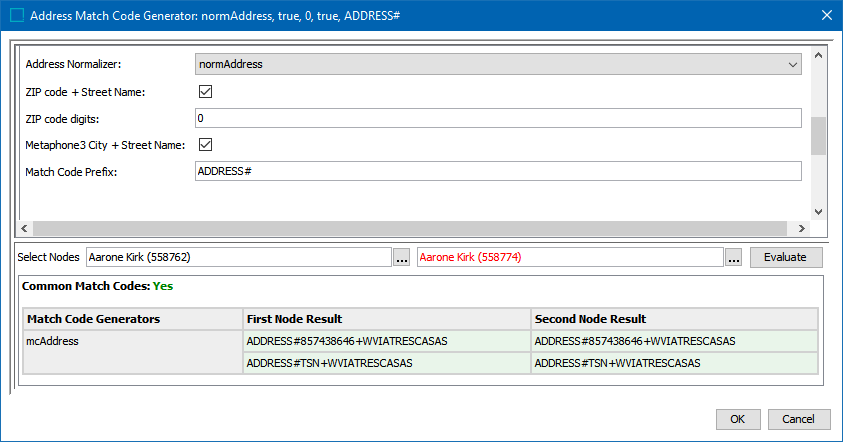
Address Match Code Generator
The Address match code generator must be mapped to an address normalizer.
Email Match Code Generator
The Email match code generator must be mapped to an email normalizer.
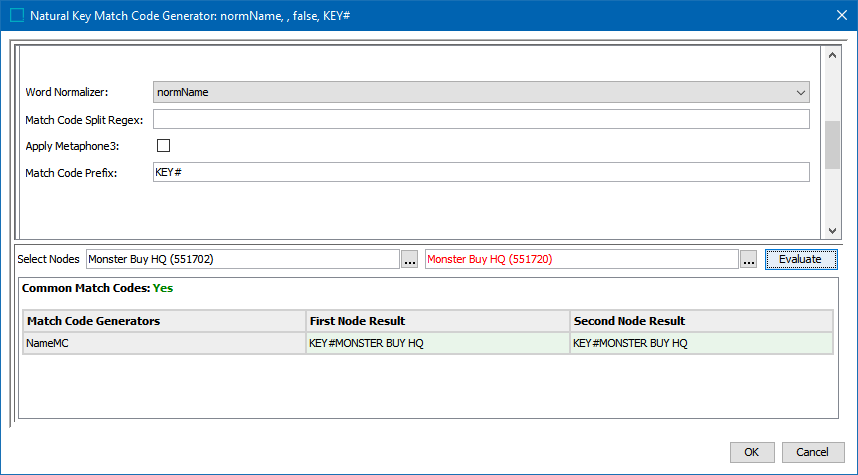
Natural Key Match Code Generator
The Natural Key code generator must be mapped to a word normalizer.
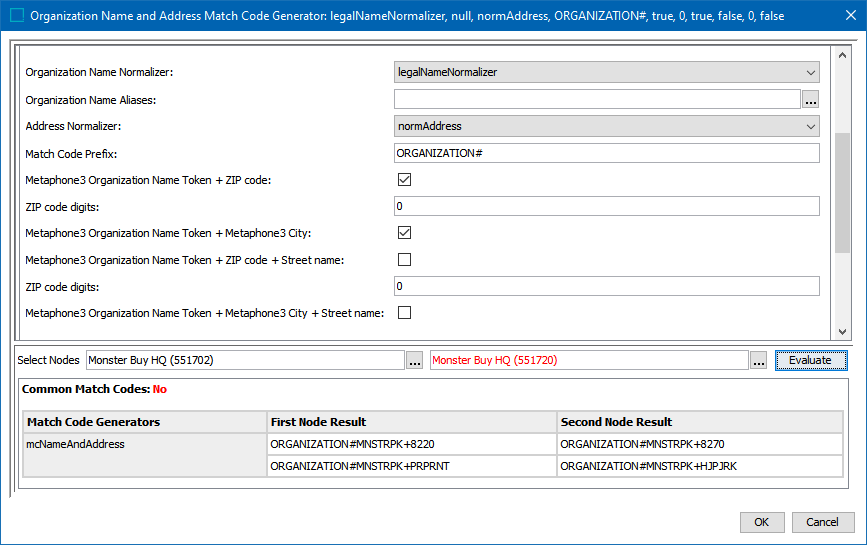
Organization Name and Address Match Code Generator
It is often useful to match on organization names, but on their own, they are often not unique. For example, a supermarket chains can use the same organization name for each of their sites, so to achieve a unique 'name' to identify a site, add another piece of data. The combination of organization name and address usually constitutes a good match code.
The organization name and address match code generator must be mapped to an organization name normalizer and an address normalizer.
Organization names are often abbreviated and appended with terms like 'Inc.' that can be omitted in some systems. For that reason, the organization name should often be followed by a transformation lookup table with aliases.
Person Name and Address Match Code Generator
It is often useful to match on person names, but alone they are often not unique. The combination of person name and address usually constitutes a good match code.
The person name and address match code generator must be mapped to a person name normalizer and an address normalizer.
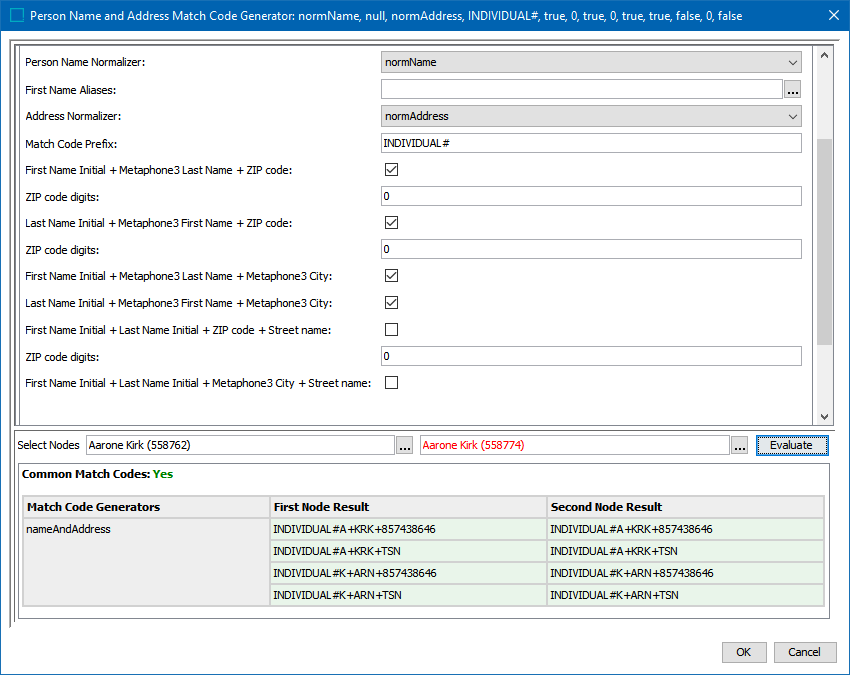
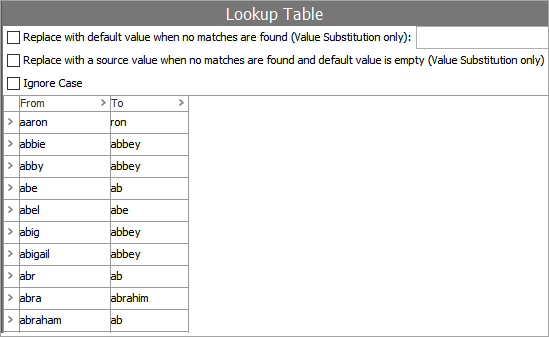
Person names are sometimes abbreviated or exchanged for call names. For that reason, the person names should often be followed by a transformation lookup table with aliases.
Phone Match Code Generator
The phone match code generator must be mapped to a phone normalizer.