Survivorship rules are stored on a matching algorithm and define which source data is added to the golden record for the selected merging or linking solution. For more information, see the Golden Records Survivorship Rules topic here.
To configure a survivorship rule:
-
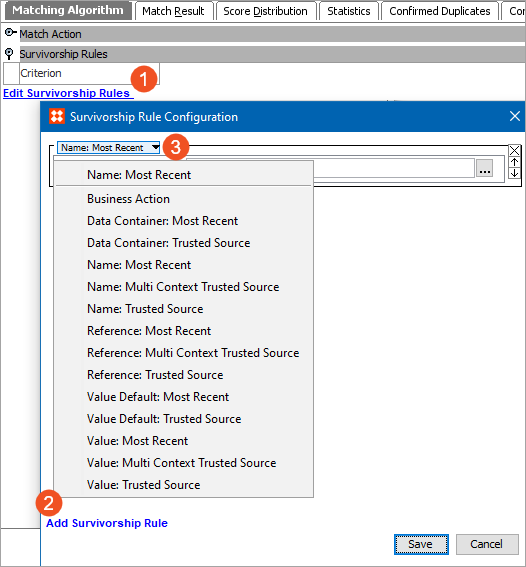
On the Matching Algorithm tab, open the 'Survivorship Rules' flipper and click the Edit Survivorship Rules link.
-
On the 'Survivorship Rule Configuration' dialog, click the Add Survivorship Rule link, and select the required rule from the dropdown.
-
Provide the required parameter information for the selected rule. Parameter details are included in the following topics:
-
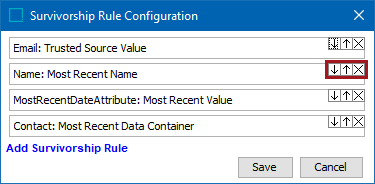
If necessary, edit the order of the rules which are executed in order from top-to-bottom.
-
Click the down and up buttons to change the order of the rules.
-
Click the X button to remove a rule.
For more information on matching algorithms, see the Configuring Matching Algorithms topic here.