Set Name Operation
This operation sets the name of the object on which the bulk update is run. A user can either enter the name manually, or specify a function in the Function editor for naming the object.
For more information on the Bulk Update wizard, see the Creating a Bulk Update topic
This operation can also be run via the business rules functionality, as described in the Business Action: Set Name topic in the Business Rules documentation here.
Configuration
- Select Set Name from the dropdown.
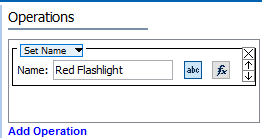
- In the Name parameter, use one of these methods to set the relevant name.
- For manual selection, click the 'abc' button (
 ), type in a constant value that will be used to update the name.
 - For function selection, click the 'fx' button (
 ), then click the ellipsis button (
 ) to display the Function Editor dialog. Write a function to set a name and click the Select button. For more information, see the Using Function Editor topic in the Resource Materials online help here.
Example
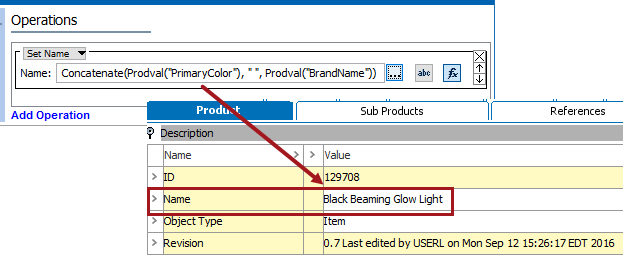
To create a name using the function editor, often attribute values on an item are concatenated. In the image below, the 'Primary Color' and 'Brand Name' attributes will be combined to create the name of this flashlight.
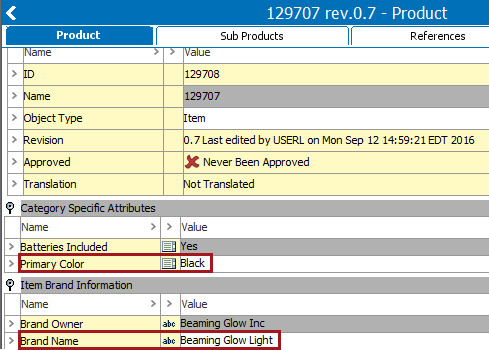
Using the Concatenate function, the value from two attributes make a name for this flashlight item.