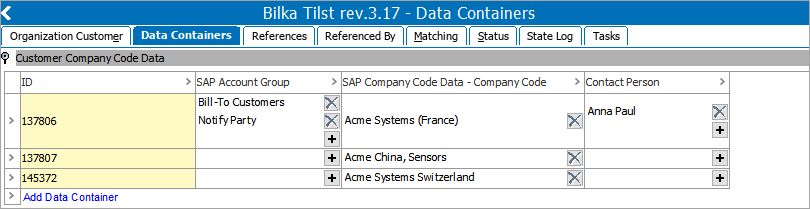
References to other objects can be stored on both single and multi-valued data containers. The supported reference types include: Entity Reference Type, Product Reference Type, Classification Reference Type, and Image and Document Reference Type.
When a data container type is selected as the source object, any references of the relevant type are stored and displayed on the Data Containers tab of the object that holds the data container rather than that object's References tab.
For more information on data containers, refer to the Data Containers topic in the System Setup documentation.
References on data containers can also be displayed in the Web UI via the Globally Configured Data Container component. For more information, refer to the Data Containers in Web UI section of the Web User Interfaces documentation.
Configuring a Reference Type with a Data Container Type as Source Object
The process for creating a reference type for use in data containers differs slightly from the normal reference type configuration steps. For more general information on creating reference types, refer to the Creating a Reference Type topic section.
Caveats specific to this kind of reference type include:
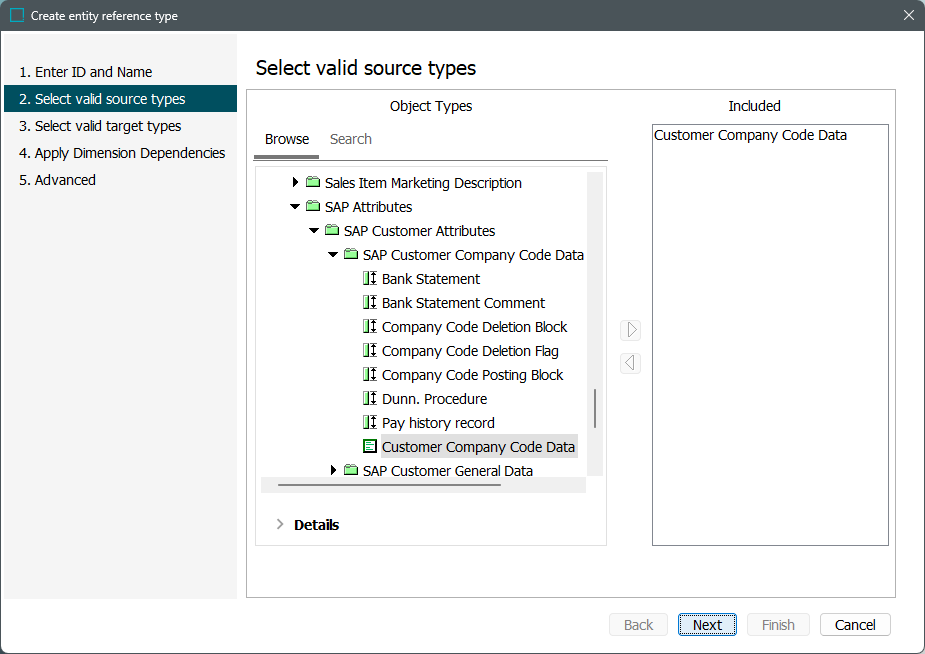
- On the second step of the Create entity reference type wizard, select a data container type(s) as the object type.
- No configuration is available on the fourth step of the wizard, as this kind of reference type cannot be dimension dependent.
- On the fifth step of the wizard, inheritance settings are not available.
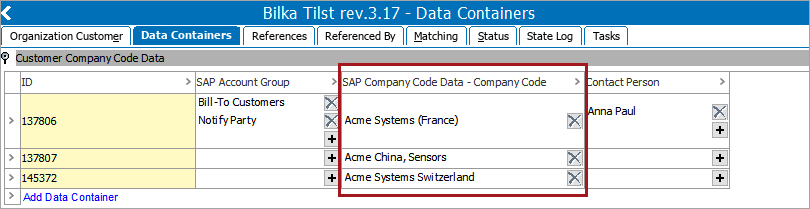
Once the reference type has been created, a column for the reference type will appear on all valid data containers in the workbench.
Important: Reference types that use a data container as a source cannot have metadata attributes on them. If a reference type already has metadata allowed on it, it cannot also have a data container configured as a source.
Editing References on Data Containers
References on data containers are maintained within the Data Containers workbench tab.
- To add a reference, navigate to the cell of the relevant reference type and click the
 button.
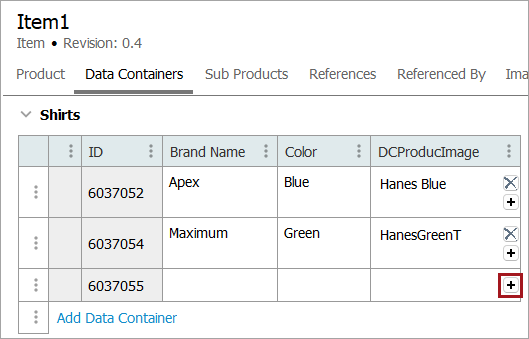
- In the window that appears, browse or search for the desired object and click Select.
To delete a reference, click the  button and confirm the deletion.
For more information on editing data containers, refer to the Adding and Maintaining Data Container Instances topic of the System Setup documentation.
Viewing Data Container References via Referenced By Tab
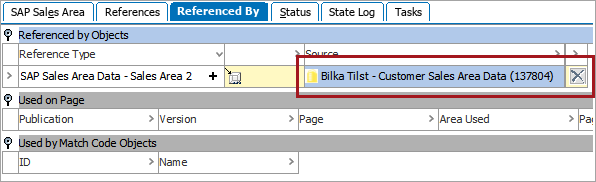
These references may be viewed on the Referenced By tab of the target object, which includes the name of the data container and the object it belongs to.
Note: Using data containers to reference other objects is the only way a single object can reference another object multiple times.