The intention of this topic is to introduce the basic AutoCare VCdb file structure and the way the objects are built in the system when a VCdb file is imported into the system.
Delivering VCdb Files
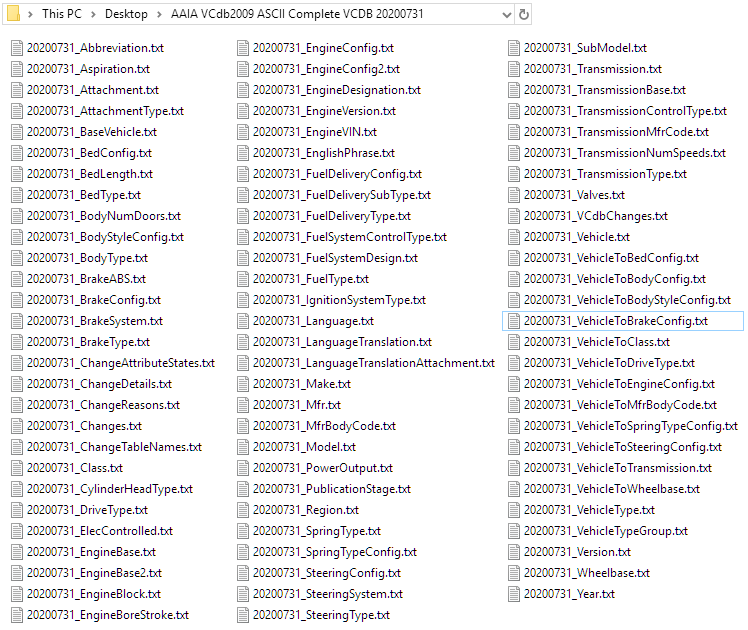
The VCdb is made up of 83 tables (83 pipe-delimited text files ) that contains light, medium, and heavy duty vehicles, powersports, and off-highway configurations and attributes. The Equipment VCdb contains 43 tables.
Auto Care will provide new VCdb files at the end of each month to be available for Auto Care subscribers to download. In the Auto Care VIP portal, when the selecting ASCII file type to download, a .zip file will be generated with the file naming such as 'AAIA VCdb2009 ASCII Complete VCDB 20200828.zip' or 'Auto Care VCDB ASCII Equipment 20200828.zip.'
The following 83 pipe-delimited text files are available within the VCdb Zip file and the way it is structured is demonstrated in the screenshot below.
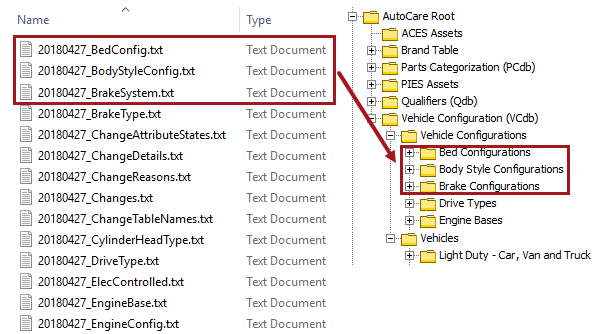
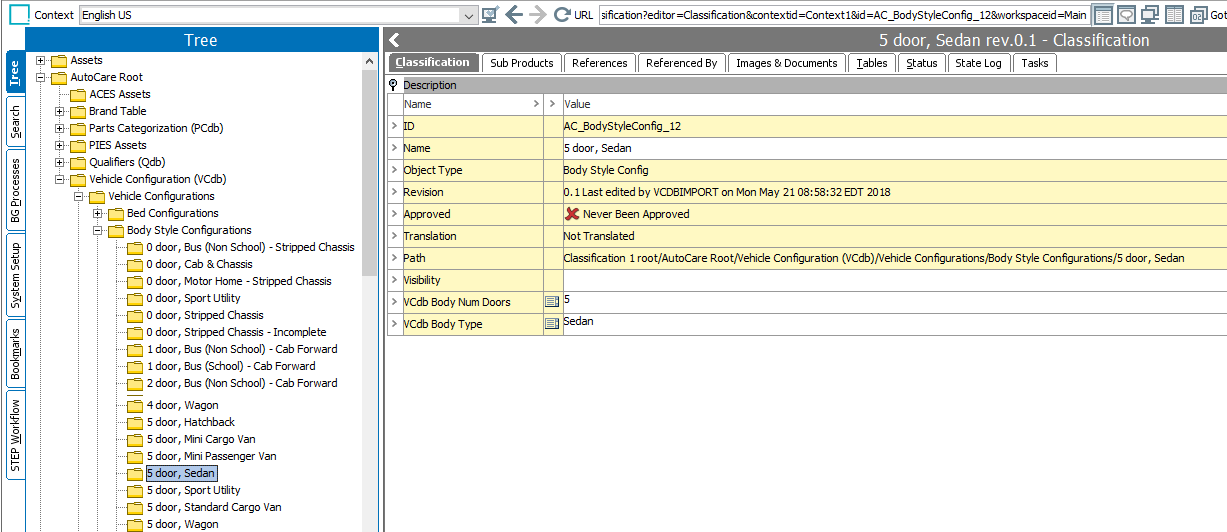
All of the information present in the VCdb file is modeled to be listed under the 'Vehicle Configuration (VCdb)' classification folder. The files 'BedConfig.txt,' 'BodyStyleConfig,' and 'BodyStyleConfiguration.txt,' and a screenshot of showing how it is populated in STEP is displayed below.
Below are some examples of the information within the txt files and a screenshot of showing how it is populated in STEP is displayed below.
- Sample files 'BodyType.txt' and 'BodyStyleConfiguration.txt,' and a screenshot of showing how the information within it is populated in STEP is displayed below.
Input:
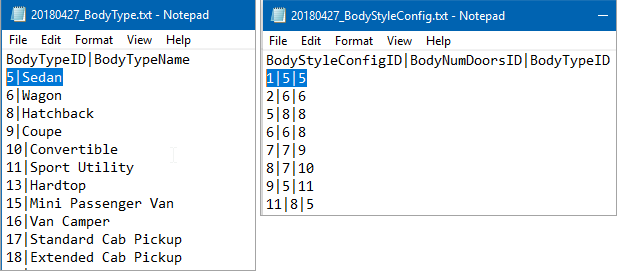
Output: Based on the files 'BodyType.txt' and 'BodyStyleConfiguration.txt,' the classification shown in the screenshot below will be created.
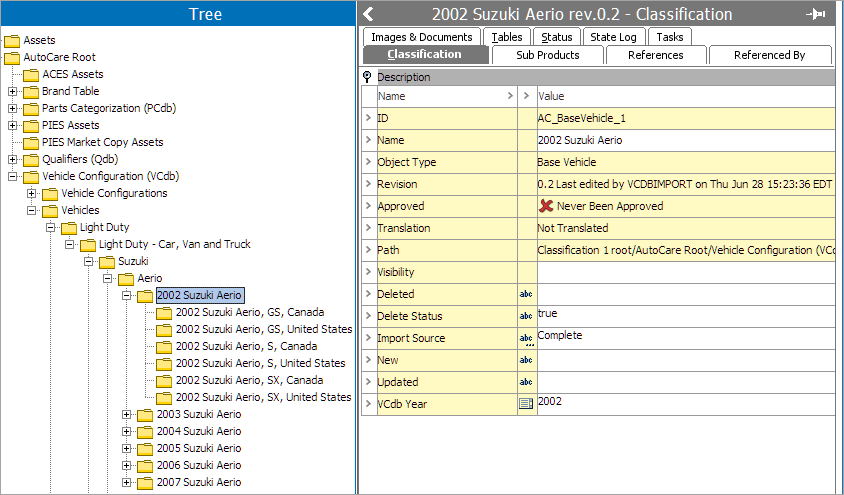
- The sample text files below shows how the 'Make.txt,' 'Model.txt,' 'BaseVehicle.txt,' and 'VehicleType.txt' files are present in the VCdb file folder, and the screenshot below shows how the Vehicle Type (1), Make (2), Model (3) , and the Base Vehicle (4) objects are populated in the system.
Input files
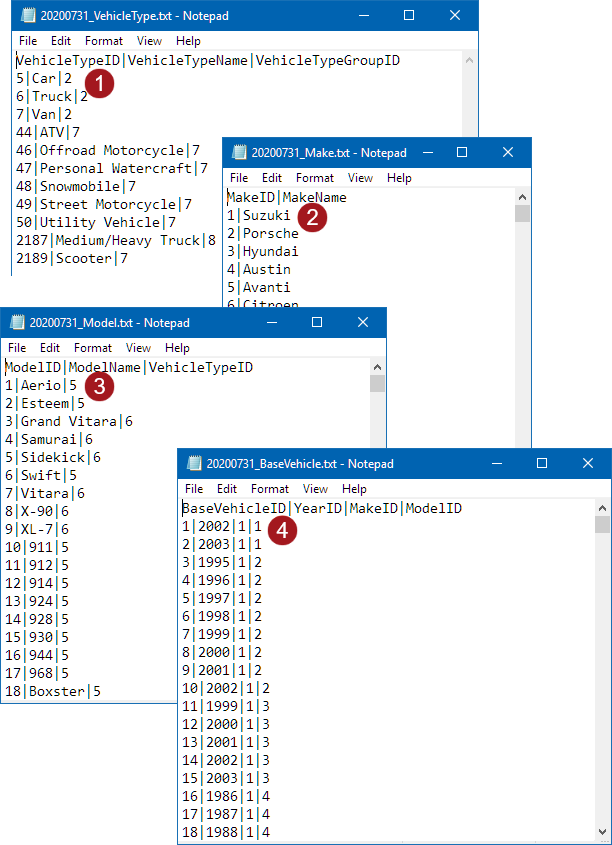
Output
- Sample files 'Vehicle.txt,' 'SubModel.txt,' and 'Region.txt,' and a screenshot of showing how the information present in it is populated in STEP is displayed below.
Input file
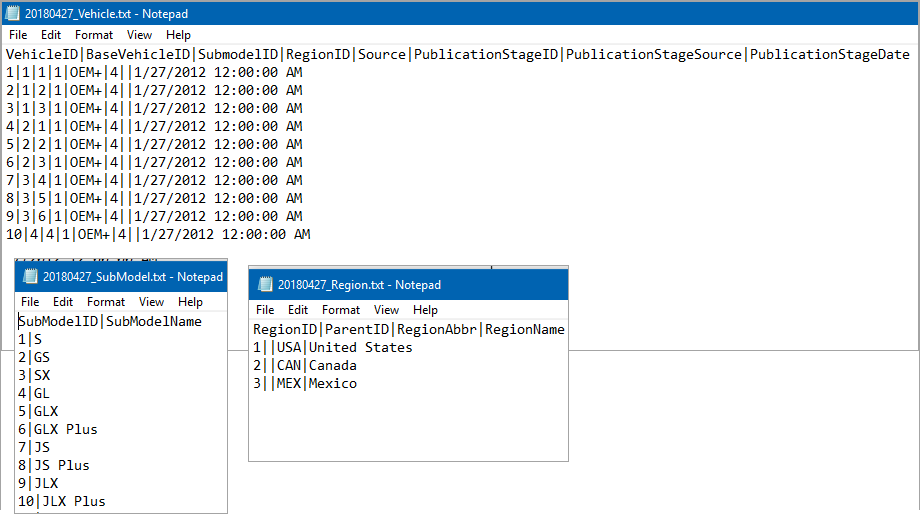
Output
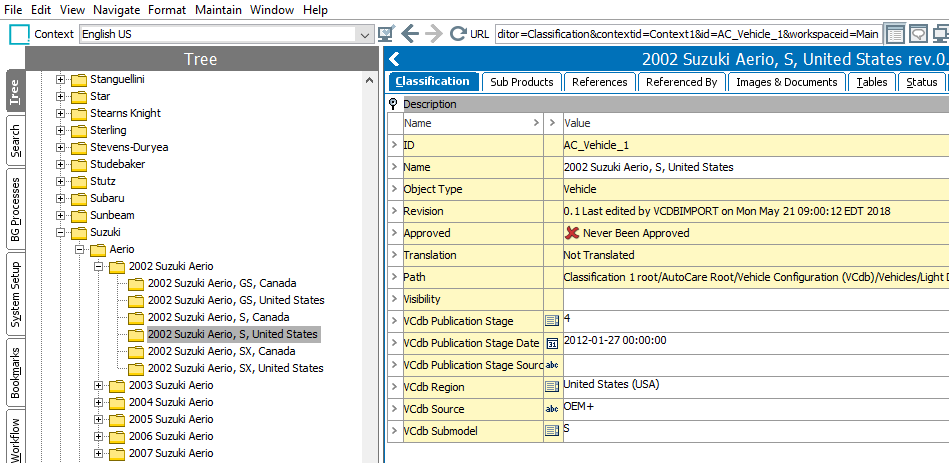
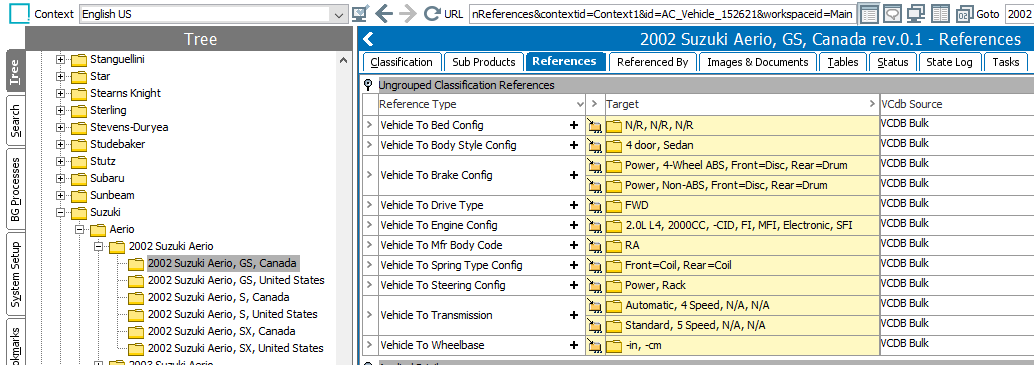
- Sample files 'VehicleToBodyStyleConfig.txt,' 'BodyStyleConfig.txt,'and 'BodyType.txt,' and a screenshot of showing how the information present in it is populated in STEP is displayed below.
Input files
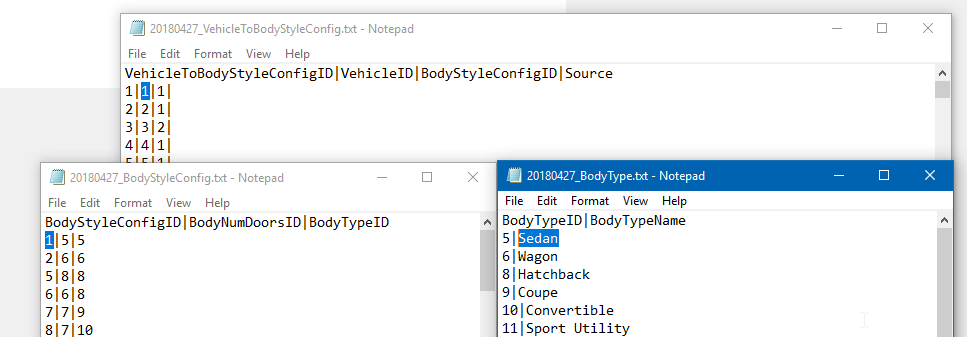
Output: Based on the files 'VehicleToBodyStyleConfig.txt,' 'BodyStyleConfig.txt,'and 'BodyType.txt,' the vehicle will be linked to the body type via the 'VehicleToBodyStyleConfig' reference type.