For general information on making attributes and references mandatory within Smartsheets, providing both a visual indicator and error reporting on missing values, refer to the Mandatory Attributes and References in Smartsheets topic.
A metadata attribute can be used to indicate that an attribute or reference is mandatory in a Smartsheet. The following sections demonstrate how to configure an attribute for this purpose.
Mandatory Attributes in Smartsheets
Configure a metadata attribute to indicate mandatory values in Smartsheets:
- Create a description (metadata) attribute with a validation base type of Integer and make it valid on the attribute basic object type.
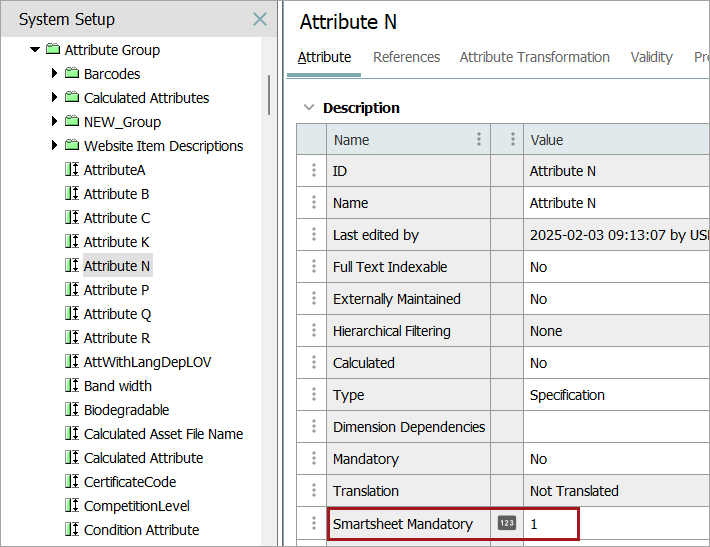
Details on how to make an attribute valid as metadata on an attribute are available in the Attribute Metadata on Attributes topic in the System Setup documentation. The end result should resemble the image below, which includes a metadata attribute named 'Smartsheet Mandatory' that is available on all valid attributes. This example shows an attribute named 'Attribute N.' (The metadata attribute can be named anything; 'Smartsheet Mandatory' is simply an example attribute.)
- Select the metadata attribute in the 'Mandatory metadata attribute' field in the Select Format step of the Smartsheet export configuration.
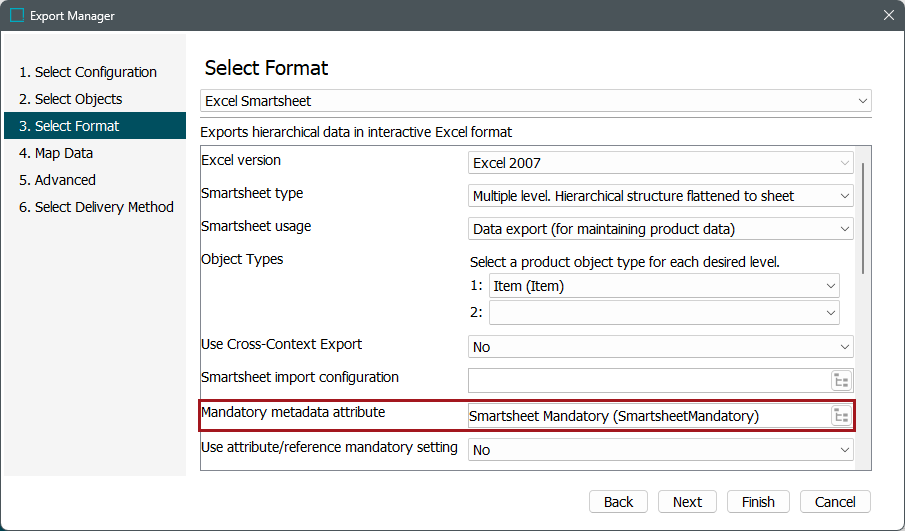
More information on configuring Smartsheet exports is available in the Smartsheet Data and Template Configurations topic.
- For any attribute that should be made mandatory in the Smartsheet, populate a non-zero integer in the metadata attribute.
For example, as shown in step 1, a metadata value of '1' will cause the attribute to be made mandatory in the Smartsheet. Note that the value itself is not used for anything, so entries of 1, 10, and 100 are equivalent, as the system is concerned only with the presence / absence of a non-zero value.
Mandatory References in Smartsheets
Configure a metadata attribute to indicate mandatory values in Smartsheets:
- Create a Description (metadata) attribute with a validation base type of Integer and make it valid on the 'Reference-Type' object type. The process for making an attribute valid as metadata on reference types is the same as that for attributes, which is detailed in the in the Attribute Metadata on Attributes topic in the System Setup documentation.
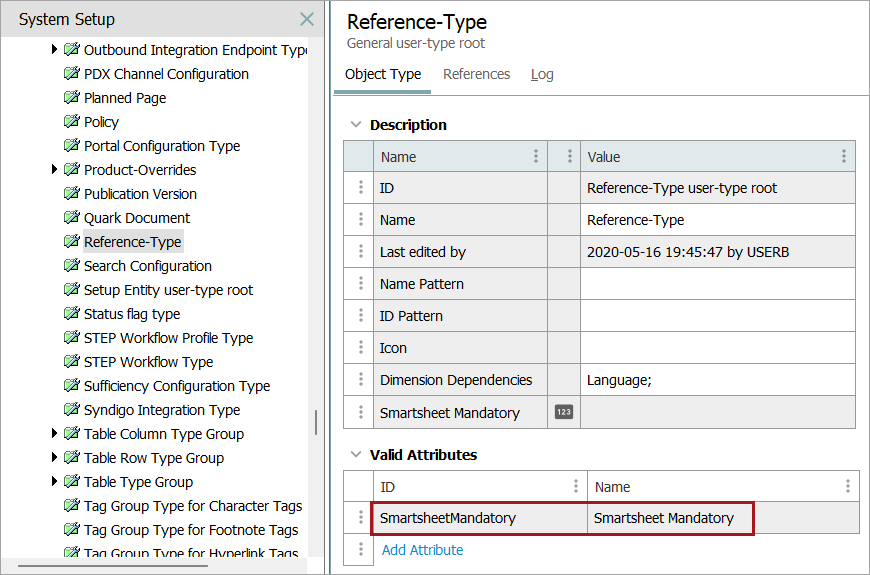
- For the relevant reference type(s) that should be made mandatory in the Smartsheet, populate a non-zero integer in the metadata attribute.
The end result should resemble the image below, where there is a metadata attribute named 'Smartsheet Mandatory' that is available on all reference types. In this example, the Primary Product Image reference type is shown. (The metadata attribute name can be anything; 'Smartsheet Mandatory' is simply an example.)
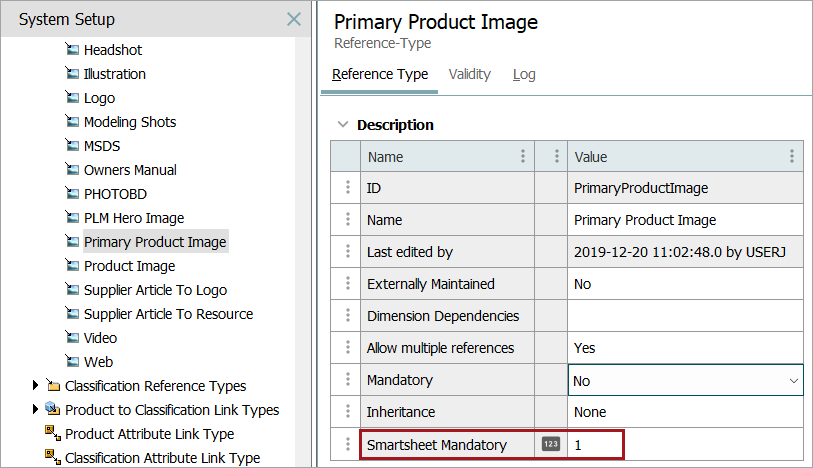
As with mandatory attributes, the metadata attribute will be selected in the 'Mandatory metadata attribute' field in the Smartsheet export configuration.