 ) next to the item you want to edit or click Add Row to add a new configuration.
 Before you can receive data from GDSN, you must configure the inbound message format templates. The templates define how data received from GDSN is processed and imported into STEP.
) next to the item you want to edit or click Add Row to add a new configuration. To configure the inbound message format, complete the following three steps on the Inbound tab.
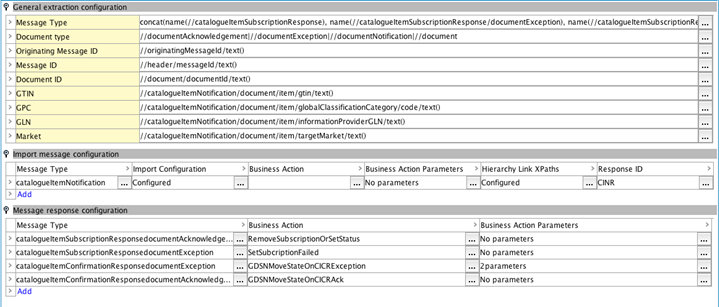
In the General extraction configuration area, you specify the XPath configurations used to extract data from a GDSN message. The data is used to determine the type of the message and to find the documents in a message.
In the Import message configuration area, you specify how Catalog Item Notification (CIN) messages are handled and imported into STEP.
In the Message response configuration area, you specify how GDSN responses from the GDSN data pool are handled by the GDSN receiver.
2020, Stibo Systems – Confidential