Typically this type of work requires a STEP Super User to carry out the task. The user would require in depth knowledge of STEPXML, System Setup, and how to use export and import manager.
Accessing the System Compare Tool
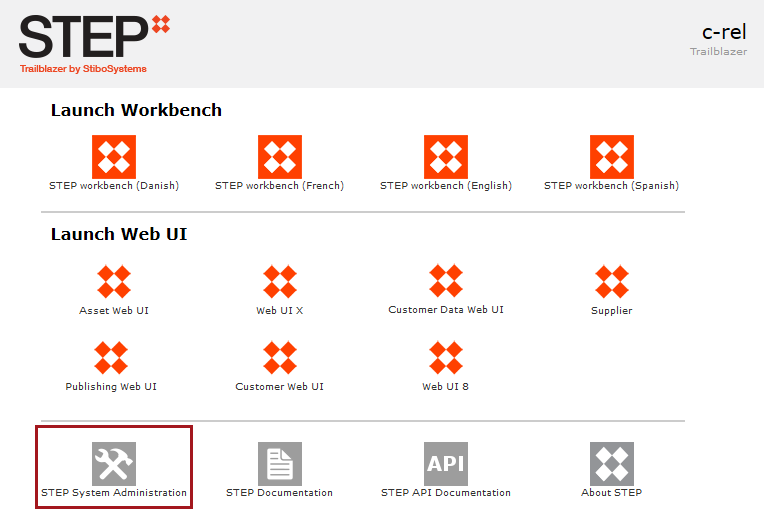
The system compare tool can be accessed through the workbench but due to the amount of memory required to run this tool it should be accessed via the STEP System Administration link on the Start Page.
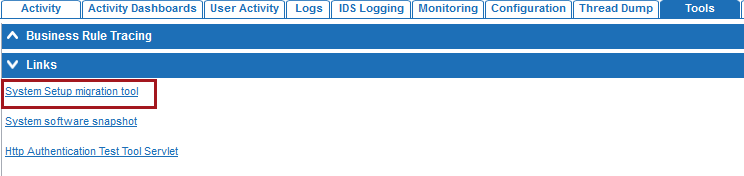
To access the STEP System Administration data, the user will require Super Users privileges i.e., administrator of the system. The user will require all the privileges necessary to make the updates the imported XML requires. Once on the system admin page, select the Tools tab, and select the ‘System Setup migration tool’ link.
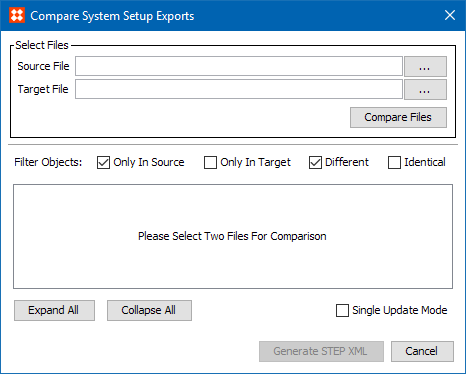
Log in as normal to display the Compare System Setup Exports dialog.
Moving configuration without using the STEP comparison tool
It is possible to move configuration from one STEP instance to another without using the comparison tool.
This process will only add / modify configuration loaded onto a target system. If you then need to identify what is different from the source and target machines the comparison tool will need to be used.
Move all configurations from one STEP system to another
What configuration can be moved from one system to another?
Before a user can use the comparison tool the STEP export manager needs to be used to export STEPXML from the source and target systems.
When configuring the export the following will need to be selected:
Below is a list of different types of configuration that can be exported from STEP. For details on each parameter, see the STEPXML Outbound Parameters topic in the Data Exchange documentation here.
| STEPXML Configuration Parameter | Can these be exported? |
|---|---|
|
Global Settings > Include Schema Reference |
No |
|
Data Objects > Include Keys as IDs |
Yes – Keys on target system will be inactive |
|
Data Objects > Include Entities |
Comparison tool not used to export data |
|
Data Objects > Include Products |
Comparison tool not used to export data |
|
Data Objects > Include Product Attribute Values |
Comparison tool not used to export data |
|
Data Objects > Include Classifications |
Comparison tool not used to export data |
|
Data Objects > Include Tables |
No |
|
Data Objects > Include Assets |
Comparison tool not used to export data |
|
Configuration > Include Action Sets |
Yes |
|
Configuration > Include Attributes |
Yes |
|
Configuration > Include Attribute Groups |
Yes |
|
Configuration > Include Attribute Transformations |
Yes |
|
Configuration > Include Bulk Update Configurations |
Yes - Reliant on the classification to exist |
|
Configuration > Include Business Rules (Global) and Libraries |
Yes |
|
Configuration > Include Collection Definitions |
Yes |
|
Configuration > Include Contexts |
Yes |
|
Configuration > Include Context Qualifiers |
Yes |
|
Configuration > Include eCatalogs |
Yes – Product Selection based on a collection will exist, but search would need to be run to add products on target Any other type of Product Selection will not exist |
|
Configuration > Include Event Queues |
Yes – Event Queues and Consumers will not be active |
|
Configuration > Include Export Configurations |
Yes - Reliant on the classification to exist |
|
Configuration > Include Import Configurations |
Yes – Reliant on the classification to exist |
|
Configuration > Include Integration Endpoints (Receivers: hotfolders, REST, API, JMS ) |
Yes |
|
Configuration > Include Link, Reference and Object Types |
Yes |
|
Configuration > Include List of Values |
Yes |
|
Configuration > Include Setup Groups |
Yes |
|
Configuration > Include System Settings |
Yes |
|
No |
|
|
Configuration > Include Tags |
Yes |
|
Configuration > Include Transformation Lookup Tables |
Yes - Reliant on the classification to exist |
|
Configuration > Include Units |
Yes |
|
Configuration > Include Users and User Groups |
Yes – Cannot migrate new users as you require a password when creating a new user |
|
Configuration > Include Web UI Configurations |
Yes - Reliant on the classification to exist |
|
Configuration > Include Websites |
Yes |
|
Configuration > Include Workflows |
Yes |
2020, Stibo Systems – Confidential