 ) and search or browse to select the object using the Evaluation Node dialog.
Evaluating allows you to test that the syntax and structure of a function is correct.
) and search or browse to select the object using the Evaluation Node dialog.Note: To evaluate only a specific part of the function, highlight it and click the Evaluate button. Ensure that the parentheses are paired (opened and closed) for the selection. If there is any error in the code, or if the parentheses are not handled correctly, the evaluation result will be 'N/A'.
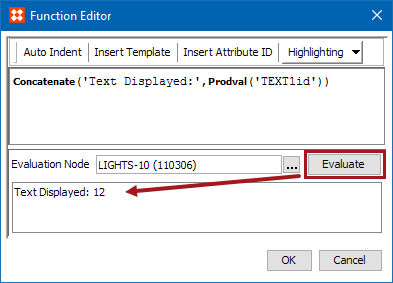
The Function Editor is available in several locations within STEP. For more information, see the STEP Functions documentation here.
2019, Stibo Systems – Confidential