Open topic with navigation
GDSN Registration Tab
The GDSN registration tab contains a master table at the top that shows information about registrations. The table lists all the GDSN registrations made for the selected product.
For each registration the following information is displayed:
- Target Market: Lists the target market the registration is made for.
- Registration Status: Lists the status of the registration. For example, Registration Completed.
- GLN: Lists the Global Location Number of your company or the company you are publishing for.
Once a product is registered with the GDSN it can be published to multiple GDSN data pool recipients.
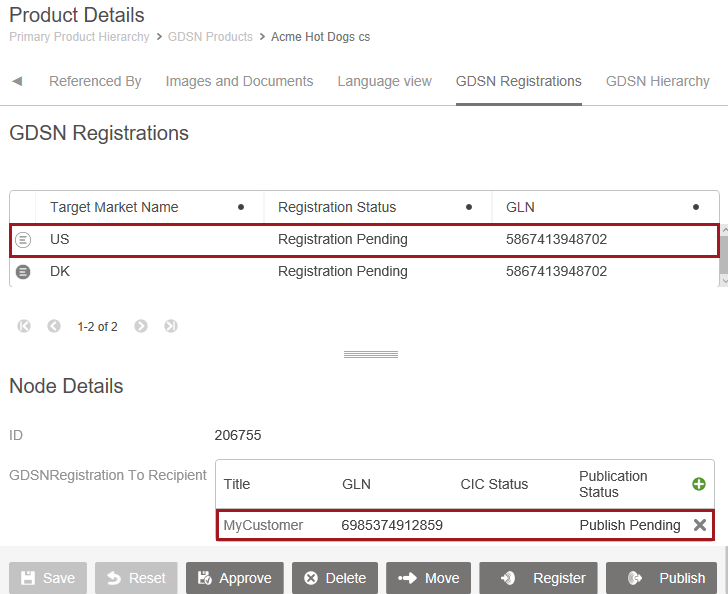
Select a registration in the master table, and the details area shows a list of publications registered in the target market of the selected registration.
For each publication the following information is displayed:
- Title: Lists the name of the recipient.
- GLN: Lists the Global Location Number of the recipient.
- GDSN CIC Status: Lists information about whether the recipient has accepted the published data.
- GDSN publication status: Lists whether the recipient has received the product.
Display an attribute value in the publication table
Additional columns can be configured to both the master table (registrations) and the details table (publications). This could be a column for the publication table that displays additional comments for the CIC999 code.
- In the Web UI, enter Design mode.
- Select the screen GDSNRegistrationDetails.
- In the Designer, navigate to the References component placed within the Node Editor.
- Click the Add button for the Columns property and the Add component dialog displays.
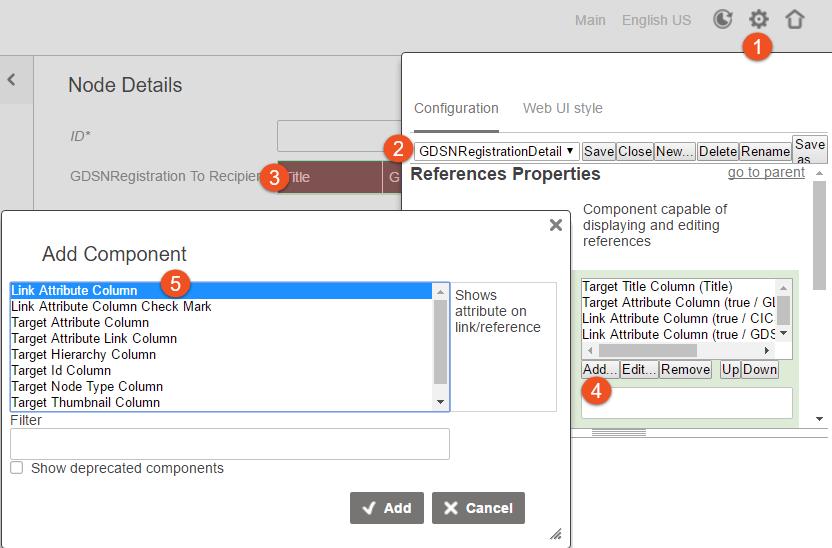
- Select the Link Attribute Column component in the list, click the Add button, and a configuration dialog appears.
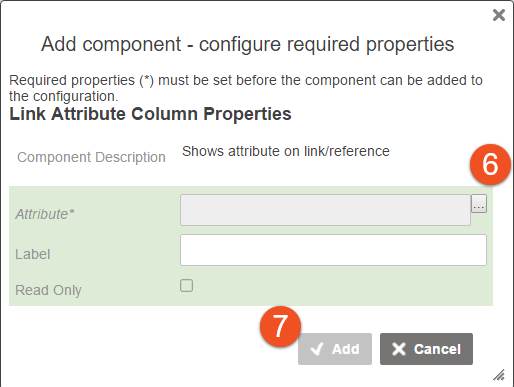
- Specify the attribute for the new column and click the Add button. A label is optional. If not specified, the column title will be the same as the attribute's name.
- In the Add component dialog, click the Add button.
- Click Save for the configuration.
- Click Close for the Designer.
2019, Stibo Systems – Confidential