
This section details the dataset configuration criteria. In the following sections, the 'Or' or 'And' buttons will add another criteria of the same object type criterion.
The object type criterion defines the type of object(s) to which the policy applies.
The attribute value criterion will allow the policy to assess attributes and their values. Then, using the comparator selector, users can select how to assess the value that is entered. The options for evaluating the value with the comparator are in the table below the example image.
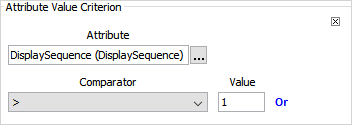
| Comparator Symbol | Definition | Example of Use |
|---|---|---|
| > | Greater than | 'DisplaySequence' > 1; this is true if the associated object has a display sequence of any value higher than 1. |
| >= | Greater than OR equal to | 'DisplaySequence' >= 1; this is true if the associated object has a display sequence of 1 or greater. |
| < | Less Than | 'DisplaySequence' < 1; this is true if the associated object has a display sequence of any value lower than 1. |
| <= | Less than OR equal to | 'DisplaySequence' <= 1; this is true if the associated object has a display sequence of 1 or lower. |
| = | Equal to | 'City' = Annapolis; this is true whenever an object has 'Annapolis' in the City field. |
| != | Not equal to | 'City' != Annapolis; this is true whenever an object has any value BUT 'Annapolis' in the City field. |
| has value | - | 'City' has value; this is true when there is any value in the City field. |
| has no value | - | 'City' has no value; this is true when there is no value in the City field. |
| starts with | - | 'City' starts with 'A'; this is true whenever a City field has a value starting with 'A' |
Select a comparator and then supply the value that should be used for evaluation.
Note: The 'has no value' and 'has value' do not show a 'Value' field.
This criterion will isolate a data container on entity records and then evaluate an attribute under that data container. First, the data container type is specified. If only the data container type is specified, then any entity with at least one instance of this data container type will be returned.
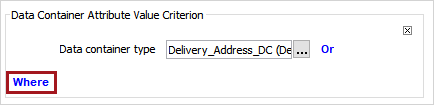
However, if the 'Where' addition is specified, then any entity with the data container type that has the specified criterion will be returned. Set the attribute, comparator, and value for evaluation. In the following example, any customer with a least one delivery address where the city starts with 'A.'
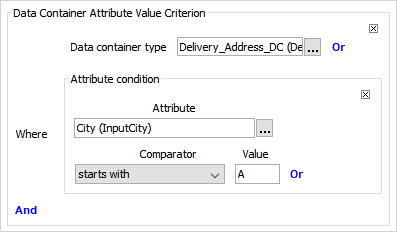
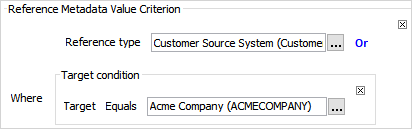
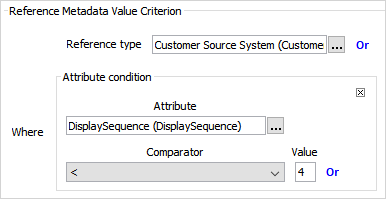
The reference metadata value criterion allows for specifying a reference type. Select a reference type, and then, select the 'Where' link to specify conditions for evaluation.
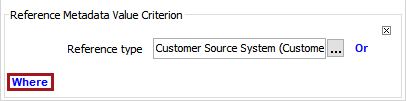
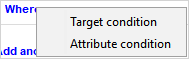
Choose whether this is for a target condition or an attribute condition.
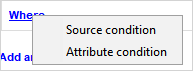
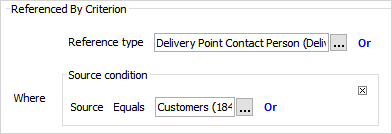
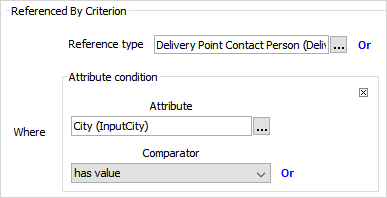
The referenced by criterion compares the source object of a reference. Select a reference type, and then, select the 'Where' link to specify conditions for comparing.
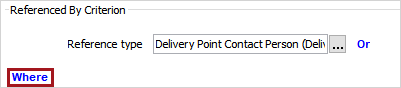
Choose whether this is for a source condition or an attribute condition.
2019, Stibo Systems – Confidential