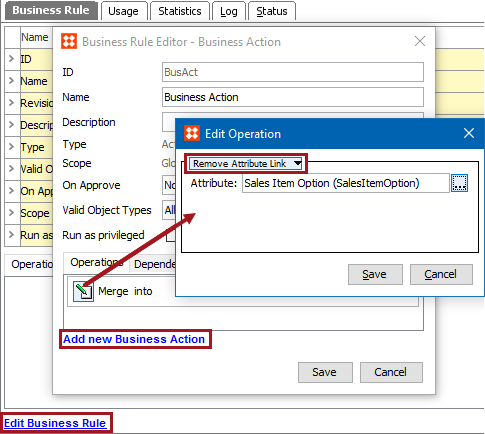
This operation removes an attribute link from a product.
For example, the ‘Offer’ attribute is linked to a number of products during a seasonal special offer promotion. Once the promotion has ended, the attribute should immediately be removed from all products. This can be achieved by creating a collection of all nodes that include the attribute, and then running a bulk update with the Remove Attribute Link business action.
This operation can also be run via a Bulk Update and sample data is provided in the References and Links: Remove Attribute Link Operation topic in the Bulk Updates documentation here.
Prerequisites
Before using this operation:
Configuration
 ) to display the Select Attribute dialog, choose the attribute that should be removed and click the Select button.
2019, Stibo Systems – Confidential