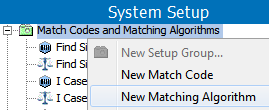
Before configuring a matching algorithm, ensure that you have developed a thorough matching, linking, and merging strategy. Among the many choices available, you must determine which string comparison method to use and what criteria it should follow.
For more information, see the Match Criteria section of the Matching, Linking, and Merging documentation here.
For additional information on configuring the accompanying matching algorithms and match codes, see the Matching, Linking, and Merging Elements
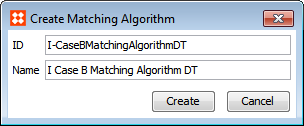
 ) in the 'Match Code' field. Choose the applicable match code, and then click Select.
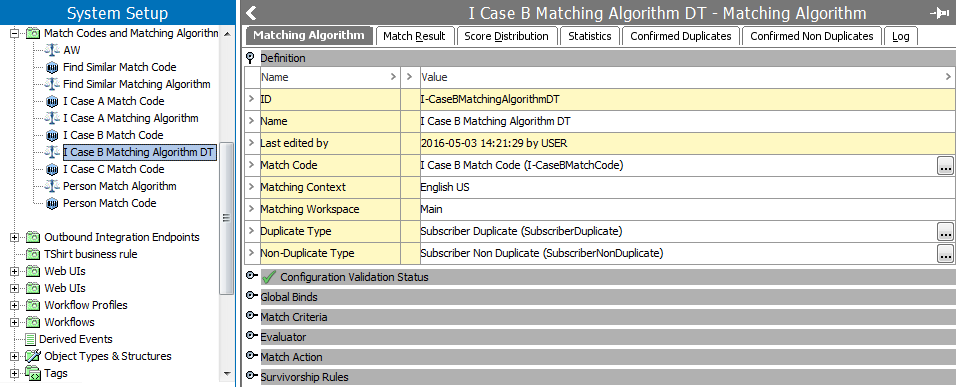
Note: The 'Configuration Validation Status' area displays a green check mark if the matching algorithm has a valid configuration. An 'X' is displayed if the configuration is invalid, as well as those aspects of the configuration with errors. These errors should be corrected before running the Matching Algorithm.
). In the selector that appears, select the applicable reference type. Next, do the same for the 'Non-Duplicate Type' field. The reference types selected must correspond with those mapped in the component model. For more information, see the Component Model Configuration documentation here.
) to specify an object to bind via the selector dialog that appears. Finally, under 'Variable Name', specify a variable name for the bind. Click OK when finished.
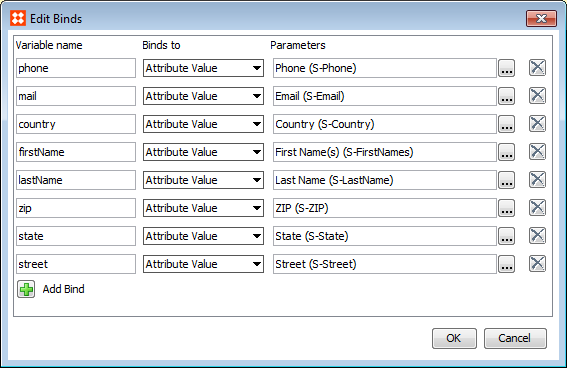
For more information on using binds with matching algorithms, see the Match Criteria documentation here.
Important: Global binds are not optimized for use with in-memory.
) to open the editor and create the matching criterion. Once complete, specify a weight for the criterion via the 'Weight' field.

For more information on match criteria, see the Match Criteria documentation here.
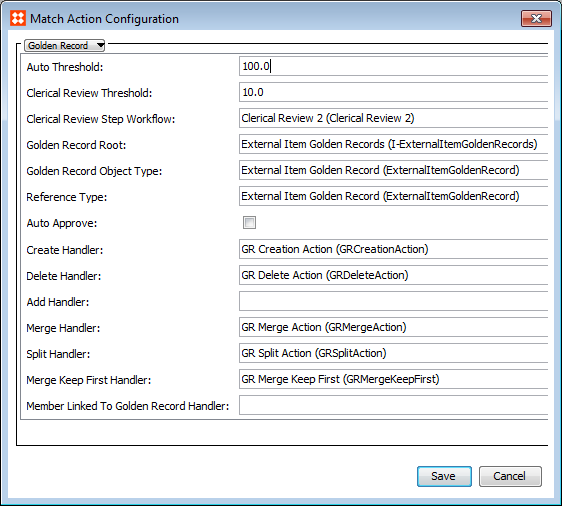
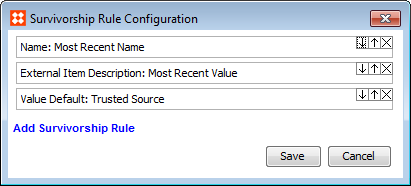
Note: If a survivorship rule is added but has not been configured, the Configuration Validation Status of the matching algorithm will display an 'X'.
For more information, see the Golden Records Survivorship Rules documentation here.
2019, Stibo Systems – Confidential