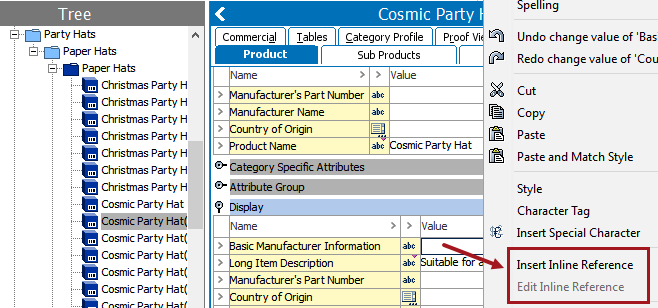
Inline references can be embedded in attribute values for attributes that have text and numeric text validation base types. An inline reference use case follows:
You are working with product objects whose model number is the same as their STEP ID (for example, '12345'). On these objects there is an attribute called 'Product Description' that needs to dynamically reference the object's model number within the text of the attribute. For a Product Description such as 'Acme lawn mower, model number 12345,' the inline reference to the STEP ID would populate '12345.' Using an inline reference in this instance helps to avoid duplication of effort—since the product's model number already exists in STEP as its ID, there is no need for users to manually enter it a second time into the system.
Also, in many cases inline references are easier to use than calculated attributes and easier on system resources. For example, it may be easier for users to use an inline reference to pull in a STEP ID than to create a calculated attribute using the formula 'StepID()'.
One attribute value can include several inline references. An inline reference can reference either a single attribute or an attribute group.
Note: Pressing Alt + F2 will also open the value editor.
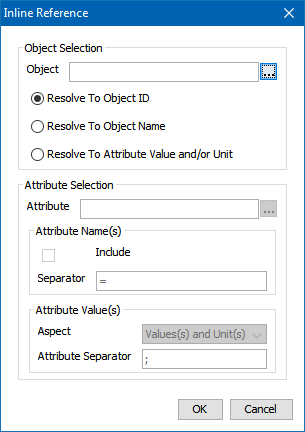
 ) to the right of the Object field. Ignore this field if you plan to return value(s) from the current object instead. ) to display the 'Select Object' dialog, search for or browse to the object that holds the value(s) that you would like to return, then click Select to choose the object. ) to the right of the Attribute field to open the 'Select Attribute or Attribute Group' dialog.
For example, if a single attribute is chosen, and the Include box is checked, the results will look as follows:
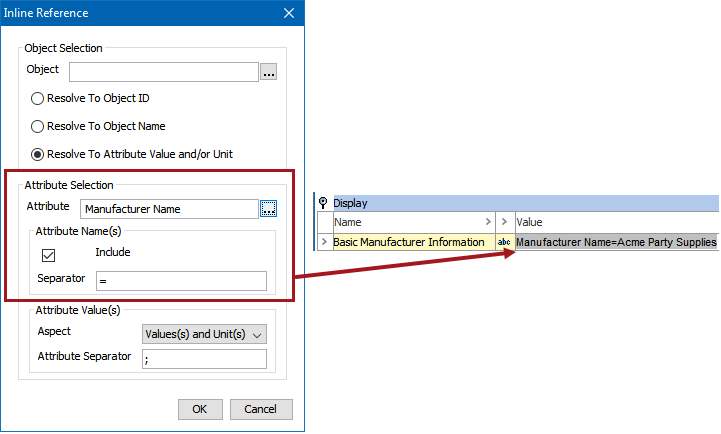
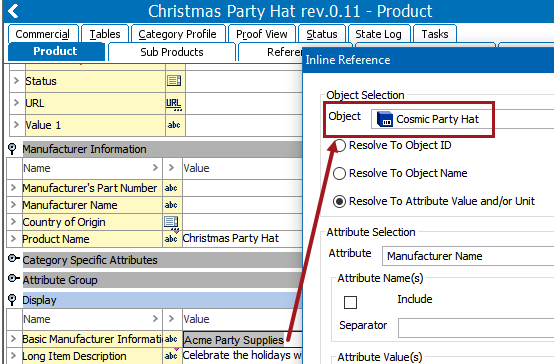
The following screenshot shows:
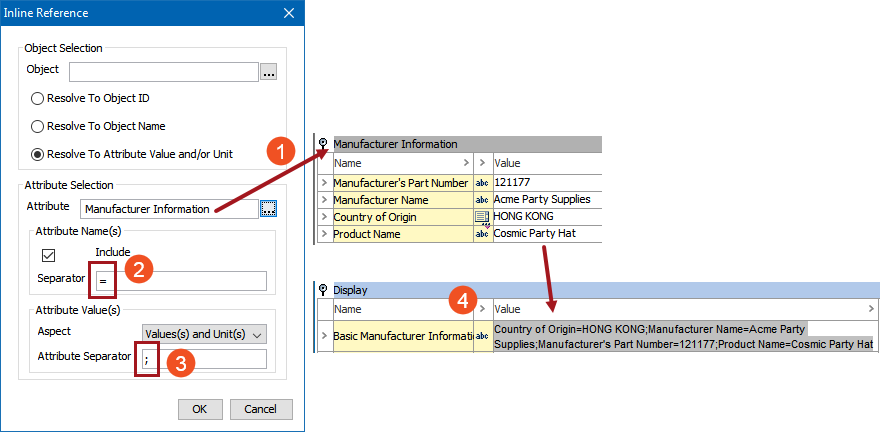
The Attribute Separator field in the Inline Reference dialog does not apply to the values of multi-valued attributes. Instead, the separator for values of multi-valued attributes is handled by the <multisep/> tag (multisep). The multisep tag is a Character Tag in System Setup and comes standard with STEP systems. STEP stores the values of multi-valued attributes with the multisep tag between them, and this tag typically renders as a forward slash (/).
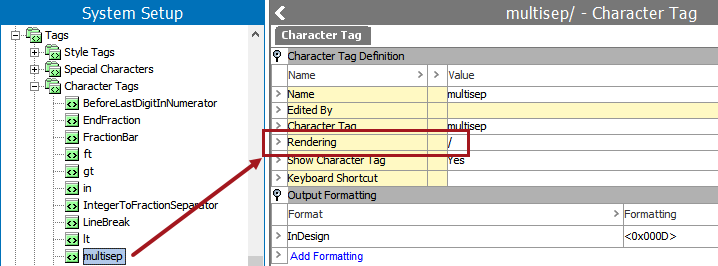
If a multivalued attribute is used in an inline reference, the rendering setup for the multisep tag will be shown between each of the values. In the below example, the 'Country of Origin' attribute has four values. When rendered in the inline reference, these four values are separated by the forward slash (/) character.

For more information on STEP character tags, see the Tags topic in the System Setup / Super User Guide documentation here.
An alternate—and quicker—method of creating an inline reference is to copy the value of an attribute, then paste it into the value editor of another attribute as an inline reference. This inline reference can then be edited like any other inline reference.
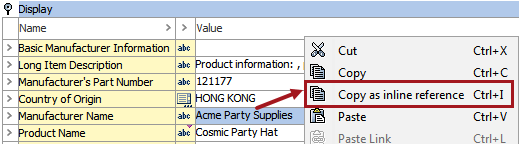
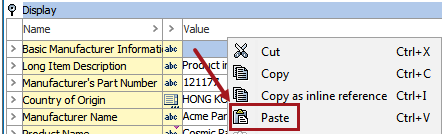
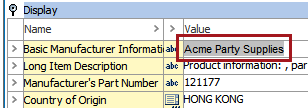
Note: The copied 'source' attribute value is connected to the 'source' object, meaning that any time an attribute value is coped as an inline reference and pasted elsewhere, the inline reference will never pick up the attribute value from the current object but only from the 'source' object. Also, STEP IDs and STEP names cannot be copied as inline references.
Rich text editing allows users to enter and edit text within a web browser. Inline references can be inserted into an attribute value using a Rich Text Editor (RTE) within a Node Editor.
Adding an inline reference in Web UI is similar to adding one in the workbench. For instructions, see the Rich Text Editor section of the Web User Interfaces documentation
2019, Stibo Systems – Confidential