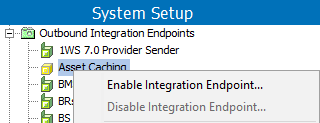
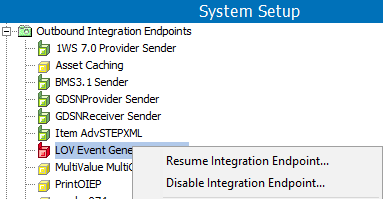
When a background process encounters an error, it is reported in the log. Errors can be reviewed in the log, resolved, and then the failed integration endpoint can be reactivated using Disable / Enable or Resume.
Setting an integration endpoint to Disable and then Enable does clear the log file.
Resuming an integration endpoint does not clear the log file
Note: Whenever the STEP system is patched or restarted, the main background process is automatically restarted. The integration endpoint log still exists, and continues to show an overview of the started background processes.
Errors can happen before the background process starts, and also after it is running. The Error Reporter can be configured when creating an OIEP, as described in the Error Reporter section of OIEP - Configuration Flipper here.
Outbound process errors can happen, for example, due to the FTP connection being unavailable, when the delivery directory is out of space, or if a network connection is down. STEP stops the OIEP until the problem can be resolved.
OIEP Fails Before the BGP Starts
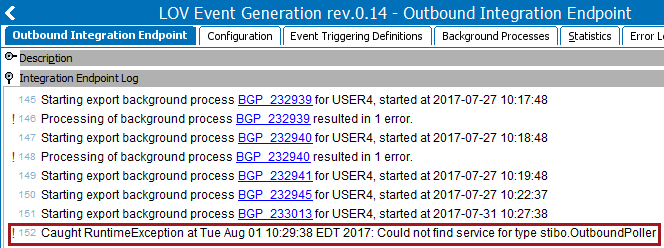
In cases where the OIEP fails before the BGP is initiated, a report is available in Integration Endpoint Log on the Outbound Integration Endpoint tab. Refer to this log for information to make needed corrections.
OIEP Fails After the BGP Starts
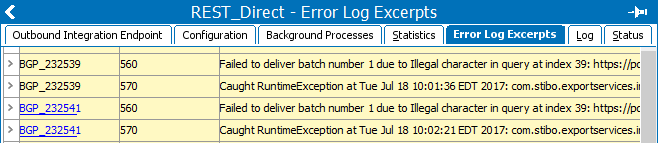
The Error Log Excerpts tab includes details about failures within the background process.
You can also see if a process has been suspended because it is dependent on a failed process.
The Background Process editor displays.
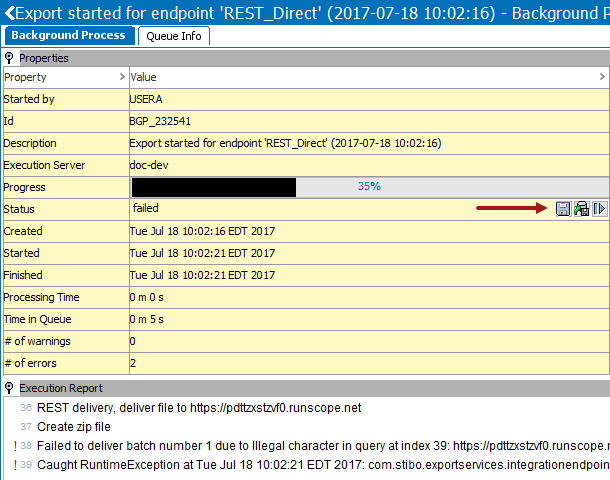
 ) in the Value column, near the failed status, to save the file locally.
 ) near the failed status.
 ) near to the failed status. The background process is restarted.
2019, Stibo Systems – Confidential